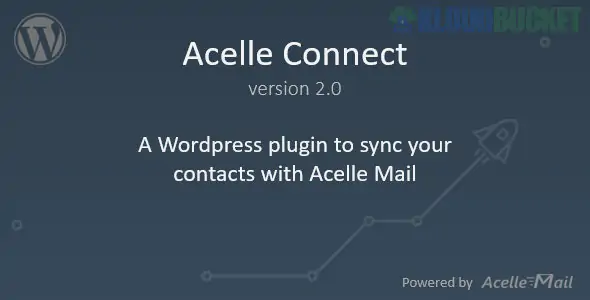
Acelle Connect is the official WordPress integration plugin for Acelle Mail, a popular self-hosted email marketing web application. Its primary purpose is to synchronize your WordPress site's user database with your Acelle Mail contact lists, allowing for automated email marketing based on site activity.
Unlike general automation tools (like Zapier), Acelle Connect is a dedicated "bridge" specifically built to link these two platforms seamlessly.
Automatic User Sync: Automatically adds new WordPress registrants to a specific Acelle Mail list.
Profile Update Sync: If a user updates their profile info in WordPress (e.g., name or email), the changes are instantly pushed to Acelle Mail.
Role-Based Mapping: You can map different WordPress user roles (Subscriber, Editor, Customer) to different mailing lists or segments in Acelle.
Import Existing Users: Features a "bulk sync" tool to push all your existing WordPress users into your Acelle Mail account in one go.
WooCommerce Compatibility: Syncs your customers' data to Acelle Mail, making it easy to run "Thank You" or "Re-engagement" campaigns.
Acelle Connect uses the Acelle Mail API to communicate between your WordPress server and your Acelle Mail installation. Even if they are hosted on different servers or subdomains, they can stay perfectly in sync.
To get the integration running, follow these steps:
Get Your API Key:
Log in to your Acelle Mail dashboard.
Go to Account > API and generate or copy your API Token.
Install the Plugin:
In WordPress, go to Plugins > Add New > Upload.
Upload the Acelle Connect ZIP file and activate it.
Connect the Platforms:
Navigate to the Acelle Connect menu in your WordPress sidebar.
Enter your Acelle Mail URL (e.g., https://mail.yourdomain.com) and your API Token.
Configure Mapping:
Select which WordPress user roles should be synced.
Choose the target Mailing List in Acelle Mail where the users should be saved.
Zero Manual Exporting: Stop downloading CSVs from WordPress and manually uploading them to your email tool.
Real-Time Marketing: Start welcome sequences the second a user joins your site.
Self-Hosted Power: By combining WordPress + Acelle Mail + Acelle Connect, you own 100% of your data and marketing stack, avoiding expensive monthly fees from services like Mailchimp.
[!TIP]
Avoid Bot Signups: Since this plugin automatically syncs new users, ensure your WordPress registration page has a CAPTCHA. Otherwise, your Acelle Mail lists may quickly fill up with "spam" bot subscribers.
Would you like me to help you draft an automated "Welcome Email" series for your new WordPress users, or should we look at how to set up role-based segments in your mailing list?
Subscribe to access unlimited downloads of themes, videos, graphics, plugins, and more premium assets for your creative needs.
.jpg) Help Us to Buy More New Theme/Plugin
Help Us to Buy More New Theme/Plugin
Published:
Jan 20, 2026 12:20 PM
Version:
v2.0
Category:
Author:
OtherLicense:
GPL v2 or LaterTags: