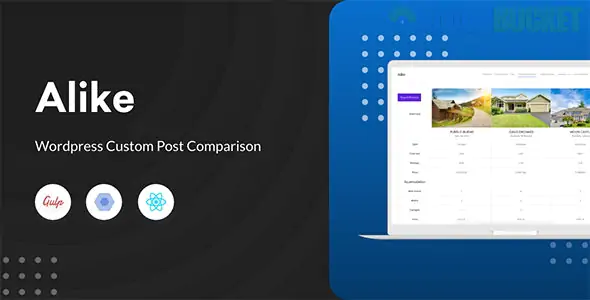
Alike is a powerful WordPress plugin designed to create comparison tables for any post type, including custom post types (CPT). Unlike standard WooCommerce comparison tools, Alike is flexible enough to handle directories, real estate listings, car dealerships, or any data-heavy site.
Universal Compatibility: Works with standard posts, pages, and any Custom Post Type (e.g., Properties, Events, Cars).
Flexible Logic Builder: You can choose exactly which data to compare, including Custom Meta Data, Taxonomies, and Terms.
Star Rating System: Automatically converts numeric values (0.00 – 5.00) into visual star ratings.
Comparison Basket: A user-friendly "basket" or "tray" where users can add multiple items before viewing the full comparison table.
Visual Availability: For custom terms, the plugin displays a green check icon if the term exists for that post and a red close icon if it does not.
Customization: * Two distinct table design themes.
Drag-and-drop field ordering.
Customizable image thumbnail sizes (hard/soft crop).
Responsive design for mobile and tablet users.
To get Alike running on your site, follow these core steps:
Define Your Logic: Go to the Alike Logic Builder in your dashboard. Here, you select your Post Type and choose which fields (Price, Dimensions, Color, etc.) should appear in the table.
Add the "Compare" Link: Use a shortcode or the plugin’s built-in hooks to add a "Compare" button to your post loops (archive pages) and single post pages.
Create a Comparison Page: Create a new WordPress page and paste the Alike comparison shortcode. This is where users will be redirected to see their selected items side-by-side.
Style the Table: Navigate to the Settings Panel to choose your theme, set the maximum number of items allowed for comparison (typically up to 5), and adjust button colors.
Feature
Alike
YITH WooCommerce Compare
WPC Smart Compare
Post Types
Any CPT (Cars, Houses, etc.)
WooCommerce Products Only
WooCommerce Products Only
Logic Builder
Dynamic (Meta & Taxonomies)
Fixed (Attributes)
AJAX-based Attributes
Rating Style
Star Icons (0-5)
Text/Number
Text/Number
Table Layout
Horizontal / Vertical
Popup or Page
AJAX Popup / Page
Pro Tip: If you are using a directory theme (like ListingPro or MyListing), Alike is an excellent choice because it can pull specific data from the "Listing" custom post type that these themes use.
Would you like me to provide the specific shortcode or PHP snippet needed to display the "Add to Compare" button on your custom archive pages?
Subscribe to access unlimited downloads of themes, videos, graphics, plugins, and more premium assets for your creative needs.
.jpg) Help Us to Buy More New Theme/Plugin
Help Us to Buy More New Theme/Plugin
Published:
Jan 21, 2026 12:04 PM
Version:
v3.0.0
Category:
Author:
All In One PluginLicense:
GPL v2 or Later