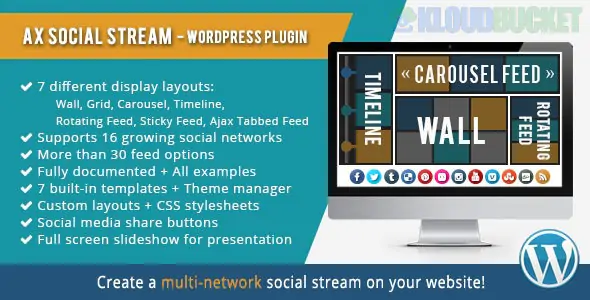
AX Social Stream is a powerful and versatile WordPress plugin designed to aggregate all your social media activities into a single, cohesive feed on your website. Developed by Axent Media, it is widely used to boost engagement by showing live social proof directly on your pages.
Unlike individual feed plugins, AX Social Stream specializes in combining multiple networks into one "Social Board."
The plugin supports 15+ social networks and over 30 feed types, including:
Facebook: Page posts and group timelines.
Instagram: User accounts and hashtag-based feeds.
Twitter (X): User timelines and hashtag search results.
YouTube: User uploads, playlists, and specific search terms.
Others: TikTok, Pinterest, RSS Feeds, Tumblr, Dribbble, Flickr, SoundCloud, and Vimeo.
8+ Unique Layouts: Choose from diverse display styles including Wall, Grid, Carousel, Timeline, Rotating Feed, Sticky Feed, and Ajax Tabbed Feed.
Smart Server Caching: To prevent slow page loads, the plugin caches social data on your server, ensuring the stream loads instantly for visitors even with multiple sources.
Social Sharing Integration: Visitors can share posts from your stream directly to their own social media accounts, increasing your content's reach.
Filtering & Search: Includes a built-in search bar and network filters so users can find specific content within your unified stream.
Theme Manager: Fully customizable via an admin panel or custom CSS, allowing you to match the stream's design to your brand's aesthetic.
Page Builders: Seamlessly integrates with Elementor, WPBakery Page Builder, and Cornerstone.
Multilingual: Fully compatible with WPML, making it ideal for international websites.
Responsive: Automatically adjusts layouts for mobile, tablet, and desktop viewing.
Installation: Upload the ax-social-stream.zip via Plugins > Add New.
Connect Accounts: Navigate to Social Stream > Settings to authenticate your social media accounts (API keys/Tokens).
Create a Board: Go to Social Stream > Manage Boards. Click "Add New" and select the social sources you want to include.
Choose Layout: In the Board settings, select your preferred layout (e.g., Masonry Grid or Timeline).
Publish: Use the generated shortcode (e.g., [ax_social_stream id="123"]) to place the stream on any page, post, or widget area.
Note on API Restrictions: To keep your feeds active, you must generate your own API credentials (for Facebook, Instagram, etc.) through their respective developer portals. Twitter (X) hashtag searches are typically limited to the last 7 days of activity due to platform constraints.
Would you like me to guide you through the process of generating the API credentials for Facebook or Instagram, or do you need help customizing the CSS for your specific layout?
Subscribe to access unlimited downloads of themes, videos, graphics, plugins, and more premium assets for your creative needs.
.jpg) Help Us to Buy More New Theme/Plugin
Help Us to Buy More New Theme/Plugin
Published:
Jan 17, 2026 13:45 PM
Version:
v3.12.3
Category:
Author:
OtherLicense:
GPL v2 or LaterTags: