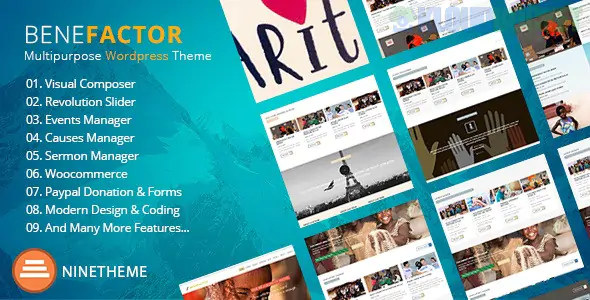
Benefactor is a high-impact, feature-rich WordPress theme specifically engineered for non-profit organizations, charities, NGOs, and fundraising campaigns. Developed by ThemeFuse, it balances emotional storytelling with technical tools to help you collect donations and organize volunteers effectively.
The theme is built to be "multipurpose," meaning it can be adapted for everything from environmental activism to local community shelters.
Integrated Donation System: Comes with built-in tools (or deep integration with plugins like GiveWP) to create fundraising goals, progress bars, and secure payment processing.
Event Management: A dedicated system to promote charity galas, marathons, or community meetings, including countdown timers and registration forms.
Visual Storytelling: Large hero areas and "Story" layouts designed to highlight the impact of your work through high-quality photography and video.
Volunteer Recruitment: Pre-built forms and call-to-action sections specifically designed to convert visitors into active volunteers.
Visual Builder Support: Most versions are compatible with Elementor or the Brizy builder, allowing for real-time, drag-and-drop customization.
To run Benefactor at peak performance, ensure your setup meets these standards:
PHP Version: 7.4 or higher.
Memory Limit: 256MB (512MB recommended if you are using heavy donation plugins).
SSL Certificate: Required. Since you will likely be handling donations (money and personal data), an active SSL (HTTPS) is non-negotiable for security and trust.
The Core Plugin: You will need to install the Unyson framework (often used by ThemeFuse) to import the demo content and manage theme options.
Category
Page Type
Mission
Our Story, Team & Board, Annual Reports, Partners
Fundraising
Causes Grid, Single Cause (with progress bar), Donation Page
Action
Become a Volunteer, Events Calendar, Contact Us
Transparency
FAQ, News/Blog Archive, Testimonials from Beneficiaries
Goal Tracking: Use the Fundraising Progress Bar on your homepage. Seeing a "70% of Goal Reached" bar creates a sense of urgency and encourages donors to help you cross the finish line.
Transparency First: Use the Annual Report or Impact sections to show exactly where the money goes. For non-profits, trust is the primary currency.
Newsletter Integration: Non-profits rely on recurring donors. Ensure your footer has a clear signup form (connected to Mailchimp or similar) to keep your supporters updated on your wins.
Mobile-First Donations: Many donors contribute via social media links on their phones. Test your donation flow on a mobile device to ensure it takes fewer than three clicks to complete a gift.
Pro Tip: If you are a registered 501(c)(3) or equivalent, use the Google for Nonprofits program. Benefactor is perfect for creating the landing pages required to make the most of the $10,000/month Google Ad Grant.
Would you like me to help you set up the "GiveWP" plugin for recurring donations, or do you need assistance configuring the Events Calendar for an upcoming fundraiser?
Subscribe to access unlimited downloads of themes, videos, graphics, plugins, and more premium assets for your creative needs.
.jpg) Help Us to Buy More New Theme/Plugin
Help Us to Buy More New Theme/Plugin
Published:
Feb 01, 2026 12:16 PM
Version:
v1.7.5
Category:
Developer:
ThemeforestLicense:
GPL v2 or Later