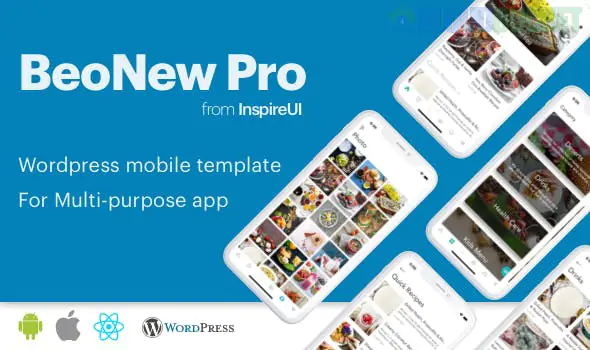
For number 46, we cross the bridge into mobile development with BeoNews Pro. This isn't a theme or a plugin in the traditional sense; it is a React Native Mobile App Framework that pulls content from your WordPress site and displays it as a high-performance, native application for iOS and Android.
While the previous entries helped you build a website, BeoNews Pro is the tool you use when your audience wants to carry your content in their pocket.
Modern App Experience: Because it’s built on React Native, the app doesn't feel like a "mobile website." It has the smooth transitions, haptic feedback, and gesture-based navigation users expect from professional apps.
Layout Flexibility: It comes with several pre-made UI designs ranging from news magazine styles to clean, minimal video portals. You can choose a "Card" layout, "List" view, or "Pinterest" grid for your posts.
BeoNews Pro is a developer-focused toolkit that includes:
The Full Source Code: You get the actual React Native code to customize and upload to the Apple App Store and Google Play Store.
WordPress Integration: A dedicated bridge plugin that syncs your WordPress posts, categories, and tags to the app via the WP REST API.
Push Notifications: Deep integration with OneSignal or Firebase, allowing you to send alerts directly to your readers' lock screens when you publish a new story.
Offline Mode: The app can cache data, allowing users to read your articles even when they don't have an internet connection.
Ad Monetization: Built-in support for Google AdMob and Facebook Audience Network to help you earn revenue from your mobile traffic.
Feature
The Upside
The Downside
Native Performance
Much faster and more reliable than "Web-View" apps; provides a "True App" feel.
Technical Barrier: Requires basic knowledge of React Native or someone to help you compile the code.
Deep WP Sync
Supports WordPress Comments, Social Login, and even WooCommerce (if using the e-commerce version).
Maintenance: When Apple or Google updates their OS, you may need to update your app code to stay compliant.
White Label
No "Powered by" branding; it’s 100% your own branded app in the stores.
Developer Accounts: You still need to pay Apple ($99/year) and Google ($25 one-time) for their developer licenses.
WordPress Side: Install the BeoNews Plugin on your site. This prepares your REST API to "talk" to the app.
Local Environment: You will need Node.js, React Native CLI, and Android Studio / Xcode installed on your computer to build the app.
The Connection: You simply paste your website URL and API keys into the app's configuration file (src/common/Config.js).
The Build: Run a command like npx react-native run-ios to see your WordPress site turn into a mobile app instantly.
Publisher Pro-Tip: Use the "Social Login" feature in BeoNews Pro. By allowing users to sign in via Google or Facebook, you can track their reading habits and send personalized push notifications based on their favorite categories.
We have now covered 46 distinct WordPress solutions! We’ve gone from gardening and construction to full-scale mobile application development.
Would you like me to help you understand the specific steps for publishing a React Native app to the stores, or shall we move on to the next entry?
Subscribe to access unlimited downloads of themes, videos, graphics, plugins, and more premium assets for your creative needs.
.jpg) Help Us to Buy More New Theme/Plugin
Help Us to Buy More New Theme/Plugin
Published:
Jan 27, 2026 12:33 PM
Version:
v4.3.0
Category:
Author:
All In One PluginLicense:
GPL v2 or LaterTags: