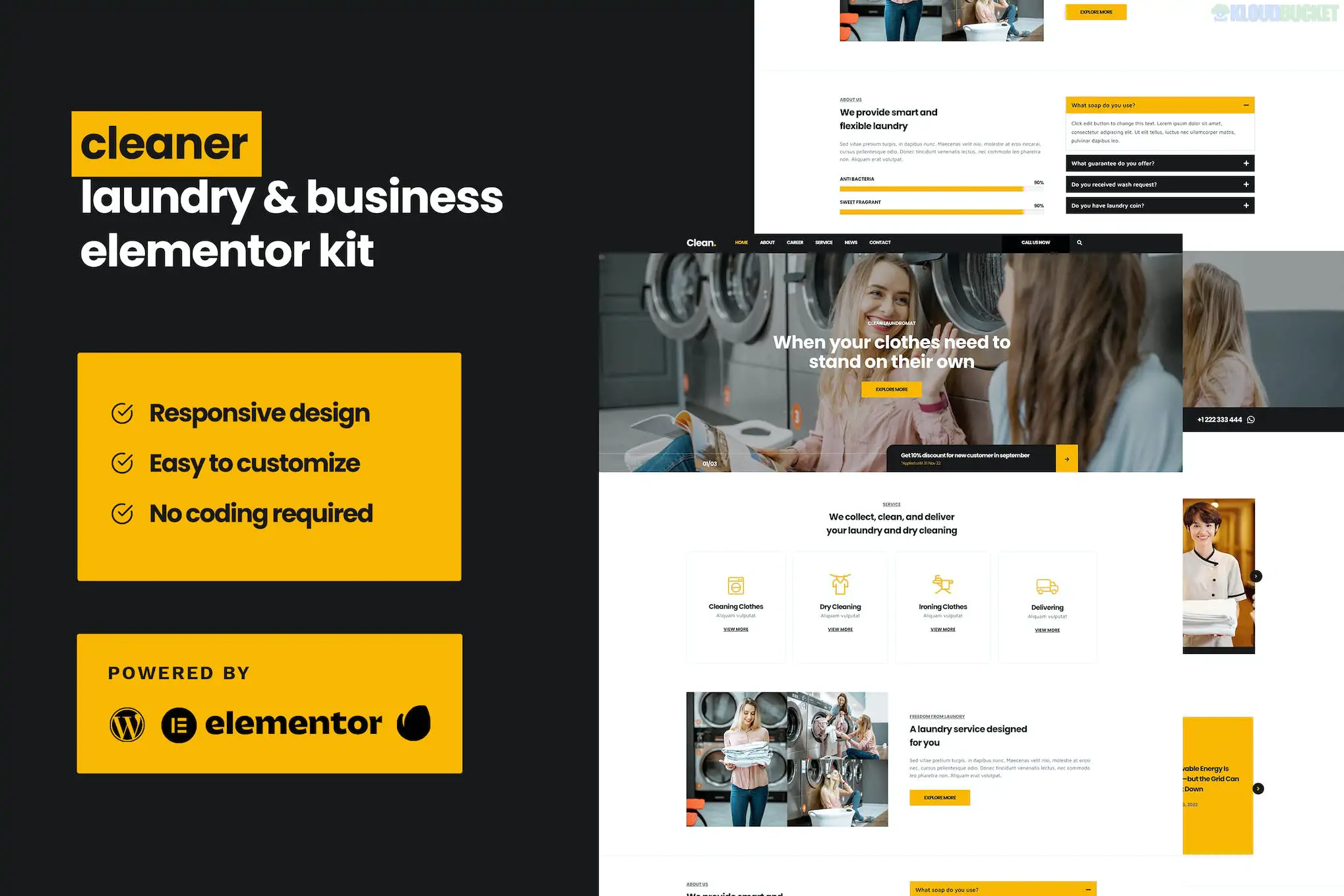
Cleaner (developed by Jegtheme) is a fresh, professional Elementor Template Kit designed for laundry services, dry cleaners, laundromats, and ironing businesses. It features a bright, "squeaky-clean" aesthetic, typically using a white and blue color palette to symbolize hygiene and reliability.
This kit is designed to be "Pro-Free," meaning you can achieve the high-quality demo look using only the free version of Elementor and Jegtheme’s specialized utility plugins.
The kit provides a complete set of pages to help a local service business manage bookings and build trust:
Homepage: A conversion-focused landing page with service icons, process steps, and "Book a Pickup" buttons.
About Us: To introduce your team, facility, and eco-friendly cleaning practices.
Services: A clean grid layout for categories like Dry Cleaning, Wash & Fold, and Leather Care.
Pricing: Transparent tables for per-item or per-kilogram pricing.
Our Process: A visual step-by-step guide (Pickup -> Wash -> Delivery).
FAQ: Accordion sections for turnaround times, stains, and delivery zones.
Contact: Professional forms for general inquiries and location maps.
Blog & Archive: Layouts for sharing laundry tips and garment care advice.
Header & Footer: Global templates managed via Jeg Elementor Kit.
To get Cleaner running exactly like the demo, you will need the following free tools:
Base Theme: Hello Elementor (highly recommended).
Required Plugins (Free):
Elementor: The core drag-and-drop builder.
Jeg Elementor Kit: The primary engine for the kit’s header, footer, and specialized service widgets.
MetForm: Handles the customized service inquiry and booking forms.
Preparation: In your WordPress dashboard, go to Elementor > Settings > Features and ensure Flexbox Container is set to Active.
Import via Envato Elements:
Install the Envato Elements plugin.
Upload the Kit ZIP through Elements > Installed Kits.
Critical: Click "Import Global Kit Styles" first. This sets the site’s "clean" blue color palette and crisp typography.
MetForm Configuration: To make the "Request Pickup" form work, edit the Contact or Booking page with Elementor, click the MetForm widget, and "Insert" the specific Cleaner form template.
Header & Footer Assignment: Go to Jeg Elementor Kit > Header & Footer. Create a new header/footer, set it to "Global/Entire Site," and select the imported Cleaner template.
Service Icons: Specifically designed icons for washing machines, hangers, and ironed shirts.
Soft Visuals: Uses rounded corners and high-key lighting in imagery to create a friendly, approachable brand image.
Mobile Optimized: Perfect for busy customers who need to book a laundry pickup quickly from their smartphones.
Peer Tip: For this specific kit, high-quality photos of neatly folded clothes and clean interiors are key. If you use the stock placeholders, ensure you replace them with bright, high-resolution images to maintain the "premium laundry" feel.
Would you like me to help you set up the "Price List" section for your specific items, or do you need assistance configuring the pickup request form in MetForm?
Subscribe to access unlimited downloads of themes, videos, graphics, plugins, and more premium assets for your creative needs.
.jpg) Help Us to Buy More New Theme/Plugin
Help Us to Buy More New Theme/Plugin
Published:
Jan 30, 2026 15:20 PM
Category:
Author:
OtherLicense:
GPL v2 or Later