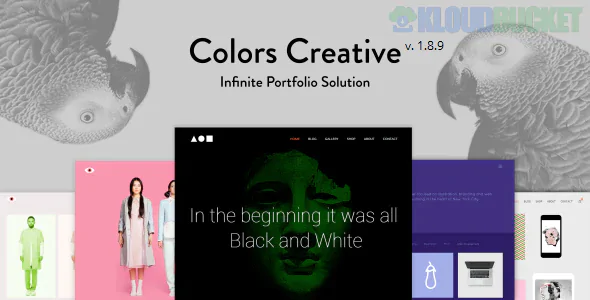
**Colors Creative** is a vibrant, high-energy WordPress theme designed specifically for those who want their work to "pop." Developed by **Themeton**, it lives up to its name by using bold color blocking, playful transitions, and unconventional layouts to help freelancers and boutique agencies stand out in a crowded market.
It is built for the **bold**—moving away from the "corporate gray" aesthetic in favor of a site that feels like a curated art exhibition.
---
### ## Key Features
* **Color-Centric Customization:** A powerful theme options panel that allows you to assign specific "accent" colors to individual pages, categories, or projects for a unique visual flow.
* **Interactive Portfolio Grids:** Features several creative layouts including "Interactive Lists," "Floating Images," and "Packery Masonry" that respond dynamically to user hovers.
* **One-Page & Multi-Page Modes:** Transition between a full-scale agency site and a sleek, single-page portfolio with built-in smooth scroll.
* **Elementor Integration:** Includes a bespoke library of creative widgets designed to push the boundaries of standard drag-and-drop design.
* **Liquid Distortions & FX:** Subtle yet impressive visual effects that make the background and images feel "alive" as the user interacts with the site.
---
### ### Technical Requirements
To handle the rich color processing and interactive JavaScript:
* **PHP Version:** 7.4 or higher (8.1+ recommended).
* **Memory Limit:** **256MB** (minimum) to handle the creative slider scripts.
* **Required Plugins:** **Themeton Core** (bundled), **Elementor**, and **Slider Revolution**.
* **Retina Display Support:** High-DPI support ensures your colorful graphics stay sharp on 5K iMacs and modern smartphones.
---
### ### Included Layout Modules
| Category | Style Options |
| --- | --- |
| **Hero Styles** | Kinetic Typography, Video Color Overlays, Parallax Content |
| **Project View** | Single Project "Showcase," Gallery Sliders, Full-Width Project Covers |
| **Creative Pages** | Service Icon Grids, Minimalist "About Me," Client Testimonial Sliders |
| **Blog** | Clean masonry layouts with custom color-coded category tags |
---
### ### Setup & "Personal Brand" Strategy
1. **Define Your Palette:** Before building, pick 3 core brand colors. **Colors Creative** works best when you use one dominant color for the background and two contrasting "pop" colors for buttons and hover effects.
2. **Interactive Portfolio:** Use the "Portfolio List" layout. This allows users to hover over a project name to reveal a large, high-impact image. It’s a great way to show a lot of work without overwhelming the screen.
3. **Typography as Branding:** Since the theme is minimalist in structure, use bold, unique Google Fonts. Pair a heavy, rounded Sans-Serif with a sleek Mono font for a "digital designer" look.
4. **Social Connectivity:** Use the integrated Instagram and Dribbble widgets. For freelancers, showing your process and daily creative output builds massive trust with potential clients.
> **Creative Tip:** Don't be afraid of **High Contrast**. If you are a designer or illustrator, try using a deep black background with neon accents. If you are a wedding photographer or lifestyle blogger, stick to "nude" tones and soft pastels to maintain a sophisticated feel.
---
**Would you like me to show you how to set up the "Page-Specific Colors" feature, or do you need help configuring the "Interactive List" for your portfolio projects?**
Subscribe to access unlimited downloads of themes, videos, graphics, plugins, and more premium assets for your creative needs.
.jpg) Help Us to Buy More New Theme/Plugin
Help Us to Buy More New Theme/Plugin
Published:
Feb 01, 2026 13:36 PM
Version:
v1.8.9
Category:
Developer:
ThemeforestLicense:
GPL v2 or LaterTags: