Implementing a Side Cart (or "Slide-out Cart") in Divi is one of the most effective ways to reduce cart abandonment and increase your Average Order Value (AOV). Since Divi doesn’t have a native "Side Cart" module built into the core theme, you typically use a specialized plugin.
Here are the top three ways to add a professional side cart to your Divi site in 2026.
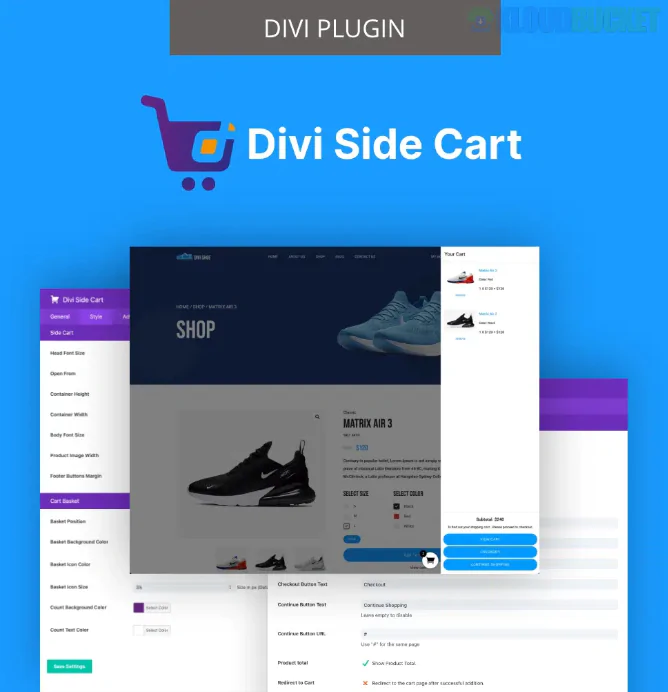
This is widely considered the gold standard for Divi users because it is built specifically to integrate with the Divi Builder.
How it Works: It adds a sliding drawer that can be triggered by a floating icon, a menu link, or automatically whenever a customer clicks "Add to Cart."
Key Features:
AJAX Support: Updates quantities and removes items without refreshing the page.
Fully Customizable: You can style the buttons, fonts, and colors using a settings panel that feels just like Divi.
Custom Triggers: You can turn any Divi button or text link into a cart trigger by adding a specific CSS class.
Price: ~$49/year or included in their All-Access Pass.
If you want a "Mini Cart" that feels more like an extension of your header, this is a powerful alternative.
How it Works: It provides a specific Mini Cart Module that you can drop into your Divi Theme Builder header.
Key Features:
Two Display Modes: Choose between a "Drop-down" style or a "Slide-in" sidebar.
Interaction: Can be set to open on Hover or Click.
Performance: Very lightweight and highly optimized for mobile.
Best For: Users who want to build a custom header and want the cart to live inside the menu layout.
While not "Divi-only," FunnelKit is a powerhouse for WooCommerce and works perfectly with Divi.
Why choose this? It focuses on conversions.
Unique Features:
In-Cart Upsells: You can suggest "frequently bought together" items directly inside the side cart.
Milestone Rewards: Show a progress bar (e.g., "Spend $10 more for Free Shipping!") to encourage higher spending.
Price: Free version available on WordPress.org; Pro version for advanced upsells.
Feature
Divi Side Cart (Divi Life)
Woo Essential
FunnelKit Cart
Best For
Pure Divi Integration
Custom Header Design
Increasing Sales/Upsells
Trigger
Floating Icon / Custom Class
Header Module / Hover
Floating Icon
Upsells
No
Basic
Yes (Advanced)
Ease of Use
Very Easy
Moderate
Easy
Whichever plugin you choose, ensure you enable "Enable AJAX add to cart buttons on archives" in your WooCommerce settings (WooCommerce > Settings > Products). Without this, your page will refresh every time someone adds an item, which defeats the purpose of a smooth side cart experience.
Would you like me to walk you through how to set up the "Add to Cart" trigger for a specific Divi button using one of these plugins?
Subscribe to access unlimited downloads of themes, videos, graphics, plugins, and more premium assets for your creative needs.
.jpg) Help Us to Buy More New Theme/Plugin
Help Us to Buy More New Theme/Plugin
Published:
Jan 24, 2026 17:08 PM
Category:
Author:
OtherLicense:
GPL v2 or LaterTags: