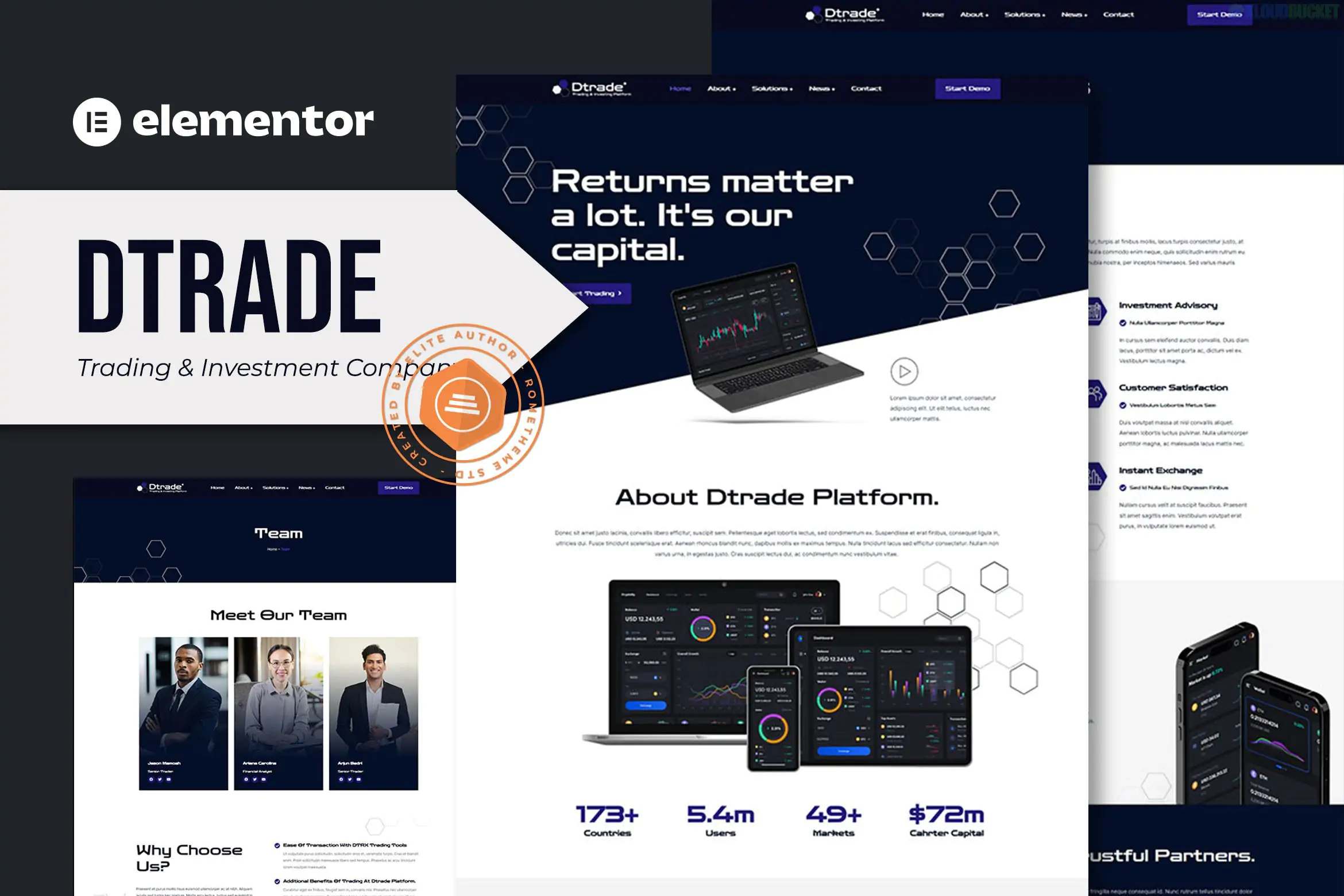
Dtrade is a professional Elementor Template Kit designed for trading and investment companies, financial advisors, and cryptocurrency platforms. Developed by Rometheme, it is built specifically for the Elementor page builder, offering a clean, modern design that conveys stability and growth.
A key advantage of Dtrade is that it is built to work with free plugins, meaning you can achieve a high-end financial website without requiring a paid Elementor Pro subscription.
12+ Pre-built Templates: A complete collection of pages for a comprehensive finance website.
No-Code Customization: Fully editable using Elementor's visual drag-and-drop interface.
Fully Responsive: Optimized for all devices, including desktops, tablets, and mobile phones.
Dynamic Elements: Includes specialized widgets for financial services, such as cryptocurrency widgets and team profiles.
Global Style Settings: Change your site’s fonts, colors, and button styles in one central place.
The kit provides all the essential pages needed for a financial institution:
Homepages: Professional landing page layouts with clear calls to action.
About Us: Dedicated page to showcase company history, mission, and vision.
Services: Detailed layouts for investment strategies, wealth management, or trading features.
Team: Profiles for financial advisors or executive members.
FAQ: A structured page to handle common client questions.
Contact Us: Features a functional contact form (powered by MetForm).
Blog: Archive and single post layouts for sharing market analysis and news.
Site Parts: Custom Header and Footer templates.
When you import the kit, it will automatically prompt you to install these free plugins:
Elementor: The core page builder.
ElementsKit Lite: For advanced widgets, headers, and footers.
RomethemeKit: For specialized design elements.
MetForm: For building and managing contact forms.
Cryptocurrency Widgets For Elementor: Specifically for displaying real-time crypto prices or charts (optional depending on your focus).
Install Hello Elementor: It is highly recommended to use the free Hello Elementor theme as your base.
Install Envato Elements Plugin: Search for "Envato Elements" in your WordPress plugin directory.
Upload the Kit: Go to Elements > Installed Kits and upload your Dtrade ZIP file.
Install Requirements: Click the orange banner to install the necessary free plugins.
Import Styles & Pages: * Import Global Kit Styles first.
Import each page (Home, About, etc.) one by one.
Access them in Templates > Saved Templates to insert into your pages.
Recommended For
Industry Use
Boutique Investment Firms
Wealth management & portfolio showcase.
Crypto Startups
Integrated widgets for coin tracking.
Financial Advisors
Clear service pages and appointment prompts.
Stock Market Analysts
Professional blog layouts for market insights.
Would you like me to find a specific tutorial on how to set up the Cryptocurrency price widgets included in this kit?
Subscribe to access unlimited downloads of themes, videos, graphics, plugins, and more premium assets for your creative needs.
.jpg) Help Us to Buy More New Theme/Plugin
Help Us to Buy More New Theme/Plugin
Published:
Jan 21, 2026 13:02 PM
Category:
Author:
OtherLicense:
GPL v2 or LaterTags: