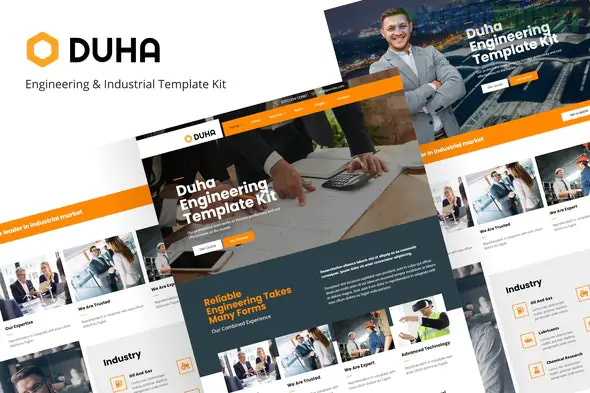
Duha is a specialized Elementor Template Kit designed for the industrial sector—specifically engineering, oil and gas, manufacturing, and mechanical services. While the Dustri kit we looked at earlier is more of a "generalist" industrial kit, Duha leans into technical sophistication with cleaner lines and a focus on high-scale infrastructure projects.
Here is the technical blueprint for the Duha kit.
Duha is built to be "pixel-perfect" and highly extendable. It typically includes:
Multiple Homepage Variants: Optimized for different niches (e.g., Civil Engineering vs. Energy/Power).
Service Detail Pages: Ready-made layouts for Mechanical Engineering, Chemical Research, and Factory Construction.
Specialized Blocks: Project timelines, "Our Values" sections, and client logo grids.
Theme Builder Templates: Dedicated layouts for custom Headers and Footers to ensure your site branding remains consistent across every subpage.
Unlike many "Pro-only" kits, Duha is designed to be accessible. It primarily relies on Free Plugins, making it a budget-friendly option. You will need:
Elementor (Free Version): The core builder.
Elementor - Header, Footer & Blocks: This is crucial! It allows you to create custom headers/footers without needing Elementor Pro.
MetForm: Used for the "Request a Quote" and "Contact" forms.
PowerPack Lite for Elementor: Adds extra widgets like advanced accordions and creative buttons used in the Duha design.
Because this kit uses specific free add-ons, the order of operations is vital to prevent styling errors:
Base Theme: Install and activate Hello Elementor.
The Importer: Install the Envato Elements (or "Template Kit Import") plugin.
The Requirements: Upload your duha-kit.zip. You will see an orange banner—click "Install Requirements." This will automatically install MetForm and PowerPack Lite for you.
Global Styles First: Import the Global Kit Styles before any pages. This "paints" your site with the correct industrial colors and fonts.
MetForm Setup: You often have to import the MetForm blocks separately. After importing a page with a form, use the Navigator in Elementor to select the MetForm widget and "Insert" the specific form template provided in the kit.
Infrastructure Photography: Duha looks best with "scale" photography—wide shots of refineries, bridges, or manufacturing floors.
Brand Colors: Duha often uses a professional Deep Blue or Steel Gray palette. You can change these globally in Site Settings to match your specific engineering firm’s branding.
Case Studies: Use the "Projects" template to go beyond just photos; include technical specs and project outcomes to build authority in the engineering space.
Since you've looked at several industrial kits (Dustri, Baek, and now Duha), are you trying to decide which one has the best "look," or are you looking for the one with the easiest setup process?
Subscribe to access unlimited downloads of themes, videos, graphics, plugins, and more premium assets for your creative needs.
.jpg) Help Us to Buy More New Theme/Plugin
Help Us to Buy More New Theme/Plugin
Published:
Feb 02, 2026 09:50 AM
Category:
Author:
OtherLicense:
GPL v2 or Later