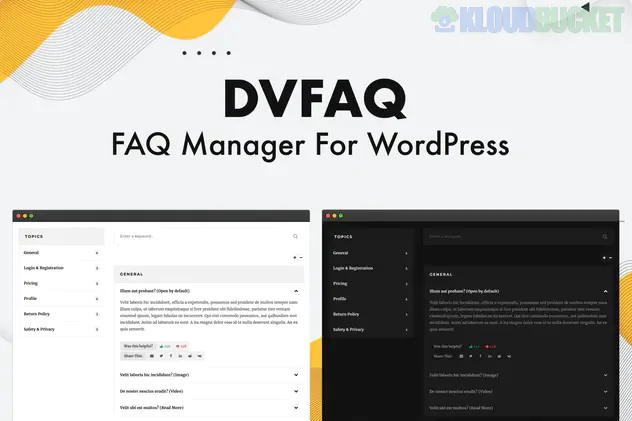
DV FAQ is a premium, high-performance FAQ management plugin for WordPress. It is specifically designed to handle large volumes of questions and answers while maintaining a clean, modern user experience. Unlike basic accordion plugins, DV FAQ functions as a complete "Knowledge Base" system.
Live Search functionality: A real-time search bar that filters answers as the user types, drastically reducing support tickets.
Elementor Compatibility: It includes two dedicated Elementor widgets, making it easy to drag, drop, and style your FAQs directly within the page builder.
Custom Taxonomies: You can organize your content into Categories and Topics (sub-categories), allowing for complex organizational structures.
Like/Dislike Rating System: Built-in engagement tools let visitors rate the quality of your answers, helping you identify which FAQs need improvement.
Social Sharing: Integrated buttons allow users to share specific Q&A items to popular social networks.
WooCommerce Integration: You can create dedicated FAQ tabs for specific products, which is a powerful way to address pre-purchase anxiety on product pages.
Feature
Benefit
Responsive Design
Scalable layout that works perfectly on mobile, tablet, and desktop.
Translation & RTL
Ready for multilingual sites and right-to-left languages (like Arabic/Hebrew).
Lightweight Code
Minimal footprint to ensure it doesn't slow down your site's loading speed.
Sticky Topic Menu
An optional side menu that stays visible as users scroll through long FAQ lists.
Custom Styling
Unlimited color options via color pickers and ready-to-use Light/Dark themes.
Most free plugins only provide a simple accordion. DV FAQ is considered "Advanced" because it treats each FAQ as a Custom Post Type. This means:
You manage FAQs in a central dashboard (like blog posts).
You can display different sets of FAQs on different pages using unique shortcodes or Elementor widgets.
You can use pagination if you have hundreds of questions, preventing a "wall of text" effect.
Creation: Go to the FAQs menu in your WordPress dashboard to add your questions.
Organization: Assign them to Categories (e.g., "Shipping") and Topics (e.g., "International").
Display: Use the Elementor widget to place the FAQ on your "Contact" or "About" page, or use the WooCommerce tab settings to link them to specific products.
Would you like me to walk you through the steps to enable the WooCommerce FAQ tab, or are you looking for help with the Elementor widget styling?
Subscribe to access unlimited downloads of themes, videos, graphics, plugins, and more premium assets for your creative needs.
.jpg) Help Us to Buy More New Theme/Plugin
Help Us to Buy More New Theme/Plugin
Published:
Jan 22, 2026 11:04 AM
Version:
v1.3.2
Category:
Author:
OtherLicense:
GPL v2 or LaterTags: