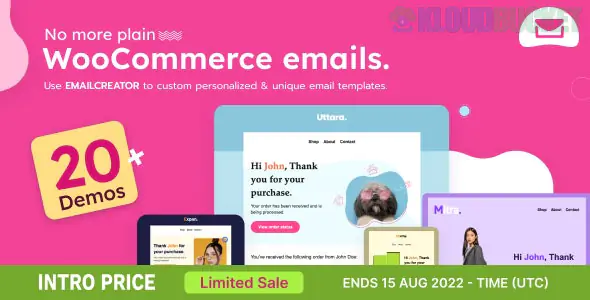
**Email Creator** (often specifically referring to **WooCommerce Email Template Customizer** by *VillaTheme*) is a drag-and-drop visual builder that replaces the standard, plain WooCommerce transactional emails with fully branded, professional designs.
In 2026, it is one of the most popular "no-code" ways to ensure your order confirmations, invoices, and shipping updates match your website's aesthetic.
---
### 🚀 Key Capabilities
The plugin works by providing a "Canva-like" interface inside your WordPress dashboard:
* **Drag-and-Drop Elements:** Easily move text blocks, images, buttons, and social icons.
* **Dynamic Data (Placeholders):** Automatically insert the customer's name, order ID, or shipping address using "placeholders" like `{customer_name}` or `{order_number}`.
* **WooCommerce-Specific Blocks:** Includes pre-built widgets for the **Order Detail Table**, **Order Totals**, **Billing/Shipping Addresses**, and even **Coupon Codes**.
* **Conditional Logic (Pro):** Send different templates based on specific rules, such as the customer's country, the payment method used, or the category of the product purchased.
* **Live Preview:** Toggle between **Desktop and Mobile views** while editing to ensure your emails look perfect on smartphones.
---
### 🛠️ Comparison: Free vs. Premium
| Feature | Free Version | Pro Version |
| --- | --- | --- |
| **Email Templates** | Customize all 11 default WC emails. | Unlimited custom templates. |
| **Product Recommendations** | ❌ No | ✅ Suggest related products in the email. |
| **Conditional Rules** | ❌ No | ✅ Target by country, total price, or category. |
| **File Attachments** | ❌ No | ✅ Attach PDFs (like Terms of Service) automatically. |
| **Price** | **$0** | **~$32 (One-time)** |
---
### 🎨 Why use it over the default settings?
Standard WooCommerce emails are functional but visually dated (the "purple header" look). Using a customizer allows you to:
1. **Build Trust:** Professional-looking emails reassure customers that your business is legitimate.
2. **Increase Revenue:** By adding a "Product Recommendation" block or a "Next Order Coupon," you turn a simple receipt into a marketing opportunity.
3. **Reduce Support:** Clearer formatting of shipping and billing info reduces "Where is my order?" inquiries.
---
### 💡 Alternatives
If you find the VillaTheme version isn't quite right for your workflow, these are the two biggest competitors in the market:
* **YayMail:** Known for having the most intuitive "Elementor-style" interface. It is arguably the easiest to use but can get expensive if you need many third-party add-ons.
* **Kadence Email Designer:** A lighter, free alternative that uses the native WordPress Customizer interface. It's great for simple color and font changes but lacks "drag-and-drop" layout freedom.
**Would you like me to help you set up a "Product Recommendation" block for your "Order Completed" emails, or find a specific shortcode for your custom order metadata?**
Subscribe to access unlimited downloads of themes, videos, graphics, plugins, and more premium assets for your creative needs.
.jpg) Help Us to Buy More New Theme/Plugin
Help Us to Buy More New Theme/Plugin
Published:
Jan 28, 2026 17:05 PM
Category:
Author:
All In One PluginLicense:
GPL v2 or LaterTags: