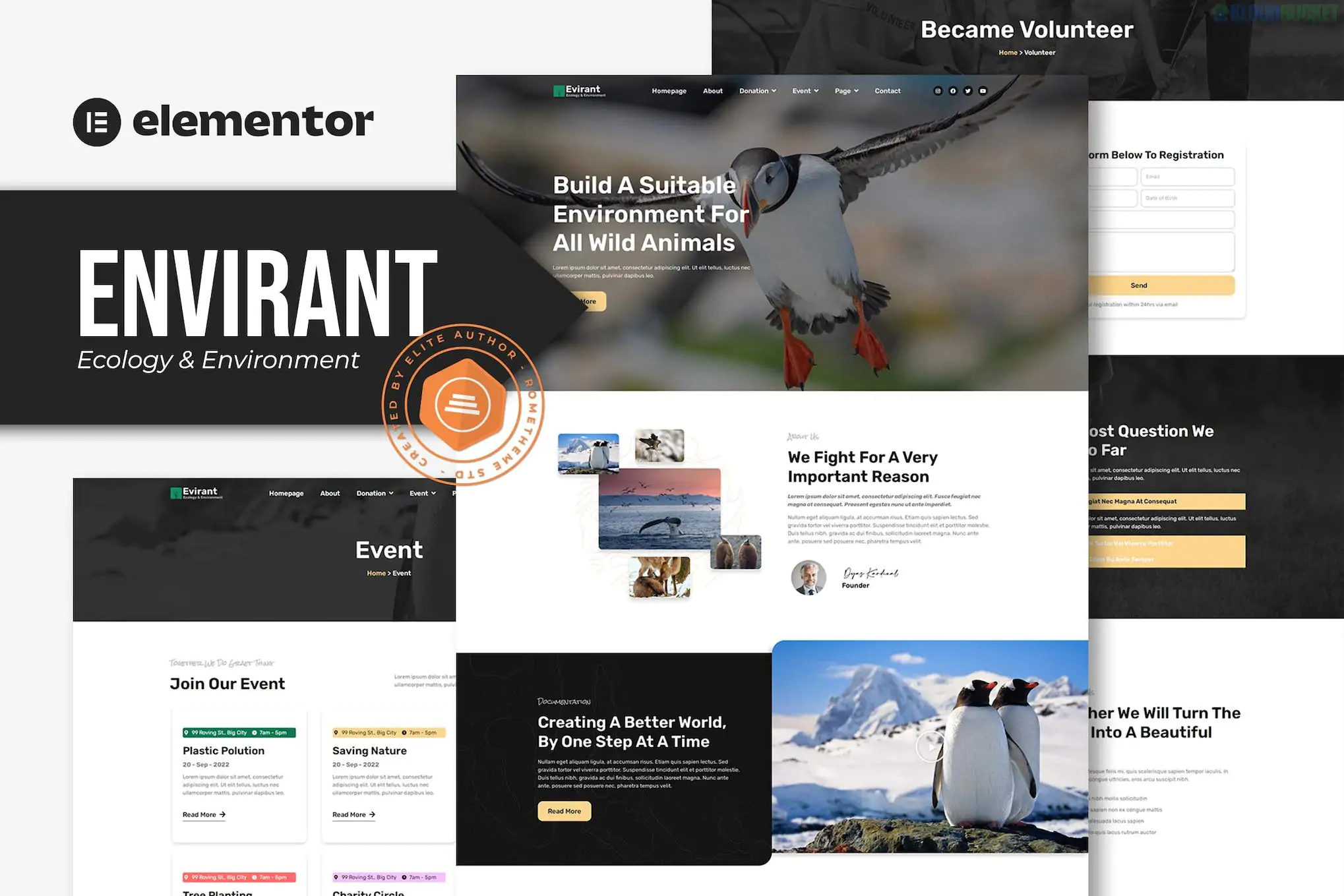
Envirant (developed by Rometheme) is a clean, minimalist Elementor Template Kit designed for ecology, environmental preservation, and fundraising projects. It is built to help NGOs, charities, and green energy companies establish a professional presence with an emphasis on nature-focused aesthetics.
Envirant provides a full suite of layouts for a content-rich environmental website:
Homepage: A high-impact hero area with sections for "Save the Planet" campaigns and mission statements.
About Us: Dedicated layouts for explaining your organization's history and goals.
Services / Programs: Pages to showcase specific ecological initiatives (e.g., Renewable Energy, Water Conservation).
Projects & Single Project: A portfolio-style layout to highlight completed environmental work or field reports.
Fundraising / Donation: While it provides the UI, you will typically need a plugin like GiveWP to process actual donations.
Team: Professional profile blocks for environmental experts and volunteers.
Contact & FAQ: Clean forms and accordion blocks to handle public inquiries.
Blog & Single Post: Modern typography for sharing environmental news and research.
While the name says "Pro Template Kit," Envirant is surprisingly flexible regarding its requirements.
Base Theme: Hello Elementor (Free).
Elementor Pro: Recommended but often listed as optional for the core layouts. However, if you want to use the Pro Theme Builder for headers, footers, and dynamic blog posts, the Pro version is essential.
Required Plugins (Free):
Elementor: The core builder.
ElementsKit Lite: Used for the header, footer, and specialized widgets like social feeds or mega menus.
Metform: For the customized contact and volunteer sign-up forms.
Preparation: In your WordPress dashboard, go to Elementor > Settings > Features and ensure Flexbox Container is set to Active, as Rometheme kits rely on this modern layout engine.
Import via Envato Elements:
Install the Envato Elements plugin.
Upload the Kit ZIP file through Elements > Installed Kits.
Crucial Step: Click "Import Global Kit Styles" first. This sets the green-and-white nature palette and clean typography across your entire site.
Page Setup: Create a new page, set the Page Layout to Elementor Full Width, and use the Envato icon to insert the specific Envirant page template you need.
Eco-Friendly Aesthetic: Uses a professional palette of forest greens and soft neutrals to immediately signal environmental credibility.
Retina Ready: Includes ultra-high-resolution graphics to ensure the site looks crisp on high-end displays.
Focus on CTA: The kit is designed with conversion in mind, featuring prominent buttons for "Donate Now" or "Join as Volunteer" throughout the layouts.
Would you like me to help you integrate a donation system like GiveWP with these templates, or do you need help finding high-quality "Nature & Ecology" stock photos to replace the demo placeholders?
This video tutorial on installing Elementor Template Kits provides a helpful walkthrough on using the Theme Builder to set up your headers and footers after importing a kit like Envirant.
Subscribe to access unlimited downloads of themes, videos, graphics, plugins, and more premium assets for your creative needs.
.jpg) Help Us to Buy More New Theme/Plugin
Help Us to Buy More New Theme/Plugin
Published:
Jan 30, 2026 14:08 PM
Category:
Author:
OtherLicense:
GPL v2 or Later