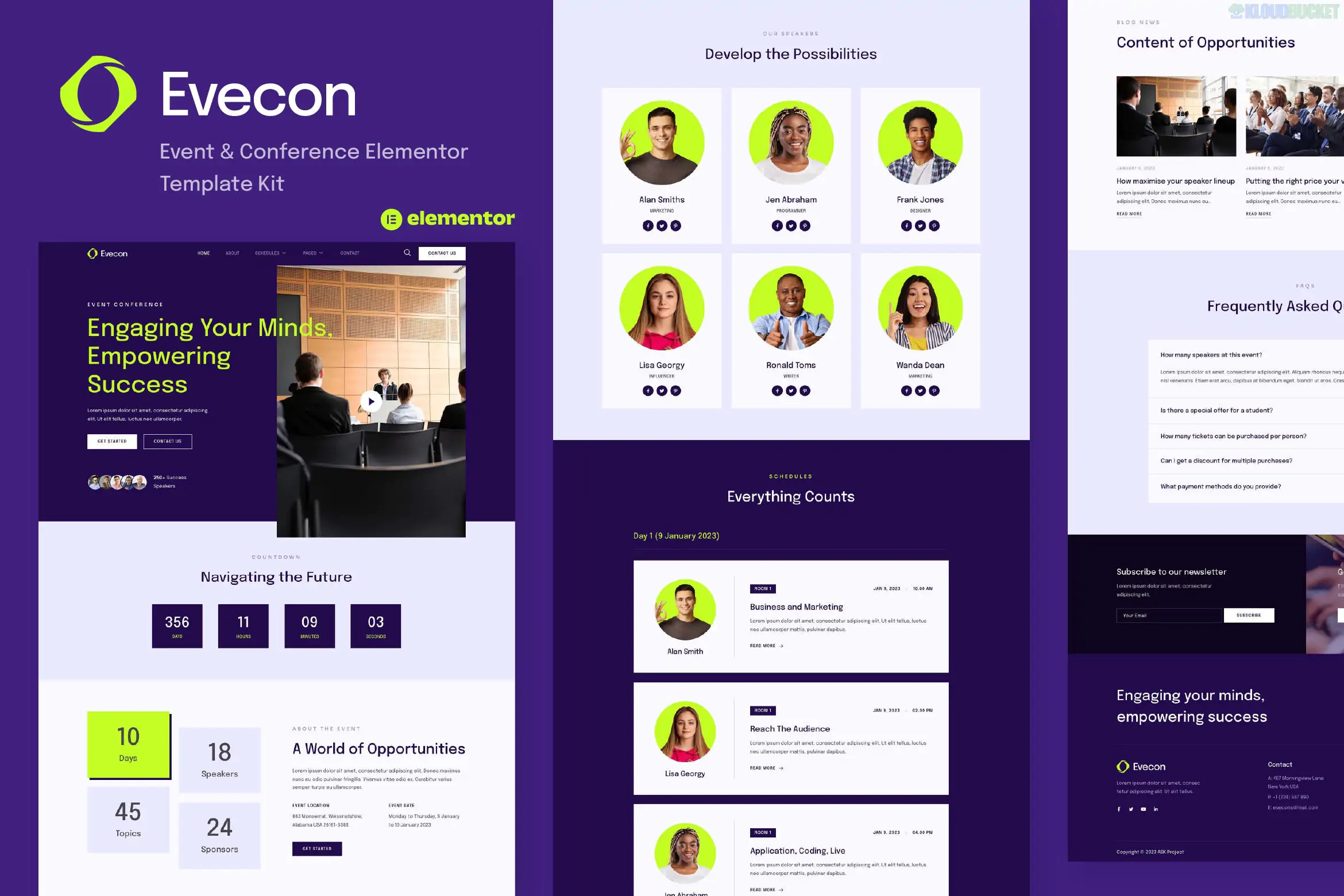
Evecon is a modern and clean Elementor Template Kit designed specifically for conferences, exhibitions, seminars, workshops, and business meetups.
Developed by askproject, this kit focuses on clarity and functionality, ensuring that potential attendees can easily find schedules, speaker bios, and venue information. It is built to be lightweight and accessible, requiring no paid plugins to look exactly like the demo.
14+ Ready-to-Use Pages: A complete set of layouts crafted for the event industry.
No Elementor Pro Required: Evecon is highly cost-effective because it utilizes free plugins to handle advanced features like headers and footers.
100% Responsive Design: Meticulously tested to ensure your event details and registration links are perfectly readable on mobile devices.
Clean & Professional Aesthetic: Features a high-contrast design with plenty of whitespace, making it ideal for corporate and professional gatherings.
Category
Page / Section Templates
Main Pages
Home, About, Schedules, Venue.
Speaker Info
Speakers List, Speaker Detail.
Event Details
Event Detail, Sponsors, Pricing.
Engagement
Blog, Single Post, Contact, FAQs.
System
404 Error Page, Header, and Footer.
To ensure the kit functions as intended, you must install these free plugins from the WordPress repository:
Elementor: The core page builder.
ElementsKit Lite: Used for building the Header, Footer, and specialized event widgets (like speaker carousels).
Elementor Header & Footer Builder: An alternative tool for managing global site sections.
WPForms Lite: Powering the event registration and contact forms.
Gum Elementor Addon: Provides additional design elements used throughout the kit.
Preparation: Install and activate the free Hello Elementor theme.
Import Tool: Install the Envato Elements plugin (or the newer Template Kit Import plugin).
Upload: Go to Tools > Template Kit, upload your Evecon .zip file, and click Install Requirements to activate the necessary free plugins.
Global Styles First: Crucial Step. Import the "Global Kit Styles" first. This sets the primary colors, typography, and button styles for your entire site.
Import Pages: Import the Home page and your chosen inner pages. These will be saved in your Templates > Saved Templates folder.
Page Creation: Create a new page in WordPress, set the layout to "Elementor Full Width," and then insert the specific Evecon template from your library.
By 2026, the success of an event depends heavily on a "Mobile-First" registration experience. Evecon excels by providing a clear, distraction-free pricing and checkout path. Additionally, its dedicated Schedules page is highly organized, which is essential for multi-track conferences where attendees need to plan their day on their smartphones while at the venue.
Would you like me to show you how to set up the "Schedules" accordion for multi-day events, or do you need help configuring the WPForms for attendee registrations?
Subscribe to access unlimited downloads of themes, videos, graphics, plugins, and more premium assets for your creative needs.
.jpg) Help Us to Buy More New Theme/Plugin
Help Us to Buy More New Theme/Plugin
Published:
Jan 22, 2026 13:21 PM
Category:
Author:
OtherLicense:
GPL v2 or LaterTags: