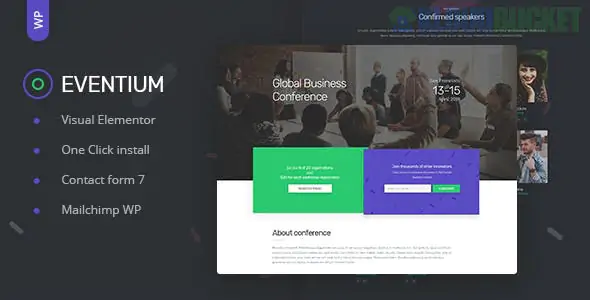
Eventium (by Themeum) is a comprehensive WordPress theme specifically engineered for managing conferences, workshops, meetups, and festivals. In the early 2026 landscape, it remains a powerhouse for event organizers who need a "one-stop shop" to handle schedules, speakers, and ticket sales without juggling multiple conflicting plugins.
The theme stands out for its structural approach to event data, ensuring that attendees can find information quickly on any device.
Advanced Schedule Management: Eventium allows you to create complex, multi-day schedules. You can sort sessions by "Track" (e.g., Design, Tech, Business) or by specific locations within the venue.
Speaker Directory: Dedicated layouts for speaker profiles, including their social links, professional bios, and a linked list of all the sessions they are hosting at the event.
WooCommerce & Eventin Integration: Fully compatible with major ticketing systems, allowing you to sell "Early Bird," "VIP," and "Regular" tickets directly through your site with secure payment processing.
Live Countdown Timers: High-impact "Hero" sections that feature customizable countdown timers to build urgency for registration deadlines or event start times.
Venue & Map Integration: Built-in Google Maps support with custom markers to help attendees find the physical location or specific hotel accommodations.
Feature
Details
Page Builder
Elementor (Free version supported)
Responsiveness
Mobile-First with touch-optimized navigation
PHP Support
Fully tested for PHP 8.2+
SEO
Includes Event Schema markup for Google Event search results
Customization
Built on the WP Mega Menu and Themeum Core
Professional Clarity: The layout is designed to prioritize the most important information: Who, Where, and When. It avoids the clutter of multipurpose themes.
Conversion Focused: Every demo is built with prominent "Register Now" or "Buy Tickets" buttons in the header and footer to maximize ticket revenue.
Modern Animations: Uses light CSS3 animations to create a "tech-savvy" feel, which is essential for modern industry conferences.
Social Connectivity: Includes integrated social media feeds to display live event hashtags (Instagram/X) directly on the homepage.
Pros:
Complete System: You don't just get a "skin"; you get a functional management system for dates and speakers.
Ready-made Demos: Includes professional layouts for Technology Conferences, Music Festivals, and Corporate Workshops.
Excellent UX: The "Schedule" view is remarkably easy to navigate on mobile—a common pain point for event attendees.
Cons:
Setup Time: Because you have to input specific session data and speaker info, it takes longer to set up than a standard blog.
Plugin Heavy: To get the full functionality, you will need several bundled plugins (like Themeum Core and WP Mega Menu) active.
If your event has multiple sessions happening at once, use Eventium's "Track" filtering. In 2026, attendees expect to be able to filter the schedule by their specific interests (e.g., "Show me only the AI sessions"). This reduces friction and makes your event feel more personalized and professional.
Choose Eventium if: You are organizing a professional conference, a large-scale meetup, or a festival that requires a clear schedule and online ticket sales.
Skip Eventium if: You are promoting a single webinar or a small local class; a landing page theme like Techwind might be simpler and faster to deploy.
Would you like me to help you set up the "Speaker" post types, or should I show you how to link your WooCommerce tickets to the "Buy Now" buttons?
Subscribe to access unlimited downloads of themes, videos, graphics, plugins, and more premium assets for your creative needs.
.jpg) Help Us to Buy More New Theme/Plugin
Help Us to Buy More New Theme/Plugin
Published:
Jan 16, 2026 19:06 PM
Version:
v1.1.2
Category:
Developer:
ThemeforestLicense:
GPL v2 or Later