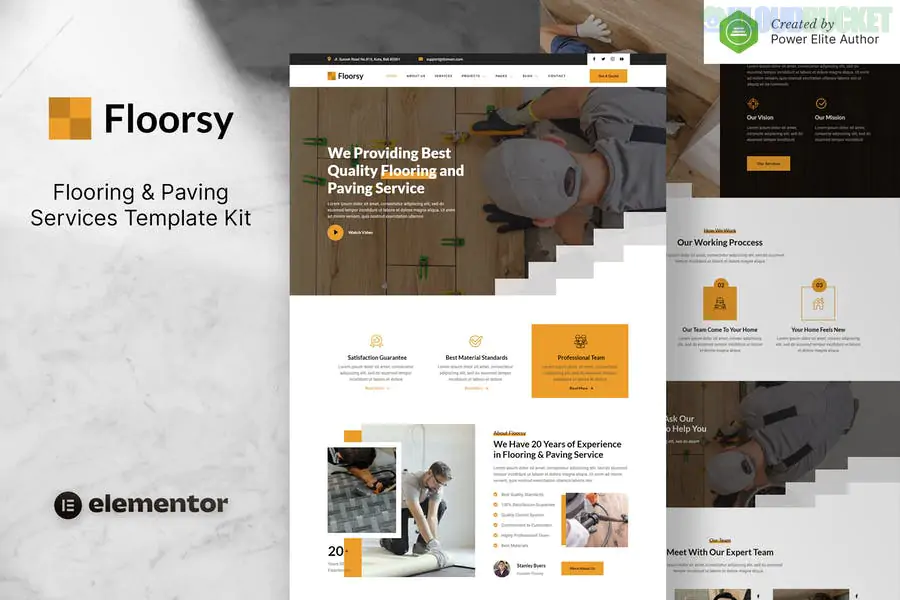
Floorsy is a rugged, professional Elementor Template Kit designed for flooring contractors, paving specialists, tiling companies, and renovation experts. Developed by moxcreative, it uses an industrial-yet-clean design that emphasizes texture, durability, and craftsmanship.
This kit is built to work with Elementor Pro, allowing for deep customization of the entire site’s architecture, including headers, footers, and archive pages.
Industrial Aesthetic: Features a professional color palette (often earth tones, greys, and high-visibility oranges/yellows) that suits the home improvement industry.
12+ Pre-designed Layouts: Includes specific pages for different flooring types (hardwood, laminate, tiling) and paving services.
Before & After Focus: Layouts are optimized to showcase the dramatic transformation of flooring projects.
Fully Responsive: Ensures that homeowners can view your portfolio and request a quote easily from their mobile devices.
Retina Ready: High-quality icons and sharp imagery placeholders to ensure your work looks premium on high-resolution screens.
To use Floorsy effectively, you will need the following active on your WordPress site:
Elementor (Free): The base page builder.
Elementor Pro: Strictly Required for the Theme Builder (Header, Footer, and Single Project templates) and advanced form functionality.
Hello Elementor Theme: The recommended lightweight starter theme.
ElementsKit Lite: Used for advanced navigation and widget enhancements.
Skyboot Custom Icons: Provides the specialized flooring and construction icons used in the kit.
Category
Page Layouts
Main Pages
Home, About Us, Our Team, FAQ
Services
Services Overview, Single Service Detail (e.g., Hardwood, Paving, Tiling)
Portfolio
Projects Gallery, Single Project Case Study
Business
Pricing/Estimate Plans, Testimonials, Contact Us
Utility
Header, Footer, 404 Error Page, Global Kit Styles
Global Kit Styles: As with all moxcreative kits, import the Global Kit Styles first. This ensures all the specific padding, button styles, and colors are locked in before you start building pages.
Showcase Textures: Flooring is tactile. When replacing demo images, use close-up, high-definition shots of wood grains, stone textures, or tile patterns to help clients "feel" the quality of your materials.
Project Details: Use the Single Project template to list the specific materials used (e.g., "Oak Hardwood" or "Interlocking Stone") and the "Duration" of the project to help set client expectations.
Quote Forms: Leverage the Elementor Pro Form widget included in the templates. You can add a "File Upload" field to allow clients to send photos of their current floor for a more accurate remote estimate.
Pro Tip: Since flooring involves a lot of "Before & After" visuals, consider using the Elementor Image Comparison widget (available in many addons or via Pro) to let users slide between the old floor and the new installation.
Would you like me to help you set up an "Estimate Request" form with specific fields for room dimensions, or do you need help configuring the Portfolio filter for different floor types?
Subscribe to access unlimited downloads of themes, videos, graphics, plugins, and more premium assets for your creative needs.
.jpg) Help Us to Buy More New Theme/Plugin
Help Us to Buy More New Theme/Plugin
Published:
Feb 01, 2026 11:19 AM
Category:
Author:
OtherLicense:
GPL v2 or Later