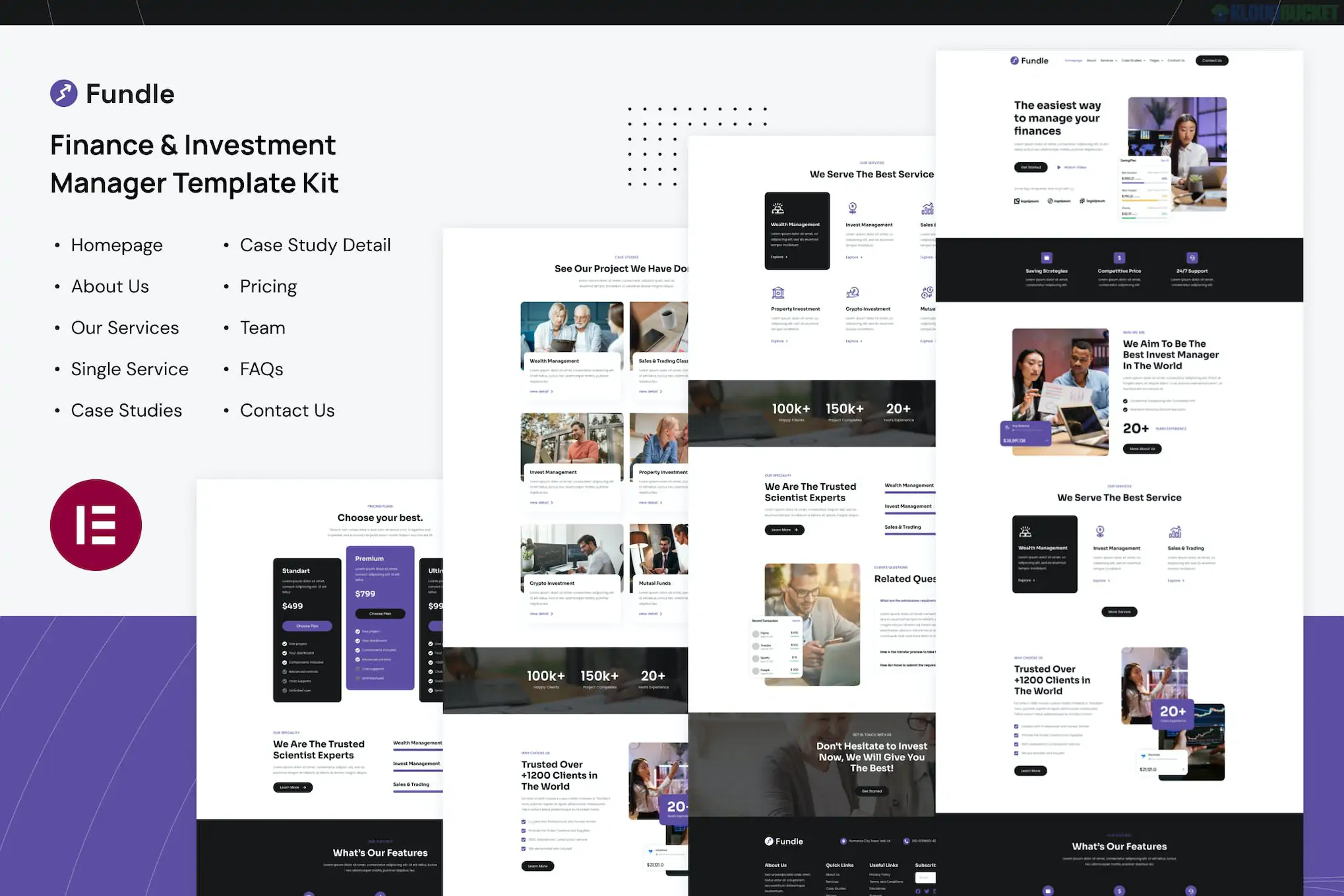
Fundle is a clean, modern Elementor Template Kit designed for the financial sector, including investment companies, financial advisors, accountants, and insurance firms. It uses a professional purple-and-white color palette to establish authority and trust.
One of its standout features is its efficiency—it provides a comprehensive set of 10+ templates that are fast-loading and highly responsive for mobile users.
Niche-Specific Design: Built specifically for investment management, with sections for portfolio performance, asset classes, and financial consulting.
10+ Carefully Crafted Templates: Includes all the standard pages required for a corporate finance presence.
True No-Code Customization: Uses Elementor’s visual drag-and-drop builder for every element, including headers and footers.
Retina Ready: High-resolution design elements that ensure a sharp look on high-density displays like iPhones and MacBooks.
Global Theme Styles: Allows you to update your brand’s primary colors and typography in one central location.
To run the Fundle kit successfully, you will need:
Elementor (Free): The core builder.
Elementor Pro: Required for certain templates and features, particularly the Theme Builder (Header/Footer) and advanced form widgets.
Envato Elements Plugin: Used for the initial import process.
Hello Elementor Theme: The recommended lightweight theme for best performance.
Category
Included Layouts
Main Pages
Home, About Us, Contact Us, FAQ
Services
Services List, Service Detail (Individual Service Page)
Corporate
Our Team, Pricing Plans
Content
Blog Archive, Single Blog Post
Theme Parts
Header, Footer, 404 Error Page, Global Styles
While Fundle provides the visual interface for an investment site, it does not include a "live" stock ticker or an automated investment calculator by default. If you need real-time data or functional trading tools, you will need to add specific WordPress plugins (like Premium Stock Market Widgets or WP Investment Calculator) alongside this kit.
Quick Tip for Installation:
After uploading the ZIP file via the Envato Elements plugin, always click the "Install Requirements" button in the orange banner. This ensures any secondary plugins needed for the layouts are activated before you start importing the pages.
Would you like me to recommend some free financial calculator plugins that pair well with this layout, or do you need help setting up the pricing tables?
Subscribe to access unlimited downloads of themes, videos, graphics, plugins, and more premium assets for your creative needs.
.jpg) Help Us to Buy More New Theme/Plugin
Help Us to Buy More New Theme/Plugin
Published:
Feb 01, 2026 10:38 AM
Category:
Author:
OtherLicense:
GPL v2 or Later