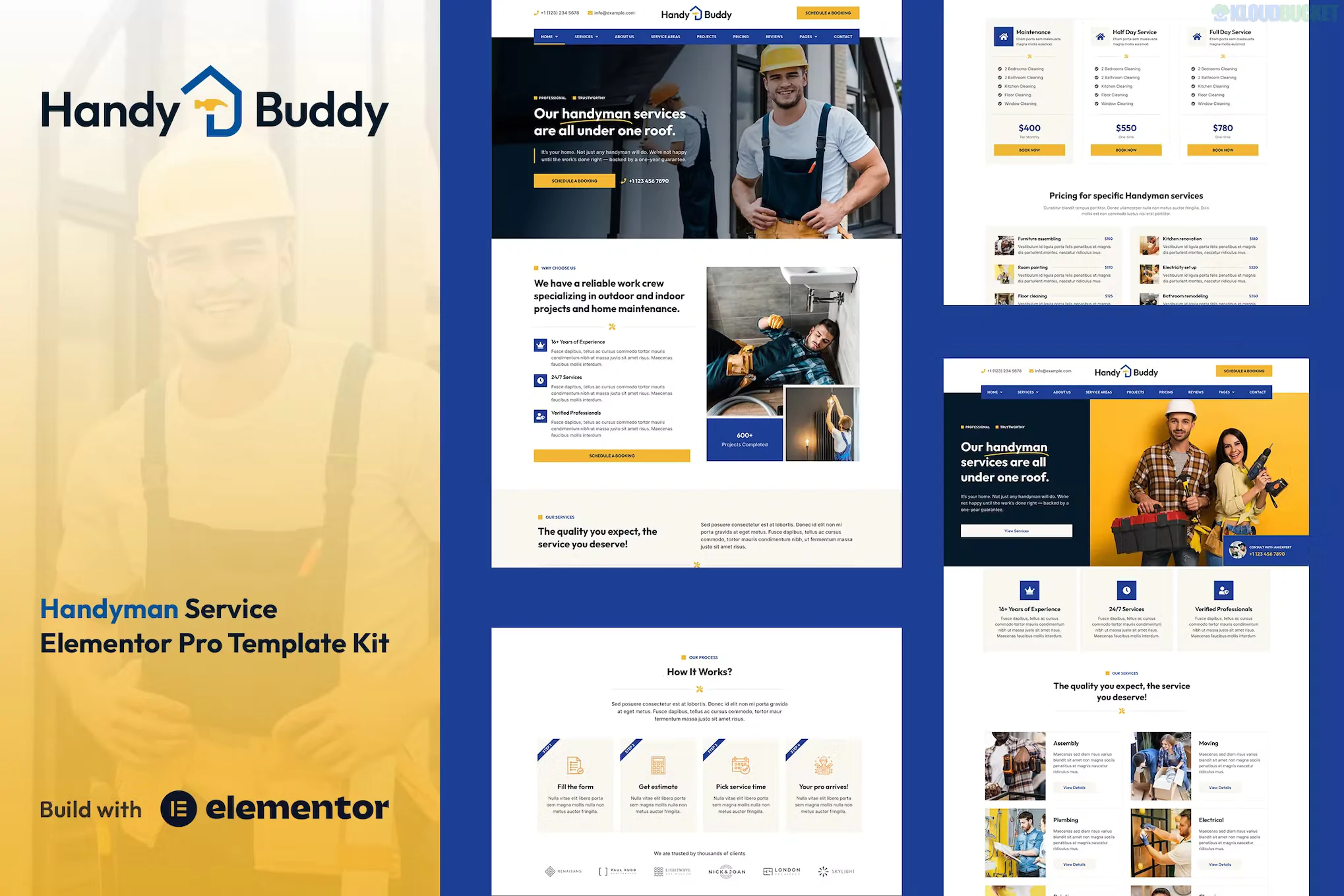
Handy Buddy is a rugged, professional, and highly functional Elementor Template Kit designed for handyman services, home repair businesses, and general contractors. Unlike most of the previous kits we've discussed, this is an Elementor Pro kit, meaning it leverages the advanced "Theme Builder" features to handle headers, footers, and dynamic templates more natively.
The design uses a high-contrast color palette (typically orange and dark blue) that signals "safety" and "industry," perfect for local service providers.
Since this kit uses Elementor Pro, the templates are more integrated into the WordPress "Theme" ecosystem:
Advanced Homepage: Features a clear "Service Search" area and a high-impact call-to-action for emergency repairs.
Theme Builder Templates: Includes custom layouts for Header, Footer, 404 Page, and Search Results.
Single Service Pages: Detailed layouts for "Plumbing," "Electrical," "Carpentry," and "Painting."
Project Portfolio: A professional gallery to showcase completed home renovations.
Service Pricing: Clean, easy-to-read pricing blocks for standard tasks (e.g., "Hourly Rate" vs. "Project Rate").
Booking Integration: Templates designed to house inquiry forms for quick quotes.
Because this is a Pro kit, the requirements are different. You don't need a dozen third-party addons because Elementor Pro does the heavy lifting:
Elementor (Free Version): The core engine.
Elementor Pro: Required. This kit uses the Pro "Global Styles" and "Theme Builder."
Hello Elementor Theme: The recommended lightweight base.
Envato Elements Plugin: To import the kit.
Installing a Pro kit is slightly different because you aren't just importing pages; you're importing a "Theme" system:
Preparation: Ensure Elementor Pro is active on your site.
Import: Go to Elements > Installed Kits and upload your handy-buddy.zip.
The "Orange" Banner: Click "Install Requirements." Even with Pro, some kits use a specific free addon (like ElementsKit) for certain icons or widgets.
The "Global" Step: Import the Global Kit Styles first to set the fonts and colors.
Dynamic Templates: Use the Elementor Theme Builder to import and "Publish" the Header and Footer. Ensure the Display Conditions are set to "Entire Site."
The "Urgency" Button: In the handyman business, people often call when something is broken. Use the Elementor Pro Sticky Header to keep your phone number visible at all times as the user scrolls.
Local SEO Power: Use the Single Service templates to create pages for specific neighborhoods (e.g., "Handyman Services in [City Name]"). This is the best way to rank on Google.
Visual Trust: Homeowners are hesitant to let strangers into their houses. Use the Team Section to show photos of your actual workers in uniform.
WhatsApp Integration: Since most handyman inquiries are quick, use the Elementor Pro "Floating Buttons" to add a direct WhatsApp Chat icon to the bottom corner of the site.
If you try to import this kit without Elementor Pro, the Header, Footer, and some of the more advanced widgets (like the Form widget or the Post Grid) will not appear or will be non-editable.
Would you like me to help you set up a "Price Calculator" for your services, or are you having trouble getting the Elementor Pro Theme Builder to recognize the Header template?
Subscribe to access unlimited downloads of themes, videos, graphics, plugins, and more premium assets for your creative needs.
.jpg) Help Us to Buy More New Theme/Plugin
Help Us to Buy More New Theme/Plugin
Published:
Feb 02, 2026 10:52 AM
Category:
Author:
OtherLicense:
GPL v2 or LaterTags: