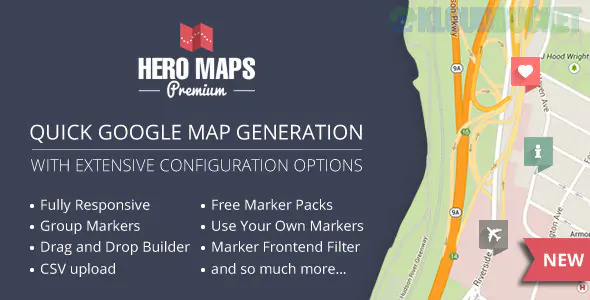
**Hero Maps Premium**, developed by **Hero Plugins**, is a high-end WordPress plugin designed for users who want to create professional, interactive, and highly stylized Google Maps without writing a single line of code. It is best known for its **WYSIWYG (What You See Is What You Get)** drag-and-drop builder, which makes it one of the most intuitive mapping solutions on the market.
## Core Features & Functionalities
* **Drag-and-Drop Map Builder:** Unlike other plugins that require latitude/longitude coordinates, Hero Maps lets you simply drag and drop markers onto a live preview of the map.
* **Marker Categories & Filtering:** Organise markers into groups (e.g., "Restaurants," "Hotels," "Parks"). Users on the front end can then toggle these categories on or off via a tabbed or dropdown interface.
* **Marker Clustering:** For maps with dozens or hundreds of pins, the plugin can automatically group them into "clusters" to keep the interface clean and fast.
* **Shape Drawing:** Easily draw Polygons (areas), Polylines (routes), and Circles directly on the map to define delivery zones or travel paths.
* **Custom Marker Packs:** Includes built-in high-quality marker icons in multiple colors, or you can upload your own custom graphics (like a business logo).
* **Extensive Map Skins:** Choose from a wide range of pre-defined color schemes (Greyscale, Dark, Retro, etc.) or create a custom style to match your brand's aesthetic.
---
## Technical Specifications
Hero Maps is built to be "future-proof" and responsive, meaning it works perfectly on smartphones and high-resolution desktops alike.
| Feature | Details |
| --- | --- |
| **Responsiveness** | Fully responsive; adjusts dynamically to any screen size. |
| **Integration** | Easily embedded via **Shortcodes** in any page or post. |
| **Import/Export** | Support for **CSV Import**, allowing you to bulk-upload locations from a spreadsheet. |
| **API Support** | Requires a **Google Maps API Key** (standard for most modern map plugins). |
| **Developer Tools** | Includes a dedicated tab for **JavaScript Callback events** for advanced custom logic. |
---
## Pricing & Licensing (2026)
Hero Maps Premium is typically sold as a one-time purchase, making it more cost-effective than subscription-based competitors.
* **Standard License:** **$20 - $25** (One-time payment).
* **Included:** Lifetime updates and 6 months of premium support.
* **Platform:** Exclusively available on **CodeCanyon** and the **Hero Plugins** official website.
---
## Installation & Setup Strategy
1. **Installation:** Download the ZIP file and upload it via `Plugins > Add New > Upload Plugin`.
2. **API Key:** Go to the plugin settings and paste your **Google Maps API Key**.
3. **Create a Map:** Navigate to **Hero Maps > Add New**. Give your map a name and use the builder to add your locations.
4. **Customise:** Use the **Controls** tab to enable/disable Street View, Zoom controls, and the "Pan" lock for mobile devices.
5. **Publish:** Copy the generated shortcode (e.g., `[heromaps id="1"]`) and paste it into any WordPress page or Gutenberg block.
> **Pro Tip:** If your map takes up the full width of a mobile screen, enable the **"Mobile Pan Lock"** in settings. This allows users to scroll past the map using their thumb without getting "stuck" panning around inside the map frame.
**Would you like me to help you find a specific CSS code to change the color of the "Marker Category" tabs, or are you looking for a guide on how to generate your Google Maps API key for this plugin?**
Subscribe to access unlimited downloads of themes, videos, graphics, plugins, and more premium assets for your creative needs.
.jpg) Help Us to Buy More New Theme/Plugin
Help Us to Buy More New Theme/Plugin
Published:
Jan 29, 2026 11:43 AM
Category:
Author:
OtherLicense:
GPL v2 or Later