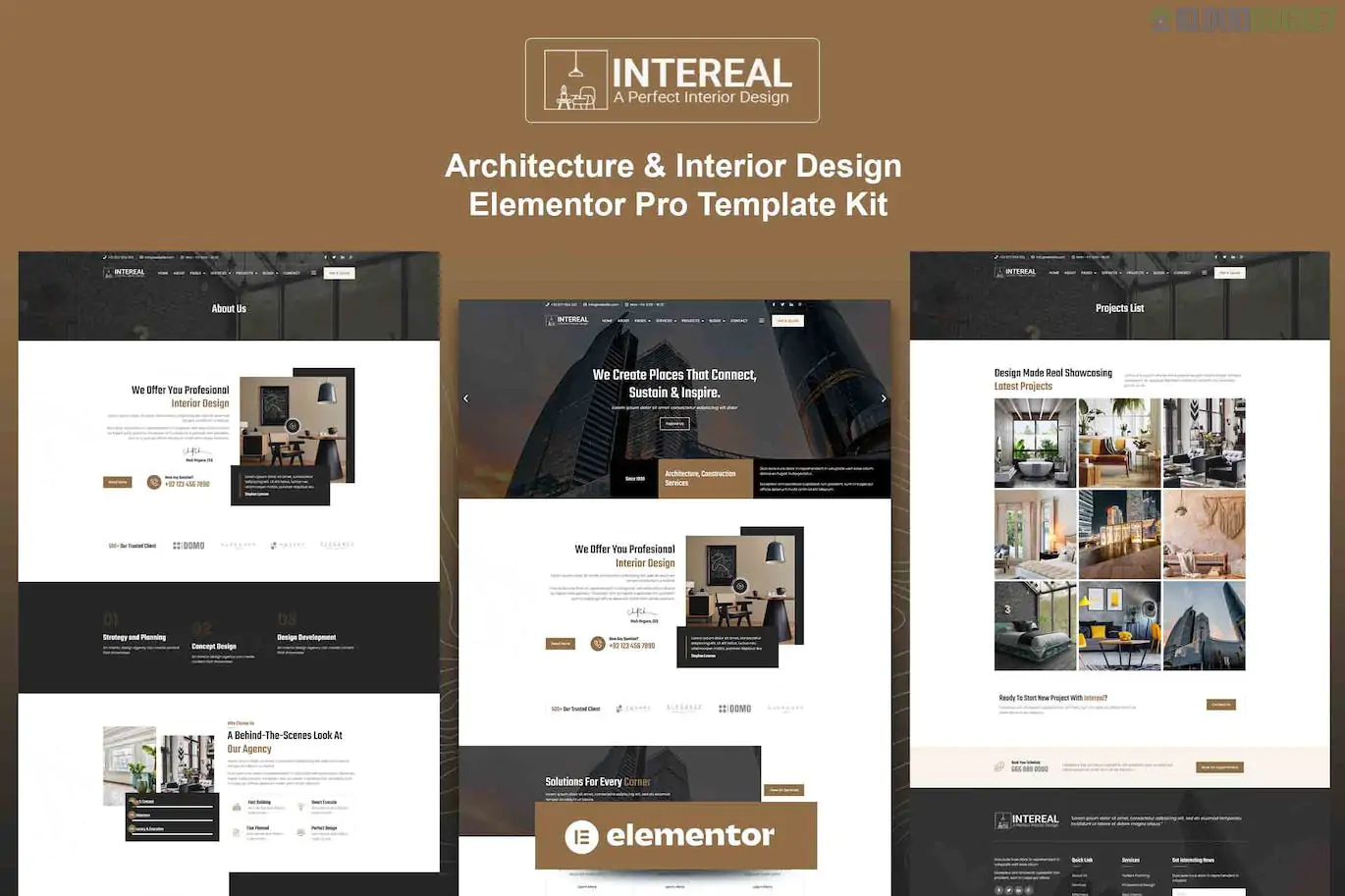
Intereal is a professional Elementor Pro Template Kit specifically designed for architecture firms, interior designers, and construction companies. Created by HtmlDesignTemplates, it emphasizes a minimalist and modern aesthetic with a focus on large-scale project photography and clean typography.
As an "Elementor Pro" kit, it leverages the advanced Theme Builder to manage headers, footers, and dynamic post layouts site-wide.
15+ Ready-to-Use Templates: A comprehensive library covering all the standard pages needed for an architectural portfolio or interior design business.
Modern Minimalist Aesthetic: Features high-contrast layouts, generous white space, and thin, sophisticated fonts that don't distract from the visual work.
Retina Ready & Responsive: The layouts are optimized for high-resolution displays (crucial for design portfolios) and fully responsive for mobile browsing.
Interactive Project Showcases: Includes specialized sections for "Single Projects" that allow you to display technical details alongside vivid imagery.
Global Theme Styles: Integrated with Elementor’s Global settings, allowing you to change your brand’s color scheme and fonts across the entire site with one click.
The kit provides a complete framework for a professional agency:
Core Pages: Homepage, About Us, Services, Service Detail, and Pricing.
Portfolio Pages: Project List (Archive) and Single Project Detail.
Communication: Contact Us, FAQ, and "Meet the Team" layouts.
Dynamic Content: Blog Archive and Single Post (optimized for design insights).
Utility: 404 Error page, Header, and Footer templates.
To ensure the kit functions exactly like the official demo, you will need:
Elementor: The core free page builder.
Elementor Pro: Required for the Theme Builder (Header/Footer/Global Styles) and dynamic project layouts.
ElementsKit Lite: Used for building the advanced navigation menu and specialized widgets.
Hello Elementor Theme: The recommended lightweight base theme.
Prepare Your Site: Ensure you have Elementor Pro active and the Hello Elementor theme installed.
Upload Kit: Install the "Envato Elements" plugin. Navigate to Elements > Installed Kits and upload your Intereal zip file.
Install Requirements: Click the orange "Install Requirements" banner to auto-activate the necessary plugins.
Import Order: * Step 1: Click Import on the Global Kit Styles (this is vital for the fonts and colors).
Step 2: Import individual pages one at a time. They will appear in your Templates > Saved Templates.
Assign Global Templates: Use the Elementor Theme Builder to set your imported Header and Footer to display on the "Entire Site."
Design Tip: Architecture sites thrive on "visual rhythm." Intereal uses a varied column count (switching between 2 and 3 columns) as you scroll. To keep this looking professional, ensure all your uploaded project photos have consistent aspect ratios (e.g., all 4:3 or all 16:9).
Would you like me to help you find a specific "Before/After" slider widget that would complement the interior design transitions in this kit?
Subscribe to access unlimited downloads of themes, videos, graphics, plugins, and more premium assets for your creative needs.
.jpg) Help Us to Buy More New Theme/Plugin
Help Us to Buy More New Theme/Plugin
Published:
Jan 19, 2026 17:24 PM
Category:
Author:
OtherLicense:
GPL v2 or Later