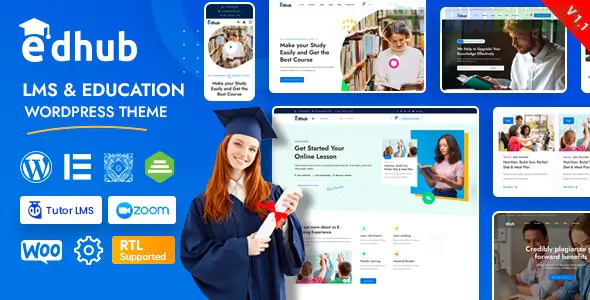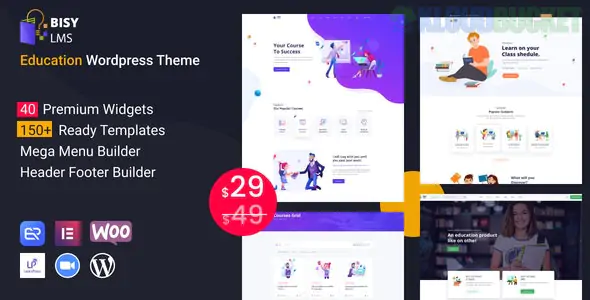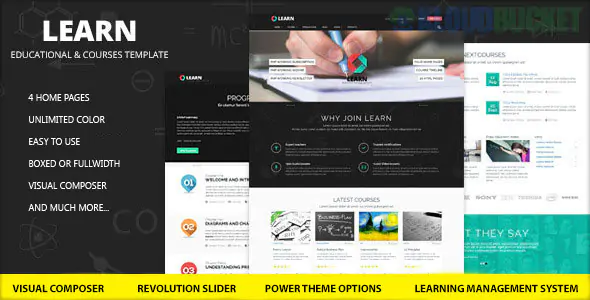
Are you ready to transform your educational vision into a stunning online reality? The Learn - Education, eLearning WordPress Theme is here to help you do just that. Designed specifically for educators and institutions, this theme offers a powerful platform to create dynamic eLearning websites. Whether you're running an online course, tutoring service, or educational institution, the Learn theme provides everything you need to engage students and streamline learning experiences.
With its user-friendly interface and customizable features, you'll have no trouble building an attractive website that resonates with your audience. Dive in as we explore all the remarkable aspects of the Learn theme— from its standout features to real-life success stories that showcase its potential. Let’s get started on your journey toward creating an impactful online education space!
The Learn - Education, eLearning WordPress Theme is packed with features designed to enhance online learning experiences. Its responsive design ensures your website looks great on any device, making it accessible for all users.
User-friendly course management tools allow instructors to create and organize content seamlessly. You can easily set up quizzes, assignments, and certifications that keep learners engaged.
Integration with popular plugins like WooCommerce supports easy payment processing. This capability helps you monetize courses effortlessly.
The theme also includes various customization options. Choose from multiple layouts and color schemes to match your brand's identity.
Additionally, built-in SEO optimization enhances your site's visibility in search engines, driving more traffic to your educational offerings. With robust support and updates, the Learn Theme evolves alongside technological advancements in eLearning.
Installing the Learn - Education, eLearning WordPress Theme is a straightforward process. First, you'll need to purchase and download the theme from a reputable source. Once you have it on your computer, log into your WordPress dashboard.
Navigate to Appearance > Themes and click ""Add New."" Choose ""Upload Theme,"" then select the downloaded file. After uploading, activate the theme to bring it live on your site.
Customization is where you can truly make this theme your own. Head over to Appearance > Customize for intuitive options like colors, fonts, and layout adjustments. The built-in drag-and-drop builder allows you to arrange elements with ease.
Don’t forget about plugin integrations! Add essential tools for functionality—like course management or payment gateways—to enhance user experience seamlessly. With just a little effort, you’ll create an engaging online learning environment tailored uniquely for your audience.
When utilizing the Learn - Education, eLearning WordPress Theme, focus on user experience. A clean layout and intuitive navigation are crucial for engaging learners.
Incorporate multimedia elements like videos and infographics to enhance content delivery. This keeps users interested and encourages interaction.
Optimize your site for mobile devices. Many learners access courses via smartphones or tablets. Ensuring a smooth mobile experience can significantly boost enrollment rates.
Regular updates keep your content fresh. Add new courses frequently to maintain learner interest and improve search engine rankings.
Utilize testimonials prominently. Positive feedback from students builds trust and encourages potential enrollees to take action.
Don't forget about SEO best practices while creating course content. Use relevant keywords naturally within headings, descriptions, and lesson materials to improve visibility in search results.
Leverage social media integration to promote your courses effectively across platforms where potential students spend their time.
Several eLearning platforms have effectively utilized the Learn Education, eLearning WordPress Theme to create engaging and functional websites.
One standout example is EduMaster, which offers a wide range of courses for professionals seeking skill upgrades. The clean design and intuitive layout make navigation seamless for users.
Another impressive site is SkillHub, focusing on creative arts education. Their vibrant use of imagery paired with the theme's responsive features ensures that students enjoy an immersive learning experience across devices.
Check out KnowledgeTree as well; it leverages the Learn Theme to host interactive quizzes and forums. This fosters community interaction while enhancing learner engagement.
These examples showcase how diverse organizations can customize the Learn Theme to meet their unique educational missions while maintaining professionalism and usability.
Encountering issues with the Learn - Education, eLearning WordPress Theme can be frustrating. However, many problems have straightforward solutions.
One common issue is layout discrepancies. If your site looks different from the demo, check for conflicts with plugins or custom CSS. Deactivating and reactivating plugins one at a time can help identify the culprit.
Slow loading times may also occur. Optimize images and leverage caching tools to enhance performance. A faster website improves user experience remarkably.
Another frequent concern involves learner enrollment difficulties. Ensure that all necessary settings in your LMS plugin are correctly configured for smooth functionality.
Don’t forget about browser compatibility; test your site across multiple browsers to catch any rendering issues early on.
If you still face challenges, consider reaching out to support forums or checking documentation provided by theme developers for specific guidance tailored to your situation.
Building your eLearning website with the Learn - Education, eLearning WordPress Theme opens up a world of possibilities. This theme is designed not only to meet the needs of educators but also to provide an engaging and user-friendly experience for students.
As you embark on your journey, take advantage of the powerful features offered by the Learn theme. Customization options allow you to create a unique site that reflects your brand and mission. Remember to follow best practices when designing your pages—focus on clarity and ease of navigation.
Don’t forget about SEO optimization as well. By incorporating relevant keywords throughout your content and maintaining proper meta tags, you'll enhance visibility in search engines while attracting more visitors.
Explore real-life examples for inspiration; seeing how others have successfully implemented this theme can spark ideas for your own site. Should any issues arise during installation or use, there are plenty of resources available online to troubleshoot effectively.
With these steps in mind, you're well-equipped to craft a compelling eLearning platform that resonates with users. Embrace creativity as you build out each section, ensuring it serves both educational purposes and engages learners through captivating design elements. Your dream education website awaits!
"
Subscribe to access unlimited downloads of themes, videos, graphics, plugins, and more premium assets for your creative needs.
.jpg) Help Us to Buy More New Theme/Plugin
Help Us to Buy More New Theme/Plugin
Published:
Dec 02, 2025 15:20 PM
Version:
v1.0.9.2
Category:
Developer:
ThemeforestLicense:
GPL v2 or LaterTags: