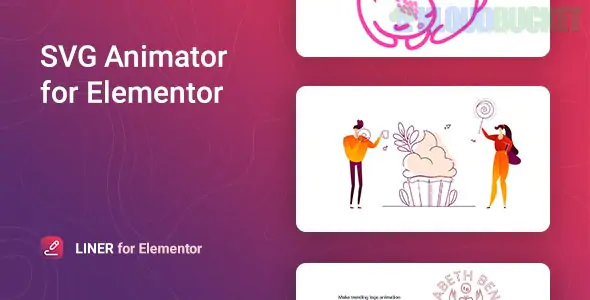
Liner is a specialized WordPress plugin designed for the Elementor page builder that allows you to create high-end, "line-drawing" animations for SVG graphics.
Unlike standard image widgets that just show a static file, Liner treats each path (line) within your SVG as an individual element that can be "drawn" onto the screen in real-time, creating a sophisticated motion-graphics effect.
The plugin's standout feature is the granular control it offers over the drawing sequence:
One By One: Each line of the SVG is drawn sequentially, one after another (perfect for signatures or logos).
Sync: All lines start and finish their drawing animation at the exact same time.
Delayed: Every path starts drawing simultaneously but with a staggered delay, creating a more organic look.
Triggers: You can set the animation to start on page load, when it enters the viewport, on hover, or on click.
Custom SVG Support: You aren't limited to a library; you can upload any custom SVG you've created in tools like Adobe Illustrator or Figma.
Path Styling: Change the color, width, and rotation of individual paths within a single SVG.
Built-in Templates: Includes 5 stylized, ready-to-use templates to help you get started quickly.
Performance First: Built with lightweight code to ensure that adding animations doesn't slow down your site's PageSpeed scores.
Mobile Responsive: Allows you to set different SVG sizes and offsets for Desktop, Tablet, and Mobile devices.
As of early 2026, Liner is primarily distributed through CodeCanyon and the Merkulov ecosystem:
Regular License: ~$22 (Includes lifetime updates and 6 months of support).
GPL/Club Access: Often included in memberships like Srmehranclub, allowing for use on multiple sites at a lower cost, though usually without official developer support.
Pros
Cons
Visual "Wow" Factor: Makes logos and icons look incredibly professional.
Technical Barrier: Works best with "stroked" (outline) SVGs; "filled" shapes won't animate as effectively.
No Coding: Everything is handled through the Elementor side panel.
Niche Tool: It does one thing (SVG drawing) very well, but isn't a general-purpose animation suite.
SEO Friendly: SVGs are code-based, meaning they remain sharp and readable by search engines.
Would you like me to help you find a free alternative like "Unlimited Elements," or perhaps guide you on how to export your SVG correctly from Illustrator so the animation works?
Subscribe to access unlimited downloads of themes, videos, graphics, plugins, and more premium assets for your creative needs.
.jpg) Help Us to Buy More New Theme/Plugin
Help Us to Buy More New Theme/Plugin
Published:
Jan 28, 2026 16:04 PM
Category:
Author:
OtherLicense:
GPL v2 or Later