Medicom is one of the most established and highly-rated Medical & Health WordPress Themes on the market. Developed by SubTheme, it is designed for hospitals, health clinics, dentists, and pharmaceutical companies that require a serious, trustworthy, and feature-rich online presence.
While many themes focus only on "looks," Medicom is built with specific medical workflows in mind, such as managing doctor schedules and department-based services.
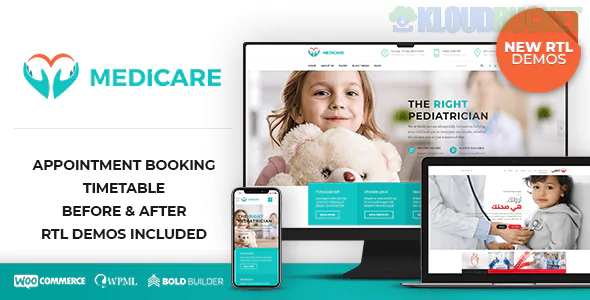
Advanced Appointment Booking: Includes a dedicated booking system that allows patients to select a department, choose a specific doctor, and pick an available time slot.
Timetable Responsive Schedule: A built-in "Timetable" plugin allows you to create elegant, color-coded weekly schedules for different clinics or gym classes.
Department Management: Specialized layouts for "Cardiology," "Dental," "Pediatrics," etc., each with its own specific service descriptions and associated doctors.
Premium Bundled Plugins: Usually comes bundled with Visual Composer (WPBakery) and LayerSlider, providing high-end layout control for free.
Doctor Profile Manager: A robust system to list medical staff, their education, social profiles, and a "vCard" download for patient records.
Medicom is known for its versatility within the medical niche:
5+ Home Page Variations: Ranging from a comprehensive "Hospital" portal to a focused "Personal Doctor" landing page.
3 Header Options: Includes a "Sticky" header that ensures the "Emergency Number" or "Book Appointment" button is always visible.
Mega Menu Support: Essential for large medical facilities with dozens of departments and sub-services.
Gallery Pages: Multiple styles (Grid, Masonry) to showcase your facility’s technology, operating rooms, and patient wards.
Pharmacy/Shop Support: Fully compatible with WooCommerce for clinics selling medical supplies or health products.
Fully Responsive: Tested across all modern browsers and mobile devices to ensure patients can find information during emergencies.
Bootstrap Framework: Built on the powerful Bootstrap 3 grid system, making it developer-friendly if you need to perform deep customizations.
SEO Optimized: Uses clean coding practices and structured data to help your clinic rank for local searches like "Doctor near me."
Translation Ready: Supports WPML, allowing you to serve diverse communities by offering the site in multiple languages.
Prioritize the "Contact" Info: In the medical field, the phone number and address should be the first things a user sees. Use Medicom's "Top Bar" to highlight your emergency line.
Humanize the Practice: Use the Staff Profiles to show doctors smiling and in their professional environment. Cold, clinical stock photos can be off-putting to anxious patients.
FAQ for Procedures: Use the built-in accordion widgets to answer common questions about insurance, prep-work for surgeries, and recovery times.
Local Authority: Use the blog to write about local health trends or seasonal advice (e.g., "Flu Prevention in [Your City]"). This builds massive local SEO value.
[!IMPORTANT]
Data Security: When using the Appointment Booking feature, ensure your WordPress site has an SSL Certificate (HTTPS). Handling patient names and phone numbers requires a secure connection to maintain privacy and professional standards.
Would you like me to help you draft the "Service Descriptions" for your medical departments, or should we look at how to set up the "Doctor Timetable" for your clinic's weekly schedule?
Subscribe to access unlimited downloads of themes, videos, graphics, plugins, and more premium assets for your creative needs.
.jpg) Help Us to Buy More New Theme/Plugin
Help Us to Buy More New Theme/Plugin
Published:
Jan 20, 2026 15:27 PM
Version:
v3.0.8
Category:
Developer:
ThemeforestLicense:
GPL v2 or LaterTags: