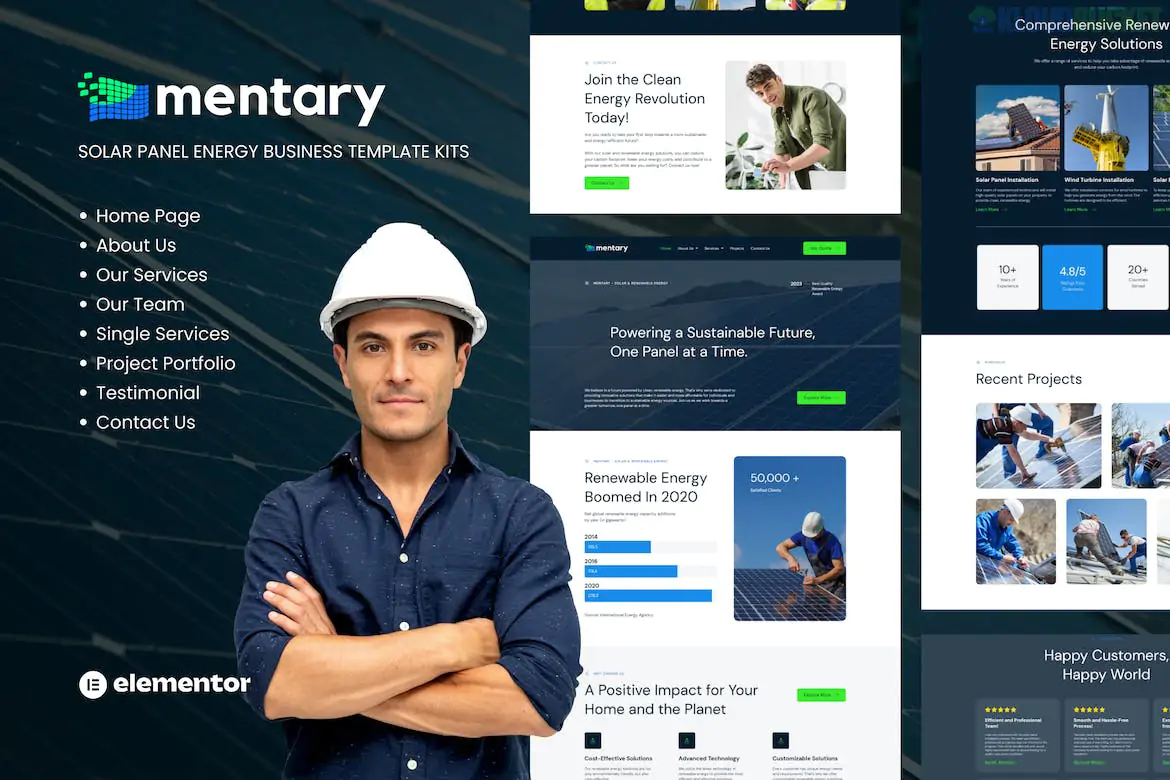
Mentary – Solar Panel & Renewable Energy Template Kit is a professional and eco-conscious design package specifically built for solar panel installers, green energy consultants, and sustainable technology firms.1 Developed by Tokotema, it focuses on a clean, modern aesthetic that builds credibility in the renewable energy sector.2
One of its standout features is that it is a "Free-Friendly" kit, meaning you do not need Elementor Pro to use it.
No Elementor Pro Required: Uses high-quality free plugins to handle advanced features like headers, footers, and forms, saving you the cost of a Pro subscription.
SEO Optimized: Built with a clean code structure and fast loading times to help your business rank better on search engines.3
100% Responsive & Retina Ready: Optimized for high-resolution screens and mobile devices, ensuring your project portfolios look sharp on any hardware.4
One-Click Style Control: Change your site’s primary colors and typography in one central location using Global Theme Styles.5
Mentary provides a complete set of pages to launch a professional industrial or service-based website:6
Core Pages: Homepage, About Us, Our Team, and Testimonials.
Service Focus: Our Services and Service Detail/Single Service (perfect for explaining solar installation or maintenance).7
Project Showcase: Our Project Portfolio and Project Details to display your successful installations.8
Functional: Contact Us, Header, Footer, and Global Theme Styles.9
To ensure the kit looks and functions exactly like the demo, it uses these specific free plugins:
Elementor: The core drag-and-drop page builder.10
Jeg Elementor Kit: Used for advanced widgets and technical design elements.
MetForm: A powerful form builder used for "Request a Quote" or "Contact" forms.11
Elementor Header & Footer Builder: To manage site-wide navigation without Elementor Pro.
Preparation: Install the Hello Elementor theme (recommended for its lightweight and neutral foundation).12
Import Tool: Install the "Envato Elements" plugin from the WordPress repository.13
Upload Kit: Go to Elements > Installed Kits and upload your Mentary zip file.14
Requirements: Click the orange "Install Requirements" banner to auto-activate the Jeg, MetForm, and Header/Footer plugins.15
Import Order:
Step 1: Click Import on the Global Kit Styles (this is essential for the site's colors and fonts).16
Step 2: Import individual page templates.17
Form Setup: Mentary uses MetForm.18 To make the forms appear, you must import the MetForm block templates and assign them to the MetForm widget on your Contact page.19
Design Tip: Renewable energy sites often look best when using high-quality "Blue" and "Green" color palettes. If you want to customize Mentary to a "Wind Energy" focus instead of Solar, simply swap the Global Blue color for a more "Airy" Sky Blue and update the imagery.
Would you like me to help you set up the MetForm "Get a Quote" form for this specific kit, or do you need a comparison with other solar kits like Solivox?
Subscribe to access unlimited downloads of themes, videos, graphics, plugins, and more premium assets for your creative needs.
.jpg) Help Us to Buy More New Theme/Plugin
Help Us to Buy More New Theme/Plugin
Published:
Jan 19, 2026 17:24 PM
Category:
Author:
OtherLicense:
GPL v2 or Later