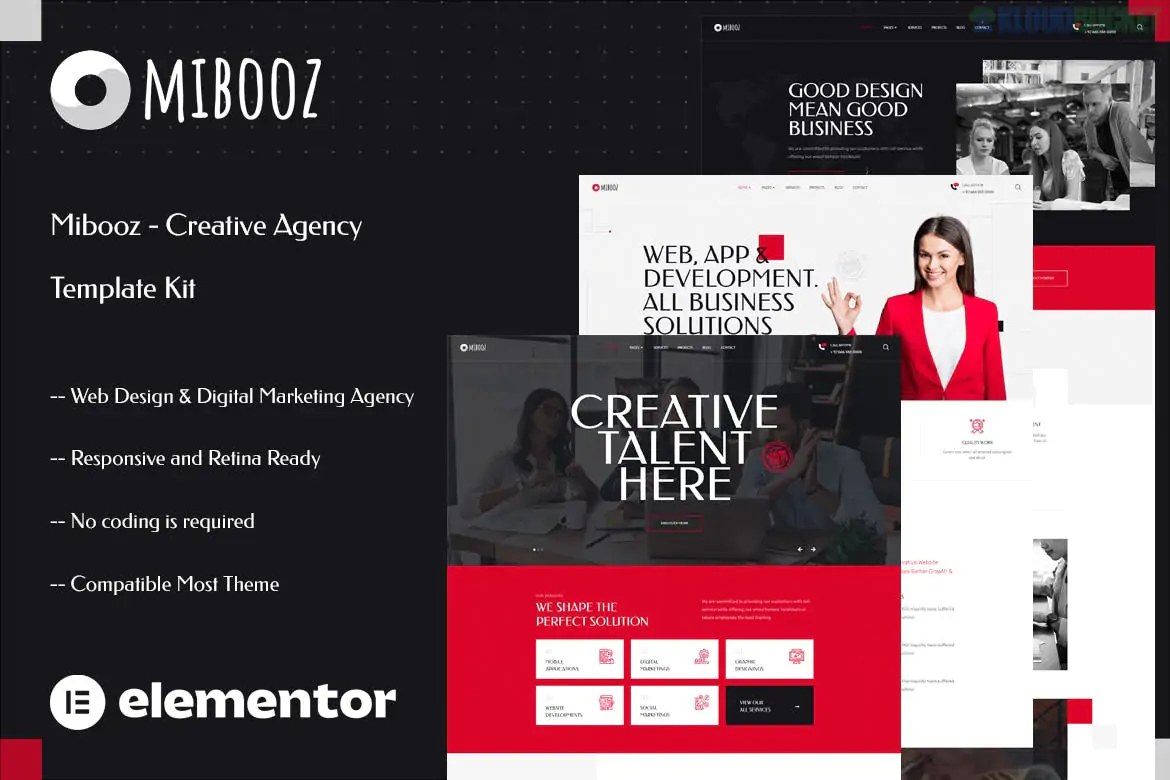
Mibooz is a modern and clean Elementor Template Kit designed for creative agencies, digital marketing firms, and design studios.1 Developed by themesflat, it is highly praised for being built entirely with the free version of Elementor, meaning you don't need to pay for an Elementor Pro license to get a high-end, professional result.2
As of late 2025, it remains a top-tier choice for freelancers and agencies who want a sleek, "retina-ready" website that focuses on high-impact visual showcases and smooth performance.
The kit provides a "no-code" solution for building a fully responsive agency site:3
100% Free Elementor Compatible:4 Unlike many "Pro" kits, Mibooz uses free addons to provide advanced features like custom headers and footers.5
3 Unique Homepage Variations: Includes specialized layouts for Web Design, Digital Marketing, and General Creative Agency focus.6
Retina & Mobile Ready: Every layout is 100% responsive and optimized for high-resolution displays.7
Modern Visual Tools: Features a Carousel Slide Box (to create sliders from any content) and a custom Post Widget for news and updates.8
SEO Optimized: Built with clean code and a lightweight structure to ensure fast loading times and better search engine visibility.9
To make Mibooz look exactly like the demo, you must install the following free plugins from the WordPress repository:
| Plugin Name | Purpose |
| :--- | :--- |
| Elementor | The core page builder.10 |
| Themesflat Addons | Provides the unique widgets and sliders specific to this kit.11 |
| MetForm | Handles the contact forms and lead generation. |
| ElementsKit Lite | Used for managing advanced headers and footers without Elementor Pro.12 |
Mibooz is a complete "site-in-a-box," providing all the essential inner pages:14
Homepages: 3 distinct versions for different agency types.15
Company Pages: About Us, Team, and FAQ sections.
Services: Grid layouts to list your offerings and individual Service Detail pages.
Portfolio: Multiple layouts to display your best projects with filtering options.16
Blog: Modern archive and single post templates for sharing industry insights.
Contact: Professional contact page integrated with MetForm.
Themes: Start with a lightweight theme like Hello Elementor.17
Plugin Import: Install the Envato Elements or Template Kit Import plugin.18
Requirements: After uploading the ZIP, click the orange "Install Requirements" button to activate the Themesflat and MetForm plugins.19
Global Styles: Always click "Import Global Kit Styles" first. This ensures your fonts and colors are consistent across the entire site.
Page Layout: When editing a page, set the Page Layout to "Elementor Full Width" to ensure your header and footer appear correctly.20
Form Setup: Would you like a guide on how to link MetForm to your email address so you receive lead notifications?
Design Tweaks: Do you need a CSS snippet to change the default accent color to your agency's specific brand color?
Header Troubleshooting: Are you having trouble getting the sticky header to stay at the top of the page during scroll?
How to Install Elementor Template kit
This video provides a clear, step-by-step visual guide on how to import and set up Elementor template kits, ensuring you don't miss any critical "Global Style" imports.
Subscribe to access unlimited downloads of themes, videos, graphics, plugins, and more premium assets for your creative needs.
.jpg) Help Us to Buy More New Theme/Plugin
Help Us to Buy More New Theme/Plugin
Published:
Dec 22, 2025 18:07 PM
Category:
Author:
OtherLicense:
GPL v2 or Later