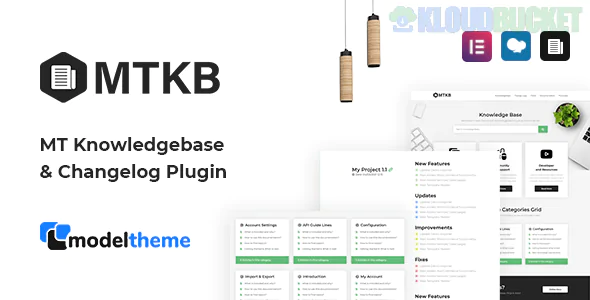
MT Knowledgebase & Changelog is a professional WordPress plugin developed by ModelTheme. It is designed to provide online services and software companies with a complete system for documentation, terms databases, and product update logs.
While originally bundled with themes like Wikb and Tikidocs, this plugin is now available as a standalone tool that works with any WordPress theme.
The plugin is divided into three primary modules, each serving a specific support need:
Knowledgebase: A dedicated system for support articles. It features AJAX Live Search, voting/likes for logged-in users, and an A-Z terms directory.
Changelog: A streamlined way to track version updates. It uses a custom taxonomy and shortcodes to display "New," "Fix," "Improvement," and "Update" tags without needing a separate single page for every entry.
Portfolio: An integrated portfolio template with keyword and category filters. Uniquely, you can link portfolio items directly to their corresponding documentation or changelogs.
Page Builder Friendly: Fully compatible with Elementor and WPBakery. It includes specialized widgets and 10+ shortcodes to drop KB sections into your custom layouts.
A-Z Directory: Includes a specialized template for a "Glossary" or "Wiki" style index of articles.
Responsive Layout: All templates—including the FAQ accordions—are mobile-optimized and retina-ready.
Feature
Details
Developer
ModelTheme (Elite Author)
Pricing
Included in Envato Elements or ~$24 on CodeCanyon
Key Plugins
Elementor / WPBakery (Optional), WPML (for translations)
Import Tools
Comes with Quick Start XML for demo data import
Latest Status
Actively maintained with compatibility for WordPress 6.7+
The "Changelog" feature is the main differentiator. Instead of creating a new blog post for every minor bug fix, you use the MT Changelog metaboxes to list updates. This keeps your main blog clean for marketing while providing a technical "paper trail" for your users.
Shortcodes: Would you like a list of the available shortcode parameters for the [mt_changelog_container] to customize its look?
Style Customization: Do you need help with the CSS selectors to change the "Like/Dislike" button colors to match your brand?
Setup: Are you looking for the best way to use the Quick Start XML to set up a replica of the demo site?
Would you like me to find the specific shortcode for the "Most Viewed Articles" widget so you can add it to your sidebar?
Subscribe to access unlimited downloads of themes, videos, graphics, plugins, and more premium assets for your creative needs.
.jpg) Help Us to Buy More New Theme/Plugin
Help Us to Buy More New Theme/Plugin
Published:
Dec 22, 2025 16:21 PM
Version:
v1.3
Category:
Author:
OtherLicense:
GPL v2 or Later