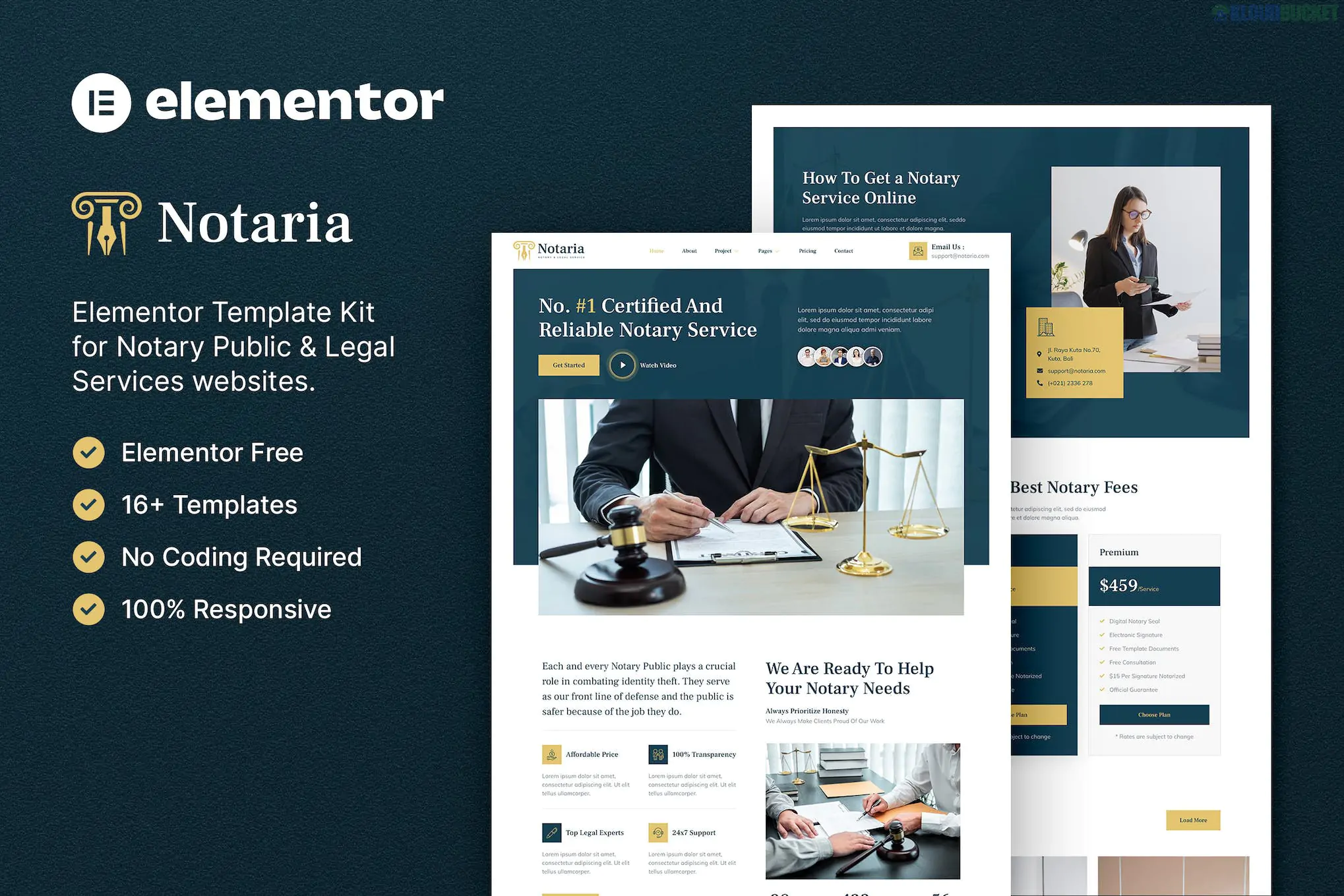
Notaria (developed by Indo-Layout) is a professional Elementor Template Kit designed for notary publics, legal firms, attorneys, and law offices. It features a conservative, sophisticated design with a focus on building credibility and making it easy for clients to book services.
Unlike a theme, this is a collection of layouts that you import into the Elementor builder to create a complete website.
The kit provides a structured, "legal-first" architecture:
Homepage: Professional hero section with service highlights and consultation CTAs.
About Us: Layouts for firm history, mission, and legal credentials.
Services & Service Detail: Clean pages for specific offerings like Real Estate Notary, Wills & Trusts, or Power of Attorney.
Our Team: Profile blocks for individual notaries and legal assistants.
Pricing: Transparent tables for standard document notarization or legal fees.
Testimonials: Social proof layouts to showcase client trust.
Contact: Functional page with integrated maps and appointment forms.
FAQ: Accordion layouts to answer common legal and procedural questions.
Notaria is built for high performance and is "Pro-Free," meaning you do not need an Elementor Pro subscription. It uses free addons to handle site-wide features:
Base Theme: Hello Elementor (highly recommended).
Required Plugins (Free):
Elementor: The core page builder.
ElementsKit Lite: Used for the header, footer, and advanced navigation.
Metform: Handles the custom contact and appointment request forms.
Gum Elementor Addon: Often used for specific creative widgets included in this designer's kits.
Preparation: In your WordPress dashboard, go to Elementor > Settings > Features and ensure Flexbox Container is set to Active, as modern kits from Indo-Layout rely on this system.
Importing with Envato Elements: * Install the "Envato Elements" plugin.
Upload the kit ZIP.
Step 1: Click "Import Global Kit Styles". This is essential to get the professional color palette (usually navy, gold, or charcoal) and formal typography.
Step 2: Import individual pages one by one.
Metform Setup: If the contact form doesn't appear after importing the page, click the Metform widget, choose "Edit Form," and select the specific "Notaria Contact Form" template from the list.
Conservative Aesthetic: Uses a color scheme and font choice (typically Serif for headings) that suggests authority and legal precision.
Lead Generation: Every page is designed with clear buttons to "Schedule a Consultation" or "Request a Quote."
Fully Responsive: The layout is optimized to look professional on mobile devices, which is critical for local service searches.
Would you like me to help you draft some "Service" descriptions tailored for a Notary Public, or do you need help setting up the automated email notifications for your Metform appointment requests?
Subscribe to access unlimited downloads of themes, videos, graphics, plugins, and more premium assets for your creative needs.
.jpg) Help Us to Buy More New Theme/Plugin
Help Us to Buy More New Theme/Plugin
Published:
Jan 30, 2026 14:03 PM
Category:
Author:
OtherLicense:
GPL v2 or Later