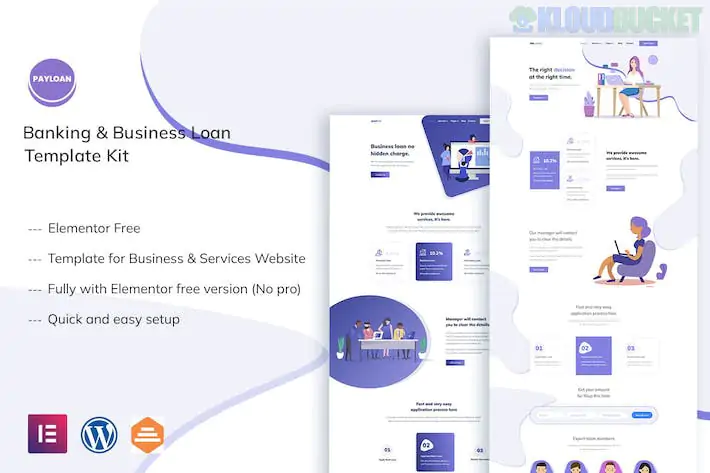
Payloan is a professional and clean Elementor Template Kit designed for banking institutions, business loan providers, credit card companies, and financial fintech startups. It is built to project trust and transparency, essential for any business handling sensitive financial data.
A key benefit of Payloan is that it is fully compatible with the free version of Elementor, meaning you do not need an Elementor Pro subscription to achieve the look shown in the demo.
Modern Financial Design: High-contrast, clean layouts that emphasize key figures, interest rates, and call-to-action (CTA) buttons.
15+ Ready-to-Use Templates: A comprehensive selection of pages covering loan services, corporate info, and customer support.
No Coding Required: Entirely drag-and-drop, allowing you to customize everything from the loan amount sliders to the team bios.
Responsive & Retina Ready: Optimized for mobile users, ensuring your application forms are easy to fill out on any device.
Optimized for Speed: Built with a clean, lightweight structure to help your site rank better in search engines (SEO).
To install Payloan correctly, you will need the following free plugins installed on your WordPress site:
Elementor (Free): The core page builder.
Themesflat Addons For Elementor: Required for the specialized financial widgets like sliders and carousels.
ElementsKit Lite: Used for building the header, footer, and advanced navigation menus.
MetForm: For the loan application and contact forms.
Hello Elementor Theme: The recommended lightweight starter theme.
Envato Elements Plugin: For the initial import process.
Category
Included Pages
Main Pages
Home, About Us, Our Team, FAQ
Loan & Services
Services Overview, Single Service Detail (e.g., Business Loan, Mortgage)
Corporate
Career Page, Pricing/Rates, Testimonials
News & Contact
Blog Archive, Single Post, Contact Us
Utility
Header & Footer Templates, 404 Error, Global Style Kit
Plugin Setup: Install and activate all "Required Plugins" via the Envato Elements interface before importing specific pages.
Global Styles: Import the Global Kit Styles first. This ensures the professional "Bank Blue" or corporate color palette is applied to every page automatically.
MetForm Configuration: * Import the "MetForm" block from the kit.
On your page, click the MetForm widget, select "Edit Form," and choose "New."
Inside the builder, click the "Gray Folder" icon to insert your imported MetForm template.
Header & Footer: Go to ElementsKit > Header Footer to create a new header/footer and "Insert" the Payloan templates into them for site-wide use.
Pro Tip: For a loan website, credibility is key. Replace the demo text in the FAQ and Service Details with actual legal disclaimers, interest rate ranges, and terms of service to ensure you are compliant with local financial advertising regulations.
Would you like me to help you find a Loan Calculator plugin to integrate with this kit, or do you need help setting up the MetForm for your loan application?
Subscribe to access unlimited downloads of themes, videos, graphics, plugins, and more premium assets for your creative needs.
.jpg) Help Us to Buy More New Theme/Plugin
Help Us to Buy More New Theme/Plugin
Published:
Feb 01, 2026 11:13 AM
Category:
Author:
OtherLicense:
GPL v2 or Later