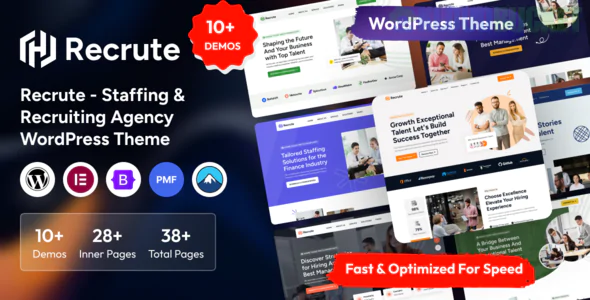
Recrute is a high-utility WordPress theme designed to act as a functional bridge between hiring companies and job seekers. While Ensaf focuses on personal advocacy and Uon Corp on consulting, Recrute is essentially a "Job Board" and "Talent Management" portal disguised as a professional website.
It is built for HR firms, recruitment agencies, and corporate staffing departments that need to manage high volumes of data without sacrificing a clean, professional aesthetic.
Recrute goes beyond design; it provides the actual infrastructure for a recruitment business:
Job Listing Management: A dedicated system to post, categorize (Full-time, Remote, Contract), and manage open positions.
Front-End Submissions: Allows employers to post jobs and candidates to upload resumes directly from the website without seeing the WordPress backend.
Candidate & Employer Dashboards: Separate user areas where candidates can track their applications and employers can view their listings.
Advanced Search & Filter: A robust "Job Search" bar that allows candidates to filter by location, category, and salary—essential for high-volume agencies.
A staffing website has two distinct audiences. Recrute’s design balances both through a dual-pathway UI:
Feature
For the Candidate
For the Employer
Primary CTA
"Upload Resume" / "Browse Jobs"
"Post a Job" / "Request Talent"
Key Content
Career advice & Job alerts
Staffing solutions & Industry stats
Social Proof
Success stories (Hired!)
Client logos & Retention rates
Utility
Bookmark favorite jobs
Manage applicant pipeline
Elementor Optimized: You can build custom landing pages for specific industries (e.g., "Healthcare Staffing" vs. "IT Recruitment") using drag-and-drop.
WP Job Manager Integration: Often utilizes the industry-standard plugin for job board functionality, ensuring a reliable and scalable database.
Resume Manager: Built-in tools for candidates to create and store digital resumes that employers can search (if enabled).
Responsive Design: Crucial, as a significant percentage of job hunting now happens on mobile devices during commutes.
The Hero Search: A prominent search bar right at the top: "What job are you looking for?"
The Stats Stripe: Animated counters showing "Active Jobs," "Companies Served," and "Candidates Placed."
Featured Jobs Grid: A visually clean list of the most urgent or premium positions.
The Partnership Block: A section dedicated to the "B2B" side—explaining how the agency finds the best talent for companies.
If you want your jobs to appear directly in Google for Jobs (the specialized search widget at the top of Google results), you need "Structured Data."
The Recrute Advantage: This theme is typically coded with Schema.org markup. When you fill out a job post's location, salary, and company, the theme tells Google: "This is a real job listing." * Advice: Always include a specific location (City/State) and a clear job title. This vastly improves your organic reach for candidates searching on Google.
Would you like me to help you structure a "Job Category" list for a specific niche, or should we look at how to set up the "Candidate Resume Upload" form?
Subscribe to access unlimited downloads of themes, videos, graphics, plugins, and more premium assets for your creative needs.
.jpg) Help Us to Buy More New Theme/Plugin
Help Us to Buy More New Theme/Plugin
Published:
Feb 03, 2026 12:37 PM
Version:
v1.0.0
Category:
Developer:
ThemeforestLicense:
GPL v2 or Later