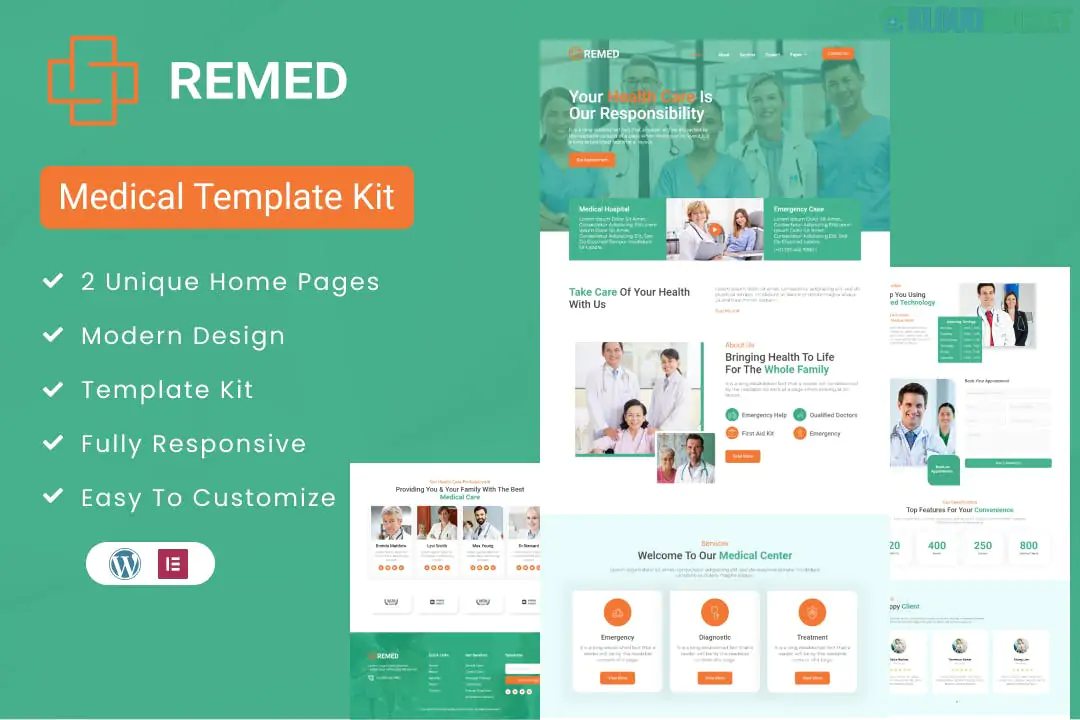
Remed is a clean, modern, and highly professional Elementor Template Kit designed for medical clinics, hospitals, health centers, and private practices.1 Developed by Jegtheme, it follows a "Medical Blue" aesthetic that emphasizes hygiene, trust, and clarity.
Like the other kits in the Jegtheme ecosystem, it is built to function using the free version of Elementor, making it a cost-effective choice for healthcare providers.
Healthcare-Specific Design: Clean layouts with high readability, tailored for patients looking for medical information.
Service & Department Focus: Pre-built sections to showcase various medical departments (e.g., Cardiology, Pediatrics, Neurology).
Appointment Focused: Integrated lead generation forms and clear "Book Appointment" calls-to-action (CTAs).
No Pro Required: Fully compatible with free plugins, avoiding the need for an Elementor Pro license.
Responsive & Retina Ready: Ensures your clinic's information is accessible on tablets and mobile phones.
The kit includes a full suite of pages for a medical facility:
Core Pages: Home, About Us, Services, and Service Detail.
Medical Info: Our Doctors (Team), Pricing, and FAQ.
Engagement: Blog Archive, Single Post, and a dedicated Contact Us page.
Global Parts: Header and Footer templates, plus a 404 Error page.
To ensure the kit imports correctly and functions as seen in the demo, install these free plugins first:
Elementor (Free): The primary page builder.2
ElementsKit Lite: For the custom header, footer, and advanced mega menus.
MetForm: For the appointment booking and contact forms.
Jeg Elementor Kit: Provides the specialized medical-themed widgets and design blocks.
The Foundation: Start with a clean WordPress installation and use the Hello Elementor theme.
Import Global Styles: This is the most critical step. Use the Envato Elements plugin to import the Global Kit Styles first. This sets the medical-blue colors and professional typography across the site.
Department Setup: Use the Service Detail pages to provide deep information on your clinic's specialties. Medical sites perform better when they provide high-value information about treatments.
Doctor Profiles: Patients often choose clinics based on the doctors. Use the "Our Doctors" template to highlight staff qualifications, years of experience, and professional photos.
Emergency Contact: Use the ElementsKit header editor to place your clinic's emergency phone number in a bright, contrasting color at the very top.
Testimonials: Healthcare is built on trust. Ensure you fill out the testimonial sections with real patient feedback (while respecting privacy laws like HIPAA/GDPR).
Form Logic: Customize the MetForm to include a "Department" or "Doctor" dropdown to help route appointment requests to the correct medical secretary.
Would you like me to show you how to add an "Emergency" banner to your Header or help you configure the MetForm for appointment scheduling?
Subscribe to access unlimited downloads of themes, videos, graphics, plugins, and more premium assets for your creative needs.
.jpg) Help Us to Buy More New Theme/Plugin
Help Us to Buy More New Theme/Plugin
Published:
Jan 07, 2026 19:52 PM
Category:
Author:
OtherLicense:
GPL v2 or Later