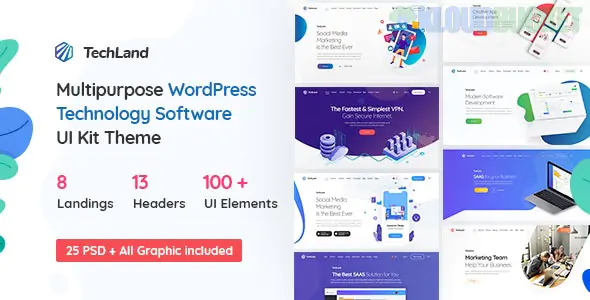
Techland is a high-tech, futuristic WordPress theme designed for the digital ecosystem. It is a "powerhouse" theme, meaning it is built to handle everything from SaaS (Software as a Service) landing pages and VPN providers to App showcases and IT agencies.
What makes Techland unique is its "Cyber" aesthetic—using neon accents, dark gradients, and 3D illustrations to give your brand an immediate sense of innovation.
Techland is highly versatile and comes with over 40+ pre-designed screens tailored for:
SaaS & Software: Clean, feature-rich pages to explain complex software.
App Landing Pages: High-conversion layouts for mobile apps (iOS/Android).
Digital Agencies: Bold portfolio sections for SEO, Web Design, and Marketing firms.
Hosting & VPN: Specialized layouts for server pricing and security features.
Startup Portfolios: Dynamic sections for pitching new business ideas.
WPBakery Page Builder: Built primarily with WPBakery (Visual Composer), allowing you to drag and drop over 100+ custom UI elements.
Pricing Table Customizer: Essential for tech services; it includes various styles of pricing toggles (Monthly/Yearly) and "Feature Comparison" charts.
Animated Shadows & Gradients: The theme uses modern CSS techniques to create depth and movement, giving it a "Web 3.0" feel.
WooCommerce Ready: If you are selling digital licenses, hardware, or subscriptions, the e-commerce integration is seamless.
Responsive & Retina: Built on the Bootstrap framework, ensuring the complex layouts look perfect on everything from a 4K monitor to a smartphone.
To understand how Techland structures a high-converting technology page, consider this common "Tech Stack" layout:
The Hero Section: Usually features a 3D illustration or a video background with a clear "Get Started" CTA.
Feature Grid: Uses custom icons to break down the technical benefits of your software.
Data & Metrics: Includes animated counters to show "Active Users" or "Uptime %."
Social Proof: Dedicated sections for client logos and "As Seen On" bars.
Leverage 3D Illustrations: Techland looks best when paired with 3D abstract assets or "Isometric" illustrations. If you don't have your own, look for libraries like Lottie or Spline to match the theme's energy.
Check PHP Limits: Because Techland is a "heavy" multipurpose theme with many features, ensure your hosting PHP Memory Limit is set to at least 512M for a smooth editing experience.
Optimize JS Execution: Since the theme uses several animation libraries, use a plugin like WP Rocket to "Delay JavaScript Execution." This will significantly improve your mobile PageSpeed scores.
Icon Selection: Use the built-in FontAwesome or Themify icons consistently. Mixing too many different icon styles can clutter the minimalist tech aesthetic.
Are you building a site for a specific software product or a general IT services agency? I can help you map out your navigation menu for the best user flow or suggest the best "Live Chat" plugins that integrate perfectly with Techland’s design.
Subscribe to access unlimited downloads of themes, videos, graphics, plugins, and more premium assets for your creative needs.
.jpg) Help Us to Buy More New Theme/Plugin
Help Us to Buy More New Theme/Plugin
Published:
Dec 25, 2025 10:43 AM
Version:
v1.9.0
Category:
Developer:
ThemeforestLicense:
GPL v2 or Later