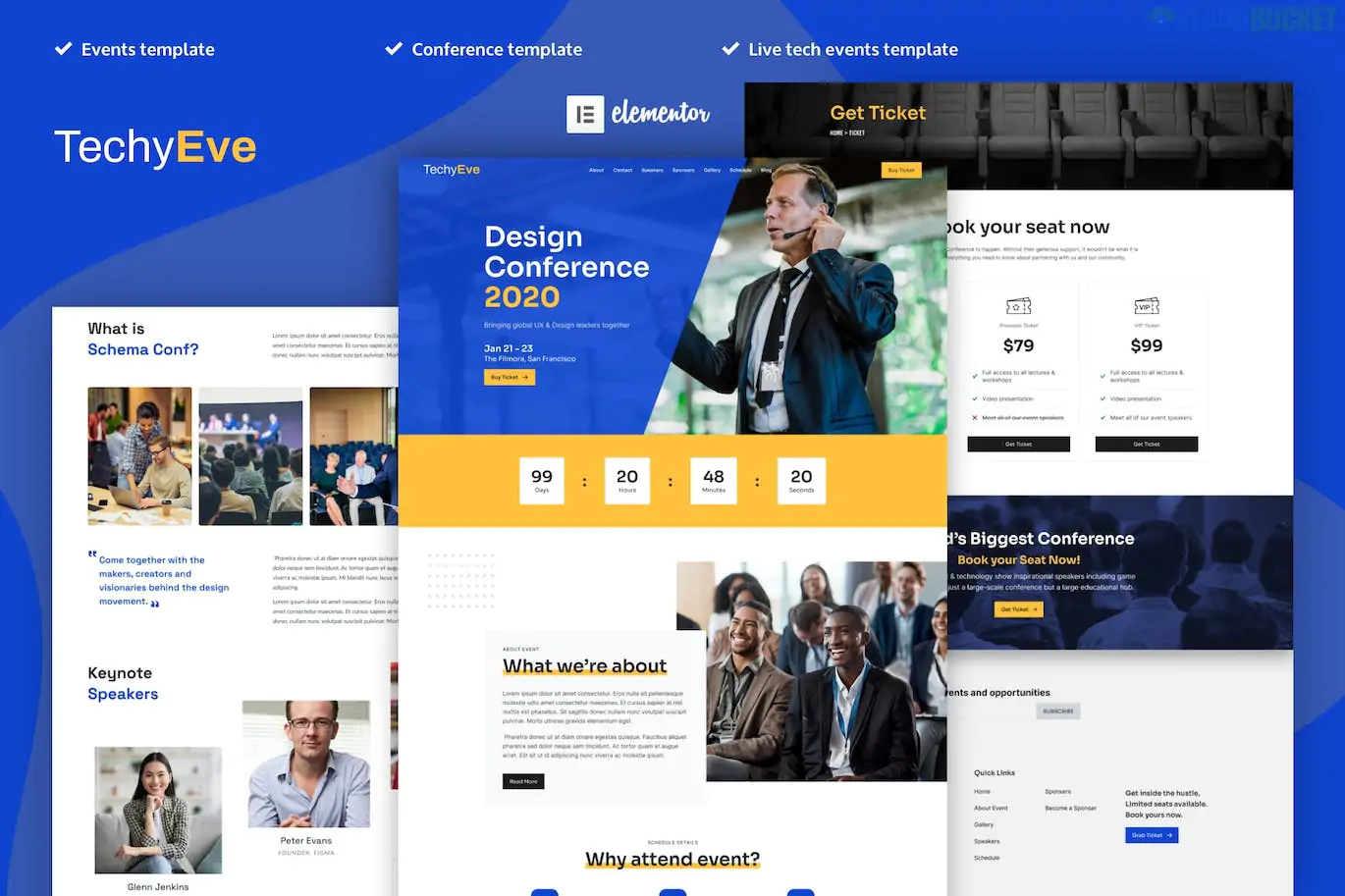
TechyEve is a professional Elementor Pro Template Kit specifically designed for tech conferences, summits, and corporate meetups. Released by kaththeme, it utilizes the advanced capabilities of Elementor Pro to handle complex event data like speaker lists and session schedules.
As of 2026, here is the breakdown of what is included and how to use it:
Aesthetic: It features a "Tech-Modern" look—dark and light versions are typically available, using high-contrast typography, neon accents (blue/purple), and clean grid layouts.
Fully Responsive: Designed with a "Mobile-First" approach, ensuring the event schedule and ticket buttons are easy to use on smartphones.
No-Code Customization: Every element is editable via Elementor’s drag-and-drop interface; no knowledge of PHP or CSS is required.
TechyEve provides a complete set of pages to run a professional event site:
2 Homepage Layouts: Choose between a high-energy "Modern Tech" look or a more formal "Corporate Conference" style.
Schedule & Programs: A specialized layout to show multi-day event tracks.
Speakers & Sponsors: Dedicated grids to highlight key guests and corporate partners.
Tickets/Pricing: Pre-designed pricing tables optimized for ticket sales.
Global Parts: Includes custom-designed Header, Footer, and 404 Error pages that automatically apply to the whole site.
Additional Pages: About Us, Gallery, FAQ, Blog, and Contact Us.
Before you import TechyEve, you must have these installed:
Elementor Pro: Unlike free kits, TechyEve relies on the Theme Builder and Pro Widgets (like the countdown timer and form builder).
Hello Elementor Theme: It is recommended to use this lightweight "blank canvas" theme for the best compatibility.
Envato Elements Plugin: Used to import the kit and license the images if you have a subscription.
Feature
TechyEve
Tecon (Free Alternative)
Eventico
Pro Required?
Yes
No
Yes
Schedule Style
Tabbed & List View
Simple List
Advanced Grid
Design Vibe
Clean & Corporate
Minimalist
Vibrant/Bold
Activate Elementor Pro: Ensure your license is active.
Import: Go to Plugins > Add New, install the Envato Elements plugin, then go to Elements > Installed Kits and upload your TechyEve .zip file.
Install Requirements: Click the "Install Requirements" button in the orange banner to automatically add any missing helper plugins.
Import Global Styles: Click "Import" on the Global Kit Styles first. This sets your site-wide colors and fonts.
Build Pages: Create a new page, click the green Envato icon, and insert the specific template (e.g., Homepage 1).
Would you like me to find the best free "Schedule" plugin that integrates with this kit if you need more complex features like live-syncing calendars?
Subscribe to access unlimited downloads of themes, videos, graphics, plugins, and more premium assets for your creative needs.
.jpg) Help Us to Buy More New Theme/Plugin
Help Us to Buy More New Theme/Plugin
Published:
Jan 16, 2026 11:11 AM
Category:
Author:
OtherLicense:
GPL v2 or Later