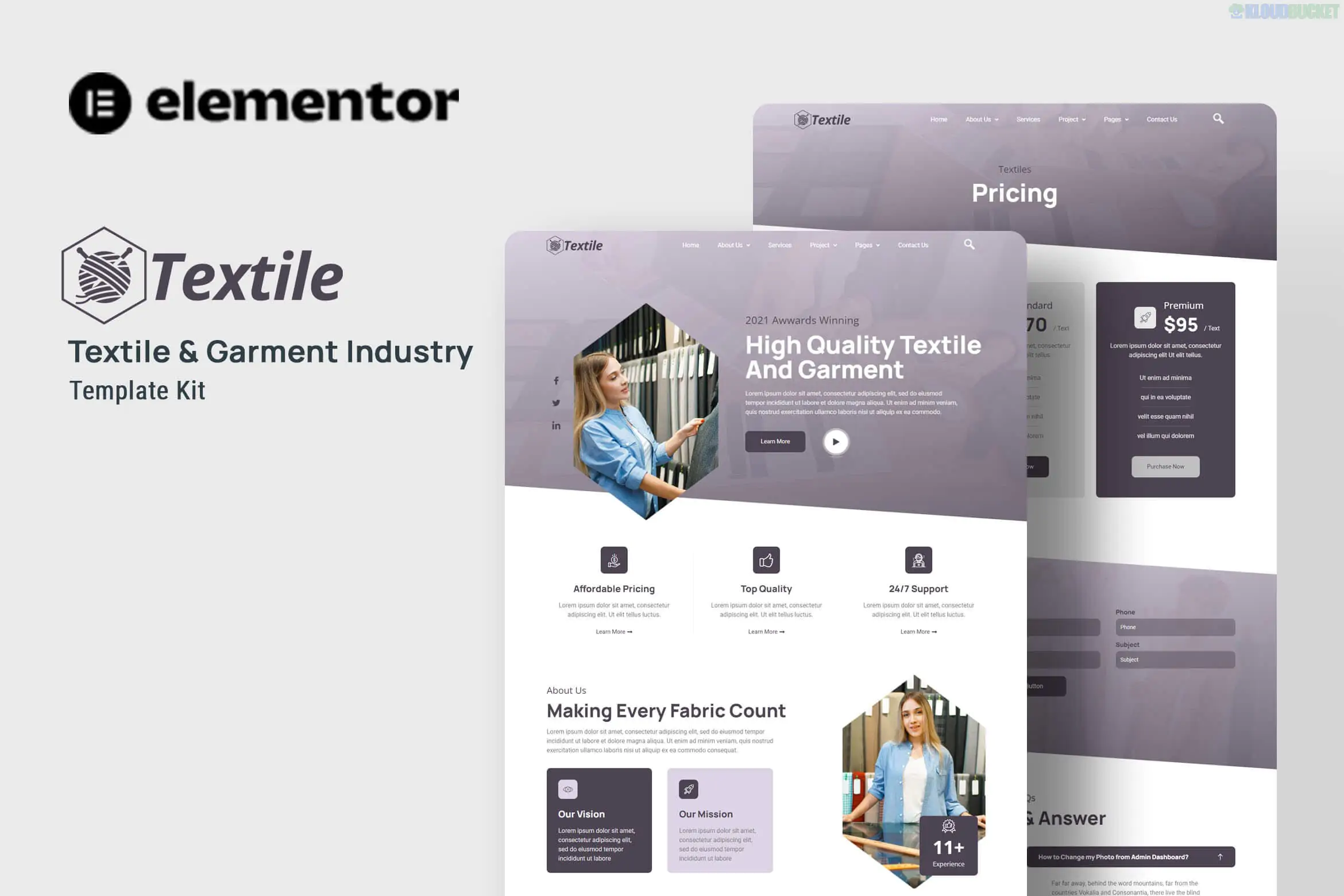
Textiles is a modern and professional Elementor Template Kit specifically designed for the garment industry, textile manufacturing, clothing companies, and fabric factories. It follows the typical "Template Kit" logic: it is a set of pre-designed layouts that you import into Elementor. It is highly optimized for the Hello Elementor theme, which ensures the site remains lightweight and fast-loading while providing a high-end corporate aesthetic.
True No-Code Customization: Change fonts, colors, and layouts globally without writing a single line of CSS.
Clean & Industrial Design: Uses a layout that balances large imagery (to show fabric textures) with structured information blocks for services and projects.
Fully Responsive: Specifically tested to ensure that technical diagrams or product catalogs look perfect on mobile and tablet.
Flexbox Container Optimized: Built using the latest Elementor standards for better performance and layout flexibility.
Template Type
What's Included
Main Pages
Home, About Us, Our Services, Pricing.
Portfolio/Work
Project List, Project Detail (to showcase specific garment lines or factory capabilities).
Engagement
Blog Archive, Single Post, FAQ Page.
Technical
Contact Us, 404 Error Page, Header, and Footer.
Unlike some premium kits, Textiles is designed to work with free tools. You must have these installed before importing the kit:
Elementor (Free): The core page builder.
ElementsKit Lite: Used for the advanced widgets and header/footer builder.
Jeg Elementor Kit: Provides additional widgets and theme settings.
MetForm: For the contact and inquiry forms.
Base Theme: Install and activate the free Hello Elementor theme.
Import Tool: Install the Envato Elements plugin (or a Template Kit Importer) from the WordPress repository.
Upload Kit: Go to Elements > Installed Kits and upload your Textiles .zip file.
Install Requirements: Click the orange "Install Requirements" button in the banner to activate all necessary free plugins.
Import Global Styles: This is the most critical step. Import the "Global Kit Styles" first to apply the factory-standard typography and color scheme.
Import Pages: Import the Home page and inner pages. They will be saved under Templates > Saved Templates.
As of 2026, the textile industry is increasingly focused on sustainability and supply chain transparency. The "Project Detail" and "Services" templates in this kit are pre-structured to allow you to easily add sections for "Sustainability Certificates" or "Production Process," helping you build immediate trust with B2B clients and retailers.
Would you like me to help you configure the MetForm inquiry form for bulk orders, or are you looking for a custom CSS snippet to add a "Zoom" effect to your fabric photos?
Subscribe to access unlimited downloads of themes, videos, graphics, plugins, and more premium assets for your creative needs.
.jpg) Help Us to Buy More New Theme/Plugin
Help Us to Buy More New Theme/Plugin
Published:
Jan 22, 2026 10:53 AM
Category:
Author:
OtherLicense:
GPL v2 or Later