The Ultimate Divi Modules UI Kit (often bundled as the Ultimate Divi Modules UI Bundle) is a massive design library for the Divi Theme.1 It is one of the most comprehensive collections in the Divi Marketplace, designed specifically for web designers and agencies who want to speed up their workflow by using pre-styled elements rather than building from scratch.2
Unlike a plugin that adds new functionality, this is a layout kit. It uses native Divi modules but applies advanced custom CSS and design settings to give them a premium, "non-default" look.
The kit has grown significantly through version updates (currently around V1.5+). It typically includes:
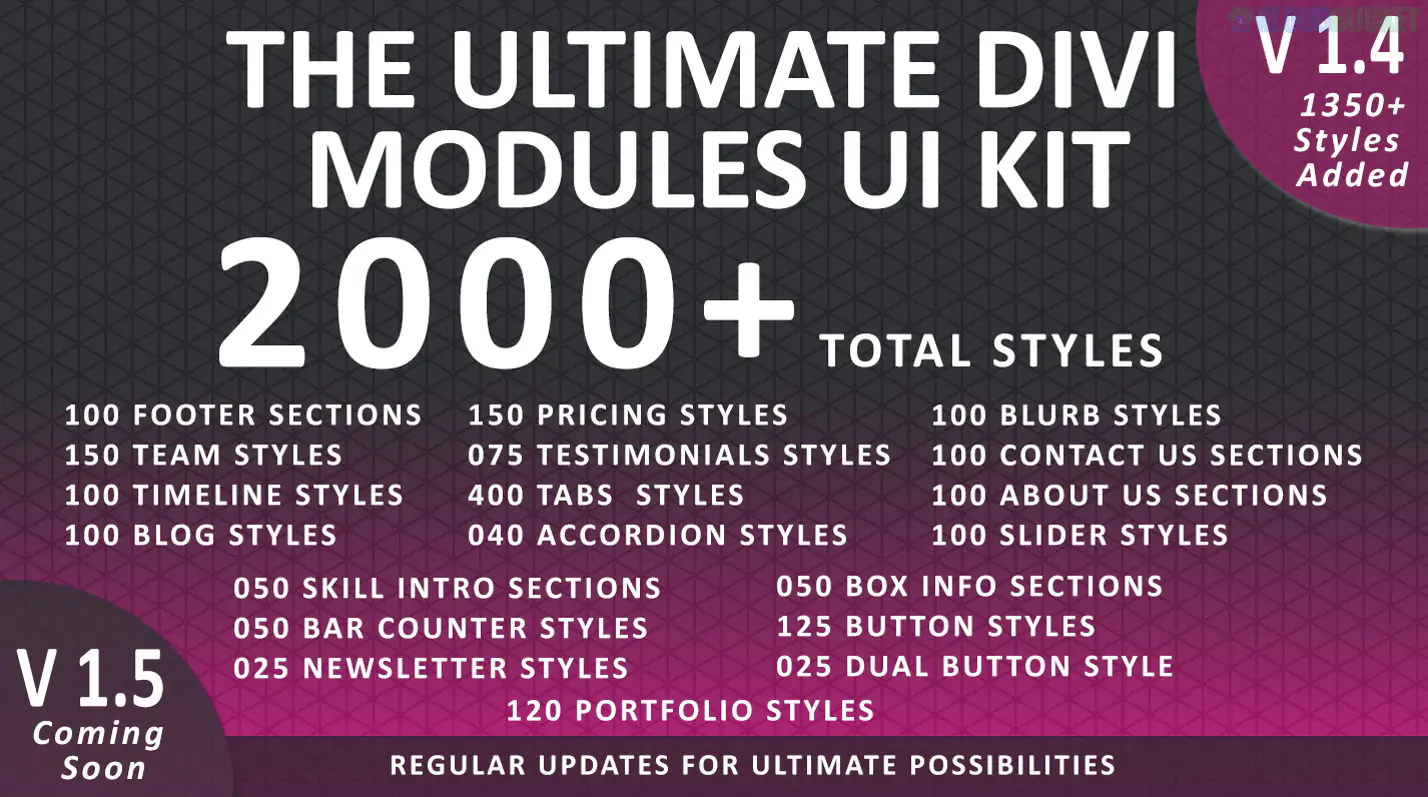
Total Styles: Over 6,350+ individual styles across all categories.3
Modules Covered: It provides custom designs for almost every native Divi module, including:
Team Members: 450+ styles (including hover effects and overlays).4
Pricing Tables: 400+ styles (including toggle switches for monthly/yearly).5
Blurbs & Info Boxes: 200+ styles with unique iconography and borders.
Blog Modules: 210+ styles (Grid, List, and Horizontal layouts).6
Testimonials: 75+ styles.7
Contact Forms: 100+ creative layouts.8
Tabs & Accordions: 400+ tab styles and 40+ accordion designs.9
Full Layout Packs: Beyond individual modules, it often includes 40+ One-Page website layouts to jumpstart entire projects.10
Divi 5 Ready: Most recent versions are optimized for the latest Divi 5 architecture, ensuring better performance and compatibility with the new "Canvas" and "Grid" systems.
JSON-Based Import: The kit comes as a collection of .json files.11 You can import the entire set or just specific folders into your Divi Library.12
Mobile-First Design: Every module is pre-configured to be fully responsive, though some users note that more complex hover effects may need minor manual adjustments for mobile.
Interactive Effects: A major selling point is the inclusion of "Awesome Hover Effects"—animations that would normally require significant custom CSS, such as image flips, color overlays, and social icon reveals.13
Pros
Cons
Massive Value: One of the cheapest ways to get thousands of designs (often on sale for $25–$45).
Bulk Import Issues: Importing thousands of styles at once can slow down your Divi Library; it's better to import only what you need.
Native Compatibility: No extra plugins needed; it uses what Divi already provides.
Design Consistency: With 6,000+ styles, the design quality can vary slightly between the older and newer updates.
Fast Workflow: Allows you to "browse" for a design style rather than spending hours tweaking settings.
Learning Curve: Finding a specific style within the massive folder structure can take time at first.
Buy it if: You are an agency owner or freelancer who builds multiple Divi sites a month. It acts as a "design encyclopedia" that ensures your sites don't all look like the standard Divi demo.
Skip it if: You are building just one personal site and already have a clear vision of your design, as the sheer volume of choices might be overwhelming.
Would you like me to help you find the specific installation guide for importing these JSON files into your Divi Library?
Subscribe to access unlimited downloads of themes, videos, graphics, plugins, and more premium assets for your creative needs.
.jpg) Help Us to Buy More New Theme/Plugin
Help Us to Buy More New Theme/Plugin
Published:
Jan 16, 2026 15:29 PM
Version:
v1.5
Category:
Author:
OtherLicense:
GPL v2 or Later