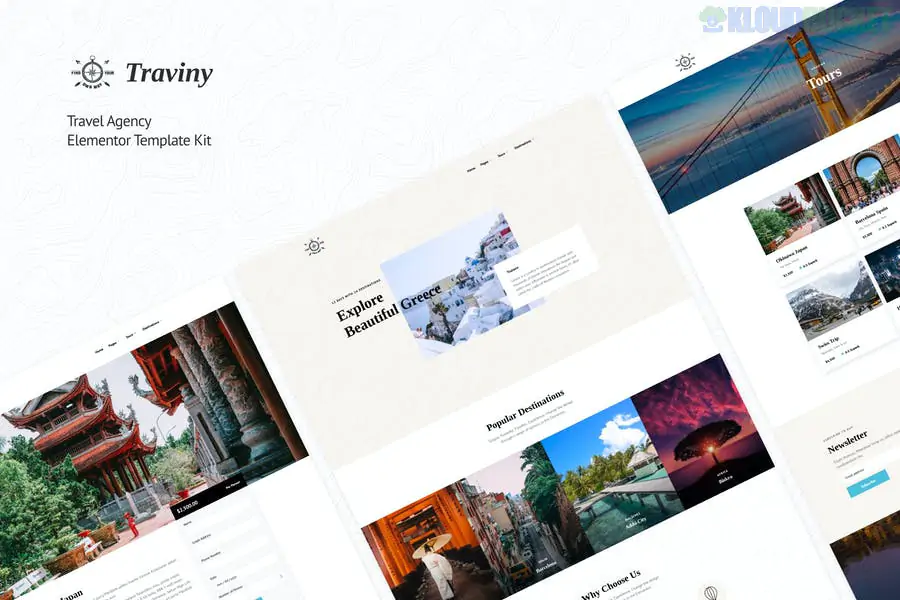
Traviny is a modern and clean Elementor Template Kit specifically designed for travel agencies, tour operators, city breaks, and vacation planning services. It offers a vibrant, adventure-focused aesthetic that emphasizes stunning destinations and easy booking.
A major advantage of Traviny is that it is built to function with free plugins, meaning an Elementor Pro subscription is not strictly required to achieve the layout shown in the demo.
10+ Pre-designed Templates: Includes essential pages like Home, Destinations, Tour Details, and specialized Booking forms.
Modern & Clean Design: Uses a bright, professional layout that highlights high-quality travel photography and clear typography.
Pro Features for Free: Includes custom Header and Footer layouts that work with free Elementor addons.
Fully Responsive & Retina Ready: Specifically optimized for mobile travelers to browse tours and book trips on the go.
Global Style Kit: Allows you to change brand colors and fonts across the entire site with a single click.
To set up Traviny, ensure you have the following free plugins active on your WordPress site:
Elementor (Free): The core page builder.
ElementsKit Lite: Used for advanced header/footer elements and navigation menus.
MetForm: For building the tour booking and contact forms.
Contact Form 7: Often used for basic inquiry handling.
Hello Elementor Theme: The recommended lightweight starter theme for best performance.
Category
Page Layouts
Main Pages
Home, About Us, Contact, FAQ
Tour & Travel
Destinations List, Tours List, Tour Details (Single View)
Engagement
Pricing/Packages, Testimonials, Blog Archive, Single Post
Utility
Header, Footer, 404 Error Page, Global Kit Styles
Global Styles First: Always import the Global Kit Styles before any individual page. This ensures your travel site has consistent colors and buttons from the start.
Form Configuration: To get the booking form working, you must import the MetForm block separately and then "Insert" it into the designated widget on your contact or tour pages.
Image Licensing: The kit uses demo images from Envato Elements. You can keep them if you have a license, but it's highly recommended to replace them with your own high-resolution photos of your actual tour destinations.
Header/Footer Setup: Since this doesn't use Elementor Pro, navigate to ElementsKit > Header Footer to assign your imported Traviny header and footer to the "Entire Site."
Visual Tip: Travel is a visual industry. Use the Gallery sections to showcase real photos from your previous trips to build "wanderlust" and trust with potential customers.
Would you like me to help you set up the MetForm to send booking requests directly to your email, or do you need help customizing the "Tour Details" page for a specific destination?
This Elementor template kit installation guide walks through the process of setting up kits like Traviny using only free plugins, which is perfect if you don't have Elementor Pro.
Subscribe to access unlimited downloads of themes, videos, graphics, plugins, and more premium assets for your creative needs.
.jpg) Help Us to Buy More New Theme/Plugin
Help Us to Buy More New Theme/Plugin
Published:
Feb 01, 2026 11:14 AM
Category:
Author:
OtherLicense:
GPL v2 or Later