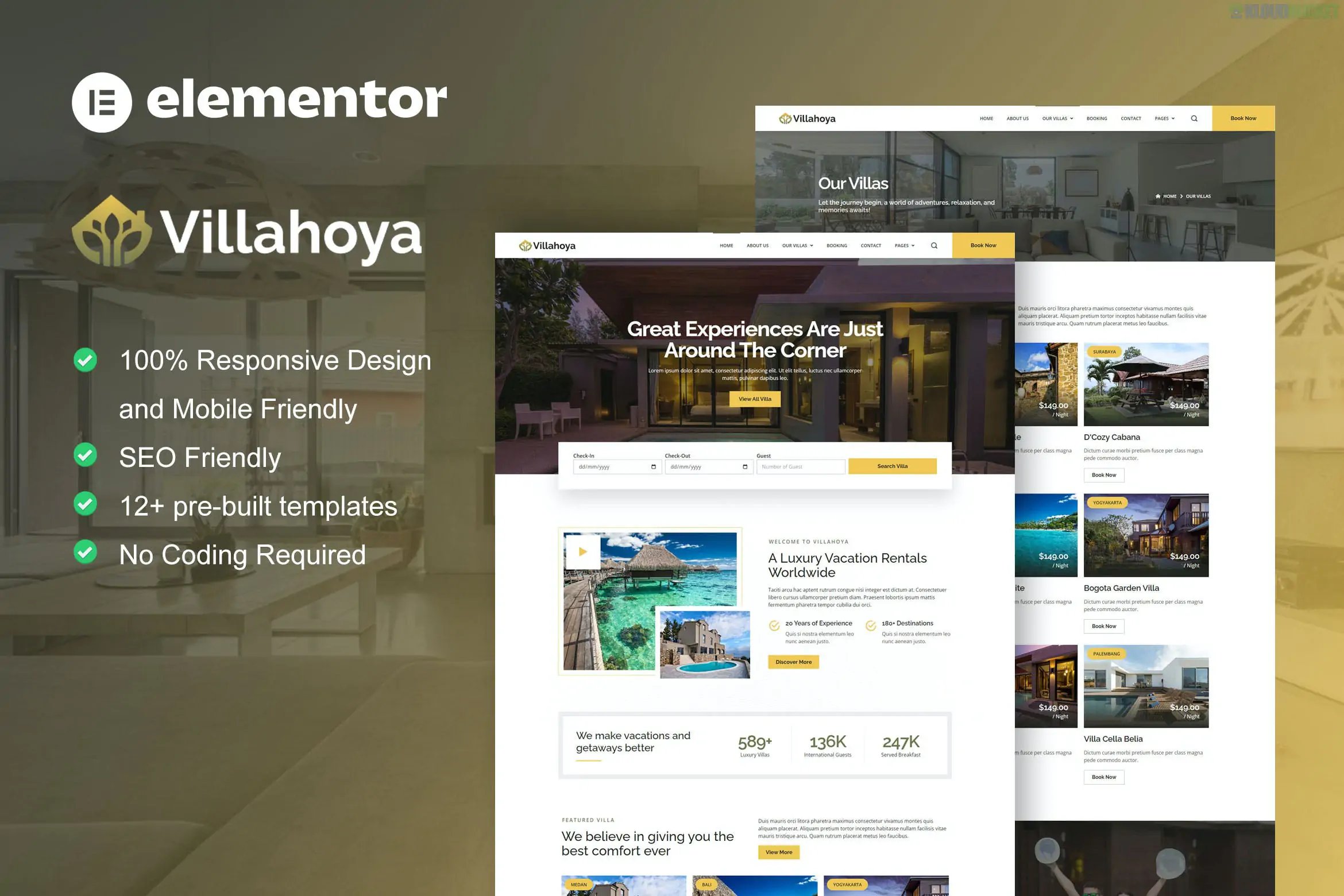
Villahoya is a sophisticated and modern Elementor Template Kit designed for villa vacation rentals, luxury resorts, boutique hotels, and guesthouse bookings.
Developed by moxcreative, the kit features an elegant, airy design that emphasizes high-quality photography and property details. It is built to create a seamless browsing experience for travelers looking to book high-end accommodations.
12+ Pre-built Templates: Includes a full range of pages tailored for the hospitality industry.
Modern & Airy Aesthetic: Uses a clean color palette and generous whitespace to create a premium, "vacation" feel.
Built with Elementor Pro: Leverages advanced Theme Builder features for headers, footers, and dynamic property details.
100% Responsive: Meticulously optimized for mobile, ensuring that potential guests can browse and book easily from their phones.
Villahoya provides all the essential pages for a vacation rental business:
| Category | Page / Section Templates |
| :--- | :--- |
| Main Pages | Home, About Us, Booking, Contact. |
| Property Details | Our Villas (Listing Page), Villa Detail (Single Page). |
| Guest Support | FAQ, Pricing, Our Staff. |
| Media & Admin | Blog, Single Blog, 404 Error Page, Header, and Footer. |
To ensure the kit functions exactly like the official demo, you will need the following plugins:
Elementor (Free): The core builder.
Elementor Pro: Mandatory for the Header, Footer, and the sophisticated Villa Detail templates.
ElementsKit Lite: Provides additional widgets and the mega-menu capabilities.
Skyboot Custom Icons: Includes the specific travel and hospitality icons used in the design.
Base Theme: Install the free Hello Elementor theme.
Import Tool: Install the Envato Elements (or Template Kit Import) plugin.
Upload: Go to Elements > Installed Kits and upload your Villahoya .zip file.
Requirements: Click the orange "Install Requirements" banner to activate the necessary plugins.
Global Styles: Crucial Step. Import the "Global Kit Styles" first to apply the kit’s fonts and colors to your site.
Import Pages: Import the Home page and inner pages. They will be stored in your Templates > Saved Templates.
Theme Builder: If you have Elementor Pro, go to Templates > Theme Builder and assign the imported Header and Footer to the "Entire Site."
By 2026, the luxury rental market is driven by visual storytelling. Villahoya stands out because its "Villa Detail" page is pre-structured to highlight amenities (like pools, Wi-Fi, and beachfront access) with professional icons and dedicated galleries. Its clean structure also ensures fast loading times, which is essential for maintaining a high ranking on Google Travel and other search engines.
Would you like me to show you how to integrate a booking calendar into the "Booking" page, or do you need help setting up the "Villa Detail" template to showcase your specific amenities?
Subscribe to access unlimited downloads of themes, videos, graphics, plugins, and more premium assets for your creative needs.
.jpg) Help Us to Buy More New Theme/Plugin
Help Us to Buy More New Theme/Plugin
Published:
Jan 22, 2026 13:19 PM
Category:
Author:
OtherLicense:
GPL v2 or Later