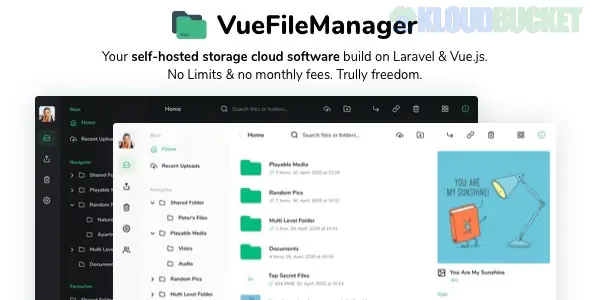
Vue File Manager with Laravel is a powerful, self-hosted "Private Cloud" solution that serves as a direct alternative to services like Google Drive, Dropbox, or OneDrive. It combines the sleek, reactive user interface of Vue.js with the robust, secure back-end of the Laravel framework.
Unlike the Elementor Template Kits we’ve discussed, this is a full-stack web application that requires a server to run.
Vue File Manager is designed for both personal storage and commercial "Software as a Service" (SaaS) business models:
Complete File Management: Upload, download, move, rename, and organize files with a familiar "desktop-like" drag-and-drop interface.
Multi-Cloud Storage: Out of the box, it supports local server storage, but it also integrates with Amazon S3, DigitalOcean Spaces, and Google Cloud Storage.
Sharing & Collaboration: Generate public or password-protected sharing links with expiration dates, similar to "WeTransfer."
User Subscriptions (SaaS): It includes a built-in billing system with Stripe or Paystack integration, allowing you to sell storage plans to users.
Responsive Mobile UI: It isn't just a desktop tool; the interface is optimized for mobile browsers and supports PWA (Progressive Web App) installation.
Since this is a Laravel application, you cannot simply "upload it to WordPress." You need a VPS (Virtual Private Server) or a high-quality shared hosting environment that supports:
PHP: Version 8.1 or higher.
Database: MySQL 8.0+ or PostgreSQL.
Web Server: Nginx (recommended) or Apache.
Extensions: BCMath, Ctype, Fileinfo, JSON, Mbstring, OpenSSL, PDO, Tokenizer, and XML.
Memory Limit: Minimum 512MB (more is better for handling large file chunks).
If you are moving from Elementor kits to this, the process is more technical:
Server Setup: Set up your domain and point it to your server's IP.
Upload & Unzip: Upload the source files to your public_html or equivalent directory.
Database Creation: Create a fresh MySQL database and user.
The Setup Wizard: Visit your domain. Vue File Manager has a built-in Web Installer that will guide you through:
Checking server requirements.
Entering database credentials.
Setting up the Admin account.
Queue Workers: For large file uploads and thumbnail generation, you must set up a Cron Job or a Laravel Queue Worker (using Supervisor) to handle background tasks.
Privacy: You own the data and the server. No third-party scanning your files.
No Monthly Fees: Unlike Dropbox, you pay once for the script license and only for your own hosting costs.
Custom Branding: You can fully white-label the app with your logo, colors, and "Powered by" text.
Team Folders: Excellent for small businesses that need a central hub for internal documents without paying per-user seat prices.
When handling a private cloud, Security is paramount. Ensure you:
Install an SSL Certificate (Let's Encrypt) immediately.
Set the APP_DEBUG variable to false in your .env file once you go live.
Regularly back up your SQL database and your storage folder.
Would you like me to help you configure the .env file for Amazon S3 storage, or do you need a guide on how to set up the Cron Jobs for file processing?
Subscribe to access unlimited downloads of themes, videos, graphics, plugins, and more premium assets for your creative needs.
.jpg) Help Us to Buy More New Theme/Plugin
Help Us to Buy More New Theme/Plugin
Published:
Feb 02, 2026 10:44 AM
Version:
v2.2.7
Category:
Author:
OtherLicense:
GPL v2 or Later