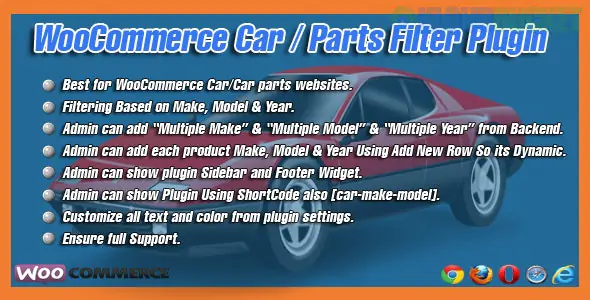
In the automotive industry, a "Country Selector" isn't usually enough; you need a Year/Make/Model (YMM) finder. This allows customers to drill down through thousands of parts to find the exact one that fits their specific vehicle.
As of 2026, here are the most reliable ways to set this up in WooCommerce:
This is the most popular dedicated "Car Part Finder" plugin. It creates a cascaded dropdown (Make → Model → Year) that filters your products instantly.
Best for: Stores specifically selling auto parts, tires, or accessories.
Key Feature: You can import/export vehicle fitment data via CSV. This is crucial because manually adding "This wiper blade fits a 2018 Honda Civic" to 500 products is impossible.
Pro Tip: In 2026, ensure you use the AJAX search feature so the page doesn't reload every time a user picks a "Make."
If you want a more modern, "Amazon-style" sidebar with checkboxes for brands, engine types, and categories alongside your YMM search.
Best for: High-performance stores with a massive catalog (10,000+ SKUs).
Why it wins: It includes an Advanced Cache System designed to handle huge databases without slowing down your site—a common issue with automotive sites.
SEO Benefit: It generates "Pretty URLs" (e.g., yoursite.com/parts/toyota/camry/2024), which helps you rank in Google for specific vehicle part searches.
If you are using Elementor or Bricks, this is the most customizable option.
Best for: Developers who want full control over the design of the filter buttons and dropdowns.
Hierarchical Select: It excels at "Conditional Logic"—meaning the "Model" dropdown stays empty until the user selects a "Make."
Feature
YMM Search (Pektsekye)
PWF Product Filter
JetSmartFilters
Primary Use
Strict Year/Make/Model
Multi-criteria Sidebar
Custom Design/Elementor
Ease of Setup
High (Dedicated)
Medium
Advanced
Data Handling
CSV Import/Export
Drag-and-Drop Builder
Dynamic Tags
Mobile UX
Simple Dropdowns
Off-canvas Sidebar
Fully Customizable
Vehicle Fitment Data: The hardest part isn't the plugin; it's the data. Most professional part stores use ACES and PIES data standards. If your supplier provides these files, you will likely need a specialist tool or a developer to map them to your WooCommerce attributes.
Performance: Automotive databases are "heavy." Always use a plugin that supports Indexing (like PWF or JetSmartFilters) to ensure your filters don't take 5 seconds to load.
Do you already have your vehicle fitment data in a CSV/Excel sheet, or do you need help figuring out how to organize your attributes first?
Subscribe to access unlimited downloads of themes, videos, graphics, plugins, and more premium assets for your creative needs.
.jpg) Help Us to Buy More New Theme/Plugin
Help Us to Buy More New Theme/Plugin
Published:
Jan 16, 2026 11:14 AM
Version:
v1.3
Category:
Author:
OtherLicense:
GPL v2 or LaterTags: