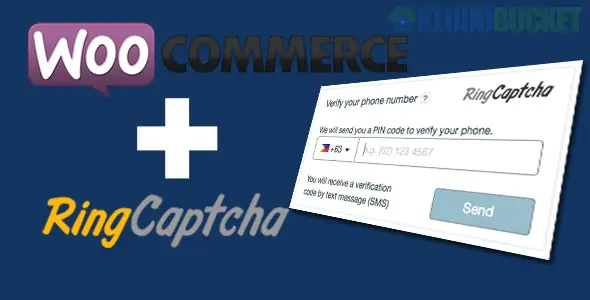
Implementing Phone Verification and SMS Order Notifications is a strategic move to reduce "Return to Origin" (RTO) rates and enhance customer trust. In WooCommerce, this is typically achieved through specialized plugins that connect your site to an SMS Gateway (like Twilio, Vonage, or MSG91).
These are the top-rated solutions that handle both verification and notifications:
miniOrange OTP Verification: The industry standard for security. It allows you to force OTP (One-Time Password) verification on the checkout page before an order can be placed. It supports 60+ SMS gateways and prevents spam or fake orders effectively.
WP SMS Pro: A comprehensive communication suite. It handles mobile number verification at checkout, automated order status updates (Shipped, Processing, etc.), and even SMS marketing campaigns.
YITH WooCommerce SMS Notifications: Focuses heavily on the customer experience. It automates personalized texts for every order status change and integrates seamlessly with other YITH plugins for tracking and bookings.
WPNotif: A premium "Lifetime" favorite. It is unique because it supports both SMS and WhatsApp notifications. It includes 150+ placeholders to personalize messages and connects to over 200 gateways.
To get this running, follow these three core steps:
You cannot send SMS directly from your web server. You must create an account with a provider. Popular choices include:
Twilio: Best for global coverage and reliability.
MSG91: Popular for high-volume, cost-effective messaging.
Vonage (formerly Nexmo): Excellent API documentation for developers.
Go to Plugins > Add New and search for your chosen plugin (e.g., WP SMS).
Activate it and navigate to the plugin settings.
Enter your API Key and Account SID from your SMS Gateway.
Verification: In the plugin settings, enable "OTP Verification on Checkout." You can choose to verify all users or only guest users to reduce friction for returning customers.
Notifications: Go to the "Order Status" tab in the plugin. Check the boxes for statuses you want to trigger an SMS (e.g., New Order, Order Completed, Order Refunded).
Feature
Business Impact
Phone Verification
Eliminates fake orders and non-existent phone numbers.
Instant Confirmation
Reduces the "Where is my order?" inquiries to support.
High Open Rates
SMS has a 98% open rate, ensuring customers see shipping alerts immediately.
Spam Prevention
Restricts multiple accounts from using the same phone number.
Check Local Regulations: Always ensure your SMS templates include an "Opt-out" option if required by your country’s privacy laws (like GDPR or TCPA).
Character Limits: Remember that 1 standard SMS is 160 characters. Using long URLs or emojis may count as multiple messages, increasing your costs. Use the "URL Shortener" feature if your plugin provides it.
Would you like me to help you compare the pricing for Twilio vs. MSG91, or do you need a custom code snippet to add a "Phone Number" field validation without a plugin?
Subscribe to access unlimited downloads of themes, videos, graphics, plugins, and more premium assets for your creative needs.
.jpg) Help Us to Buy More New Theme/Plugin
Help Us to Buy More New Theme/Plugin
Published:
Jan 29, 2026 10:24 AM
Category:
Author:
OtherLicense:
GPL v2 or Later