The **WooCommerce Product Accordion Addon for Elementor** is a specialized tool designed to clean up "cluttered" product pages. By turning long descriptions, technical specs, and reviews into collapsible accordion tabs, it creates a much better experience—especially for mobile shoppers who hate endless scrolling.
There are two main ways this "addon" usually exists: as a standalone lightweight plugin (like the one by **Best WP Developer**) or as a specific widget within a larger suite (like **ShopEngine** or **Woolentor**).
---
### Key Features and Benefits
* **Space-Saving Design:** Organizes long chunks of text (Shipping Info, Size Guides, FAQs) into neat, clickable headers.
* **Mobile Optimization:** Since mobile screens are narrow, accordions are the industry standard for preventing "scroll fatigue" on e-commerce sites.
* **Dynamic Data Fetching:** It automatically pulls the default WooCommerce data (Description, Additional Information, Reviews) and places them into the accordion format.
* **Custom Tabs:** Most versions allow you to add **Global Tabs** (e.g., a "Returns Policy" that shows on every product) or **Unique Tabs** for specific items.
* **Deep Customization:** Control everything from the "Open/Close" icons to the background colors, border-radius, and typography to match your store's branding.
---
### Popular Versions of this Addon (2026)
| Plugin Name | Best For | Key Requirement |
| --- | --- | --- |
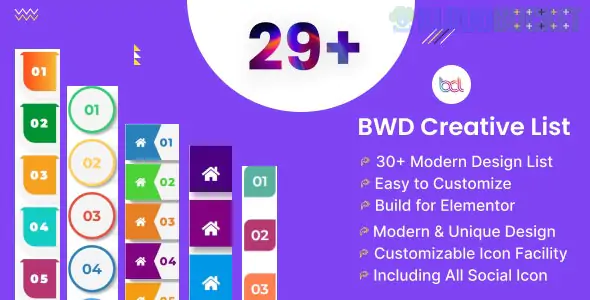
| **BWD Woo Product Accordion** | Lightweight & Fast | Elementor Free |
| **ShopEngine (Module)** | Full Store Redesign | Elementor Free/Pro |
| **Woolentor (WL: Accordion)** | Versatile Layouts | Elementor Free |
| **YITH Category Accordion** | Category Navigation | WooCommerce |
---
### How to Use It (General Workflow)
If you are using a dedicated Elementor addon for this:
1. **Edit the Template:** Go to your **Elementor Single Product Template** (usually created via Elementor Pro or a builder like ShopEngine).
2. **Drag the Widget:** Search for "Product Accordion" in the widget panel and drag it where you want the product details to appear.
3. **Choose Content:** In the **Content** tab, toggle which WooCommerce tabs you want to show (Description, Reviews, etc.).
4. **Add Custom Items:** Use the "Add Item" button to create a new accordion row for things like "Sustainability" or "Shipping Estimates."
5. **Style:** Go to the **Style** tab to choose your "Active" vs. "Normal" colors and set the transition speed.
---
### Critical Tip: The "Mobile Break" Issue
Some users find that if they have *two* versions of a product page (one hidden on desktop, one hidden on mobile), the JavaScript for accordions can sometimes break. If your accordion won't open, ensure you don't have "duplicate" accordion widgets on the same page hidden by responsive settings.
**Would you like me to help you create a "Custom Tab" (like a Size Chart) that only appears for certain product categories, or do you need help troubleshooting a specific plugin's installation?**
Subscribe to access unlimited downloads of themes, videos, graphics, plugins, and more premium assets for your creative needs.
.jpg) Help Us to Buy More New Theme/Plugin
Help Us to Buy More New Theme/Plugin
Published:
Jan 18, 2026 12:11 PM
Category:
Author:
OtherLicense:
GPL v2 or Later