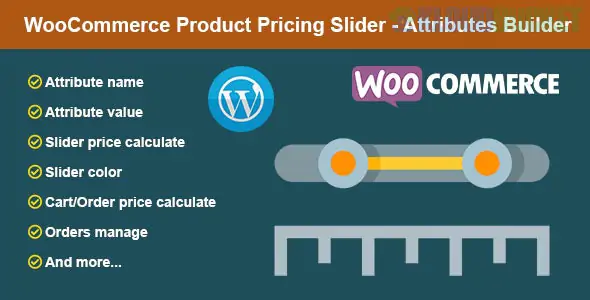
The WooCommerce Product Pricing Slider - Attributes Builder is a unique specialized plugin (often found on CodeCanyon by the developer smartcms) that changes how customers interact with variable products.
Instead of the standard dropdown menus for selecting sizes, weights, or quantities, this plugin converts product attributes into interactive range sliders. It is particularly effective for products sold by measurement, weight, or technical specifications.
Step-by-Step Building: Allows customers to "build" a product set by moving sliders for different attributes (e.g., Length, Width, Material Quality).
Dynamic Pricing: As the customer slides the handle, the product price updates in real-time based on the "Step Price" defined in the backend.
Custom Attribute Data: For each attribute, you can define:
Value From/To: The minimum and maximum range of the slider.
Slider Step: The increment value (e.g., move by 1 unit or 0.5 units).
Step Price: How much the total price increases or decreases per step.
Slider Color: Individual styling for each attribute slider to match your brand.
Visual Selection: Replaces boring dropdowns with a modern, "touch-friendly" UI that is much better for mobile users.
Price Calculation: It doesn't just show a price; it calculates it dynamically. If a customer slides "Length" from 10cm to 20cm, and your step price is $2 per cm, the price will instantly reflect that $20 increase.
Order Integration: All selected slider data is stored and displayed in the WooCommerce Cart, Checkout, and Order Detail pages, so the admin knows exactly what the customer "built."
User Account History: Customers can see their specific slider configurations in their "My Account" order history.
Industry
Implementation
Custom Furniture
Sliders for Height, Width, and Depth with per-inch pricing.
Printing Services
Sliders for Page Count or Paper Weight.
Food & Supplements
Sliders for Weight (grams/kg) or Ingredient concentrations.
Jewelry
Sliders for Ring Size or Diamond Clarity levels.
Create Attributes: Go to the Product edit page and find the "Attributes Builder" section provided by the plugin.
Define Range: Set your Value From (e.g., 1) and Value To (e.g., 100).
Assign Pricing: Enter the Step Price (the cost added for every unit moved on the slider).
Style: Choose a Slider Color and Value Label (e.g., "cm", "kg", "pcs").
Save: The default WooCommerce variation price will now be overridden by the slider's calculated total.
Standard "Swatches" plugins only allow you to pick from pre-defined options (Small, Medium, Large). The Pricing Slider is for continuous values. If you have 100 possible sizes, you don't want to create 100 variations manually; this plugin allows you to handle them all with a single slider.
Would you like me to help you calculate the "Step Price" logic for a specific product, or do you need help troubleshooting the slider display on your mobile theme?
Subscribe to access unlimited downloads of themes, videos, graphics, plugins, and more premium assets for your creative needs.
.jpg) Help Us to Buy More New Theme/Plugin
Help Us to Buy More New Theme/Plugin
Published:
Jan 18, 2026 14:05 PM
Version:
v1.2
Category:
Author:
OtherLicense:
GPL v2 or Later