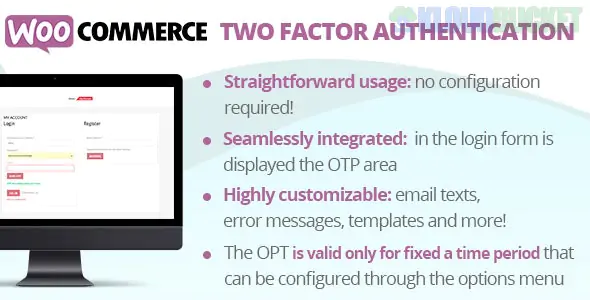
In the fast-paced world of e-commerce, security often takes a backseat to convenience. However, as online shopping continues to grow, so does the potential for cyber threats. With sensitive customer data at stake, protecting your WooCommerce store is more crucial than ever. Enter Two Factor Authentication (2FA), a simple yet effective way to bolster your website’s defenses.
Imagine this: you’ve invested time and resources into building your online business only to find it compromised by hackers. The thought alone can be chilling. Luckily, with WooCommerce Two Factor Authentication in place, you can add an extra layer of security that significantly reduces the risk of unauthorized access.
Curious about how 2FA works and why it's essential for your WooCommerce store? Let’s dive into everything you need to know about enhancing your e-commerce security through this powerful tool!
Two Factor Authentication (2FA) is a security measure designed to add an extra layer of protection. It requires users to verify their identity through two distinct methods before granting access.
The first step usually involves something you know, like a password. This is often the primary line of defense against unauthorized entry. However, passwords alone can be vulnerable to breaches or simple guesswork.
The second factor typically relies on something you have, such as a mobile device or hardware token. This could mean receiving a code via text message or using an authentication app that generates time-sensitive codes.
By combining these two elements, 2FA creates a more secure environment. Even if someone manages to steal your password, they would still need the second piece of information for access. It's this dual verification process that strengthens overall account security and helps keep your online presence safe from potential threats.
The rise of e-commerce has brought convenience but also significant risks. Cyber threats are on the increase, targeting online stores of all sizes.
Customers share sensitive information when they shop online. This includes credit card details and personal addresses. A breach can lead to identity theft or financial loss for them.
For businesses, a security incident can be devastating. It doesn’t just impact finances; it damages trust and reputation as well. Once lost, customer confidence is hard to regain.
Implementing robust security measures is no longer optional; it's essential for survival in the digital marketplace. Secure transactions encourage more shoppers to complete their purchases without hesitation.
Investing in high-level security protects not only your customers but also your brand’s integrity and longevity in a competitive landscape where safety should come first.
WooCommerce Two Factor Authentication (2FA) adds an extra layer of security to your online store. It works by requiring more than just a password for account access. After entering your username and password, users must provide a second piece of information.
This additional authentication factor is typically a code sent via SMS or generated by an app like Google Authenticator. This ensures that even if someone steals your password, they won't gain access without the second verification step.
The setup process is straightforward. Once enabled in your WooCommerce settings, customers are guided through linking their phone number or authenticator app.
By implementing 2FA, you significantly reduce the risk of unauthorized logins. It's becoming essential in today’s digital landscape where cyber threats lurk around every corner. With each login attempt needing dual confirmation, both merchants and customers can enjoy peace of mind knowing their accounts are better protected.
Setting up WooCommerce Two Factor Authentication (2FA) is a straightforward process that enhances your store's security. Begin by choosing a reliable 2FA plugin from the WordPress repository. Popular options like Google Authenticator or WP 2FA are user-friendly and effective.
Once installed, navigate to the plugin settings in your WooCommerce dashboard. Here, you will typically find an option to enable two-factor authentication for users and admins alike.
Next, link your mobile device with the chosen app. This often involves scanning a QR code generated by the plugin, ensuring seamless integration between your site and authenticator app.
After activation, encourage all users to set up their individual 2FA methods promptly. Educating them about its importance can make a notable difference in maintaining account security across your platform.
Using WooCommerce Two Factor Authentication (2FA) significantly enhances security for online stores. With the increasing number of cyber threats, adding this extra layer of protection is crucial.
By requiring a second form of identification, such as a text message or authentication app code, 2FA makes it much harder for unauthorized users to access accounts. Even if passwords are compromised, accounts remain secure.
Furthermore, implementing WooCommerce 2FA builds customer trust. Shoppers feel safer knowing that their personal and payment information is well-protected. This can lead to increased sales and repeat customers who appreciate your commitment to security.
Another benefit is compliance with data protection regulations. By using two-factor authentication, you demonstrate diligence in safeguarding user data—essential for maintaining credibility in today’s digital marketplace.
Setting up WooCommerce 2FA can deter potential hackers from targeting your site altogether. A robust defense mechanism often encourages attackers to seek easier targets elsewhere.
Implementing WooCommerce Two Factor Authentication can pose some challenges for store owners. One common issue is user resistance. Customers may find the extra step cumbersome and could abandon their carts.
To address this, consider educating your users on security benefits. Clear communication about how 2FA protects their accounts might ease concerns.
Another challenge involves technical glitches during setup or usage. Issues with SMS delivery or app compatibility can frustrate users. Having a robust support system in place is essential here. Offer detailed FAQs or tutorials that guide users through troubleshooting steps.
There’s the potential for lost access if a user misplaces their authentication device. Encourage customers to backup recovery codes securely when they enable 2FA to mitigate this risk and ensure ongoing access without hassle.
Implementing WooCommerce Two Factor Authentication (2FA) is a proactive step toward securing your online store. With rising cyber threats and breaches, safeguarding customer data has never been more crucial. The integration of 2FA not only protects sensitive information but also builds trust with your customers.
By following the steps to set up WooCommerce 2FA, you enhance your security framework significantly. Although there may be challenges during implementation, understanding them allows for smoother adoption.
As e-commerce continues to grow, investing in robust security measures like Two Factor Authentication will play a vital role in protecting both your business and its users. Embrace this technology today and take an essential step towards a safer online shopping experience for everyone involved.
"
Subscribe to access unlimited downloads of themes, videos, graphics, plugins, and more premium assets for your creative needs.
.jpg) Help Us to Buy More New Theme/Plugin
Help Us to Buy More New Theme/Plugin
Published:
Nov 07, 2025 18:39 PM
Version:
v2.3
Category:
Author:
OtherLicense:
GPL v2 or Later