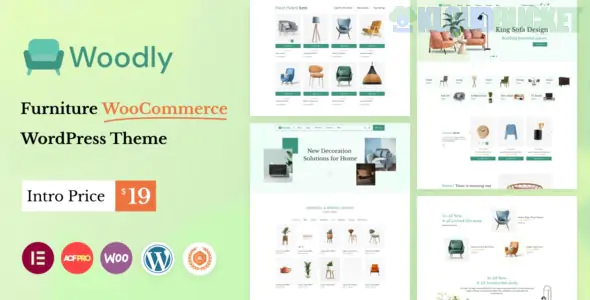
Woodly is a high-end, immersive WooCommerce theme designed specifically for furniture manufacturers, interior decor brands, and boutique home stores. Developed by Themeton, it stands out through its use of cinematic animations and "room-scale" imagery, making digital shopping feel as tactile as walking through a high-end showroom.
It is built for brands that sell "lifestyle," not just products, utilizing smooth motion and minimalist layouts to highlight material textures and craftsmanship.
Cinematic Product Sliders: Features advanced "Distortion" and "Liquid" transitions for product showcases, giving your furniture pieces a premium, artistic presentation.
Interactive Hotspots: Allows you to place clickable pins on "Room Scene" photos. A user can click a lamp in a living room photo and see the product details instantly.
Elementor Powered: Every shop page and product detail is built with Elementor, featuring custom Woodly widgets for "Product Lookbooks" and "Category Grids."
Advanced AJAX Shop: Includes AJAX search, price filtering, and "Add to Cart" without page refreshes, ensuring a fast, app-like shopping experience.
360° Product View Support: Fully compatible with plugins that allow users to rotate furniture items to see them from every angle.
To support Woodly’s heavy use of animations and high-res textures:
PHP Version: 7.4 or higher (8.1+ recommended).
Memory Limit: 512MB (recommended) to ensure the animation engine and WooCommerce run smoothly simultaneously.
Required Plugins: Woodly Core (bundled), WooCommerce, Elementor, and Slider Revolution.
Image Optimization: Since furniture sites rely on massive, high-detail images, using a CDN (like Cloudflare) and WebP formats is highly recommended.
Feature
Style Options
Shop Page
Infinity Scroll, Load More, or Classic Pagination; Sidebar or Full-width filters.
Product Page
Sticky Gallery, Horizontal Thumbnails, or Full-screen "Storytelling" layout.
Lookbook
Shoppable "Shop the Look" grids and interactive interior design scenes.
Mobile Shop
Specialized mobile bottom-navigation bar for easy thumb-access to the cart and search.
The "Lookbook" Strategy: Don't just list products on a white background. Use the Woodly Lookbook feature to show your furniture in a styled home environment. This helps customers visualize the "scale" of the pieces.
Focus on Materials: Use the Product Variation Swatches (e.g., Wood Grain, Fabric Color). High-end furniture buyers care about the "touch," so providing clear, zoomable swatches is vital.
Use Micro-Animations: Woodly allows for "Scroll Reveals." Set your furniture images to gently slide or fade in as the user scrolls. This mimics the "reveal" of walking into a new room.
Trust with "Dimensions": Furniture is a high-stakes purchase because of size. Ensure your product descriptions use the Technical Specs table to clearly list $Length \times Width \times Height$ and shipping weights.
Design Tip: Woodly’s "Animated" nature means it can be heavy if over-styled. Stick to a neutral color palette (Beige, Charcoal, or Soft White) to let the natural colors of the wood and fabrics be the focal point of the site.
Would you like me to show you how to set up the "Interactive Product Hotspots" for your room scenes, or do you need help configuring the "AJAX Filter" for your shop page?
Subscribe to access unlimited downloads of themes, videos, graphics, plugins, and more premium assets for your creative needs.
.jpg) Help Us to Buy More New Theme/Plugin
Help Us to Buy More New Theme/Plugin
Published:
Feb 01, 2026 13:50 PM
Category:
Developer:
ThemeforestLicense:
GPL v2 or Later