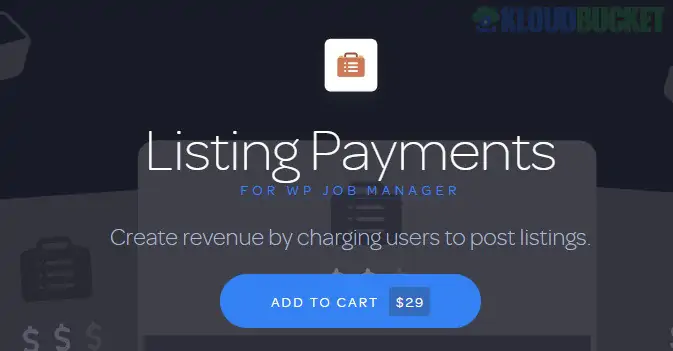
WP Job Manager Listing Payments is a lightweight, premium monetization add-on for the popular WP Job Manager plugin. Developed by Astoundify, it allows site owners to charge employers for job submissions without the complexity of a full e-commerce setup.
As of late 2025, it remains a favorite for niche job boards because it provides a streamlined checkout process that supports both one-time payments and recurring subscriptions.
Direct Payments: Unlike other solutions that require a middleman, this add-on integrates directly with payment gateways to collect funds during the job submission process.
Pay-per-Listing: Set a fixed price that employers must pay before their job listing is published or approved.
Listing Packages: Create bundles (e.g., "5 Job Posts for $99") that allow employers to purchase credits and use them over time.
Featured Upgrades: Allow users to pay an extra fee to mark their listing as "Featured," keeping it pinned at the top of search results.
Subscription Support: When paired with WooCommerce Subscriptions, you can offer recurring monthly or yearly plans for unlimited or bulk job postings.
The plugin is highly flexible regarding how you receive your money:
Stripe: Offers a modern, modal-based checkout for seamless credit card payments.
PayPal: Supports standard redirects to PayPal for employers who prefer using their balance or linked bank accounts.
WooCommerce Integration: While the "Simple" version works standalone, the "Listing Payments" version often leverages WooCommerce to access hundreds of localized payment gateways (like Authorize.net or Square).
Feature
Simple Paid Listings
Listing Payments (Astoundify)
Pricing Model
Single fee per job only.
Single fee, Packages, & Subscriptions.
Requirements
Standalone.
Requires WooCommerce for full features.
Discounts/Coupons
No.
Yes (via WooCommerce coupons).
Complexity
Very Low.
Moderate (more configuration).
Best For
Casual job boards.
Professional recruitment marketplaces.
Install Core: Ensure the free WP Job Manager plugin is active.
Configure Products: If using the WooCommerce-linked version, create a new product and set the product type to "Job Package."
Set Constraints: Within the product settings, define how many jobs the package allows and how many days each listing stays active (e.g., 30 days).
Submission Flow: When an employer reaches the "Preview" step of their job post, they will be prompted to "Choose a Package" before the job goes live.
Setup: Would you like a guide on how to create your first Job Package in WooCommerce?
Troubleshooting: Are your jobs stuck in "Pending Payment" status even after a successful transaction?
Subscriptions: Do you need help setting up Recurring Billing so employers are charged automatically every month?
How to Add Jobs to Your Wordpress Website Quickly
This video provides a solid foundation by walking you through the core WP Job Manager setup, which is the essential first step before adding payment functionality.
Subscribe to access unlimited downloads of themes, videos, graphics, plugins, and more premium assets for your creative needs.
.jpg) Help Us to Buy More New Theme/Plugin
Help Us to Buy More New Theme/Plugin
Published:
Dec 22, 2025 18:01 PM
Version:
v2.2.5
Category:
Author:
ACF PluginsLicense:
GPL v2 or Later