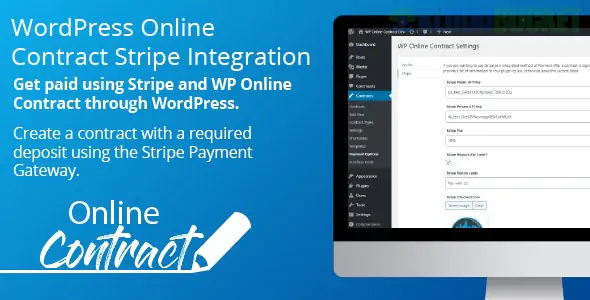
Integrating Stripe with WP Online Contract is a popular move because it allows you to combine the legal signing of a document with an immediate payment request. This "Sign then Pay" workflow is one of the most effective ways to reduce late payments and "client ghosting."
Here is everything you need to know about setting this up.
WP Online Contract is a modular plugin. While the core plugin handles the creation and signing of contracts, the Stripe Payments functionality is typically an Add-on (Extension).
Automatic Redirect: Once a client signs the contract, they are immediately redirected to a secure Stripe payment page.
Deposit or Full Payment: You can set the contract to require a fixed deposit or the total amount due before the contract is marked as "Fully Executed."
Status Syncing: Once the payment is confirmed via Stripe, the contract status automatically updates to "Paid" in your WordPress dashboard.
Secure & Compliant: It uses Stripe's secure API (SCA Ready), meaning you don't store sensitive credit card data on your own server.
If you have the Stripe extension for WP Online Contract, follow these steps:
Install the Extension: Go to Plugins > Add New and upload the Stripe Extension .zip file.
Connect to Stripe: * Navigate to Contracts > Settings > Payments.
Select Stripe as your gateway.
Enter your Secret Key and Publishable Key (found in your Stripe Dashboard).
Configure Webhooks: To ensure your site knows when a payment is successful, you must copy the Webhook URL from the plugin settings and paste it into your Stripe Dashboard under Developers > Webhooks.
Set Contract Pricing: When creating or editing a contract, look for the Payment Settings meta box. Enter the amount you want to charge for that specific contract.
If you are looking for more flexibility or find the official extension too limited, many users use these "bridge" methods:
WPForms + Stripe: Use the WPForms "Signature" addon alongside their Stripe integration. This allows you to create a single form that collects a signature and a payment simultaneously.
WooCommerce + Contract Plugin: Some setups use WooCommerce to handle the checkout, and only trigger the contract send-out after the "Order" status is set to Processing.
Because you are handling financial transactions, an SSL certificate (HTTPS) is mandatory. Stripe will not process live transactions on an unsecured site, and most modern browsers will warn users away from your contract if it's not encrypted.
Are you currently having trouble with a specific error code during the Stripe connection, or are you looking for the best place to purchase the extension?
Subscribe to access unlimited downloads of themes, videos, graphics, plugins, and more premium assets for your creative needs.
.jpg) Help Us to Buy More New Theme/Plugin
Help Us to Buy More New Theme/Plugin
Published:
Feb 02, 2026 09:39 AM
Version:
v2.1.3
Category:
Author:
OtherLicense:
GPL v2 or Later