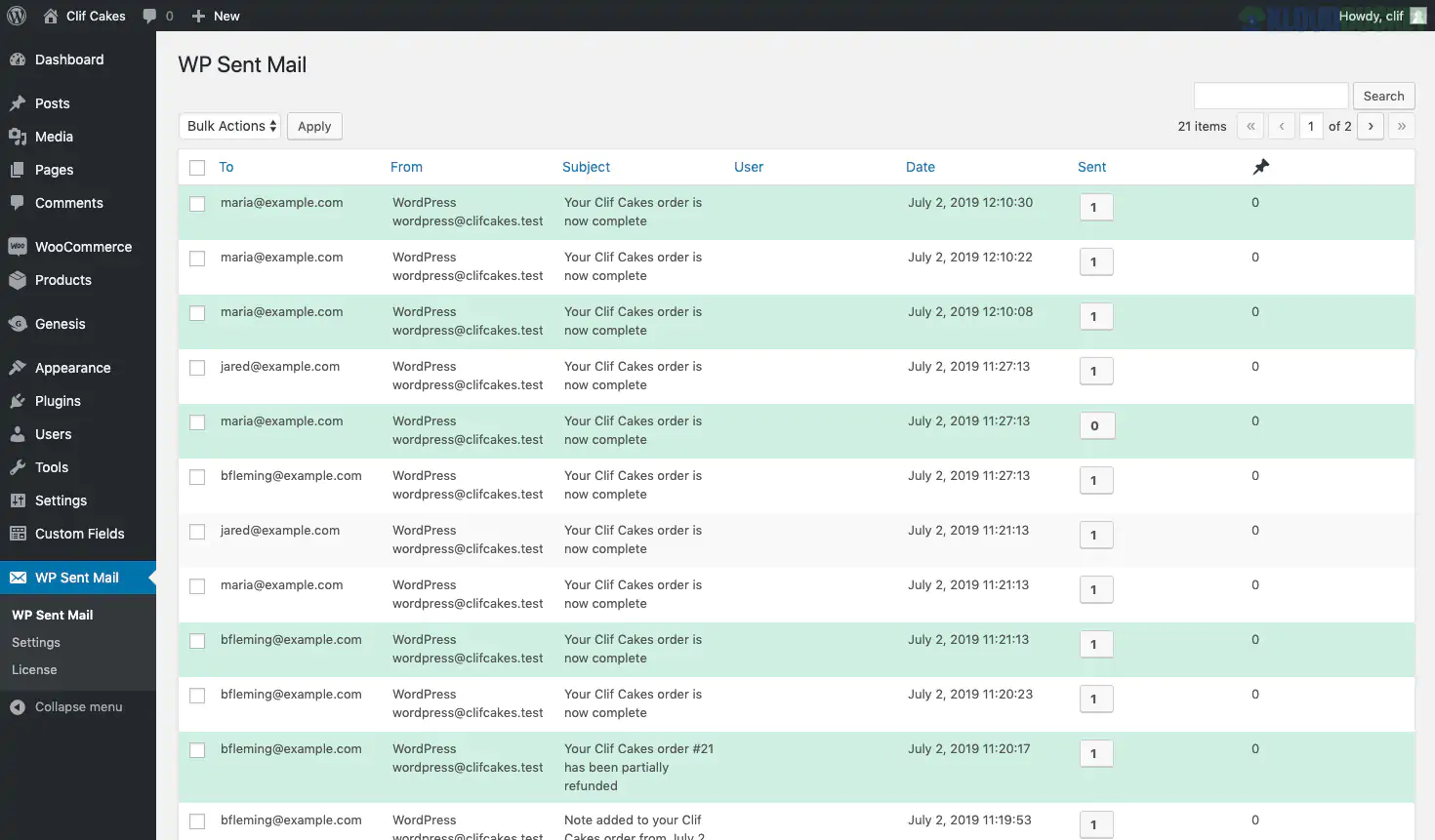
WP Sent Mail is a specialized, lightweight diagnostic tool designed for one specific job: creating a "Sent" folder for your WordPress site. While WordPress is great at triggering emails (like password resets or order confirmations), it is notoriously bad at keeping a record of them.
This plugin acts as your site’s "black box recorder," capturing every outgoing communication for debugging and auditing.
Unlike heavy SMTP plugins that focus on delivery, WP Sent Mail focuses on visibility:
Full Email Preview: View exactly what your customers see—including HTML formatting, images, and layout—directly from your WordPress dashboard.
Re-send with One Click: If a customer claims they didn't get their receipt or login details, you can trigger an identical copy to be sent again instantly.
Airplane Mode: A favorite for developers. This blocks WordPress from actually sending emails to the outside world but still "logs" them. This is perfect for testing staging sites without accidentally emailing 1,000 real customers.
Attachment Logging: It saves a copy of files sent with emails (like the PDF Invoices we discussed earlier) so you can verify exactly what was dispatched.
Open Tracking: It can insert an invisible pixel to tell you if and when a recipient actually opened your message.
In a complex ecosystem of plugins (WooCommerce, Bopo, MedicaLife), things often break. WP Sent Mail helps you solve these common "Mystery" issues:
The "Ghost" Email: A customer says they didn't get an email. You check the log—if it's there, your site did its job, and the issue is with their spam filter. If it's not there, your site has a technical glitch.
Plugin Conflicts: If you're using multiple kits, sometimes two plugins try to send an email at the same time. This log shows you exactly which plugin "authored" each message.
Content Verification: Did that automated "Greenco" landscaping quote actually include the right discount code? You can open the log and see the exact text that was sent.
Database Management: Logging every email can eventually make your database heavy. Use the Log Retention Period setting to automatically delete logs older than 30 or 60 days.
Pair with SMTP: WP Sent Mail tells you what was sent, but it doesn't guarantee delivery. For the best results, use this alongside a mailer like WP Mail SMTP or SendGrid to ensure those logged emails actually hit the inbox.
Admin Widget: Enable the "Dashboard Widget" in the settings. This gives you a quick "at-a-glance" view of the last 10 emails sent every time you log into your WordPress site.
WordPress: 5.6 or higher.
PHP: 7.4 or 8.x (for the best performance with HTML previews).
Zero Configuration: One of the best parts—once activated, it starts logging immediately. No complex API keys are required just to see your sent mail.
Would you like me to help you configure the "Airplane Mode" for a staging site, or are you trying to find a specific missing email in your logs right now?
Subscribe to access unlimited downloads of themes, videos, graphics, plugins, and more premium assets for your creative needs.
.jpg) Help Us to Buy More New Theme/Plugin
Help Us to Buy More New Theme/Plugin
Published:
Feb 02, 2026 11:01 AM
Version:
v2.5.3
Category:
Author:
All In One PluginLicense:
GPL v2 or Later