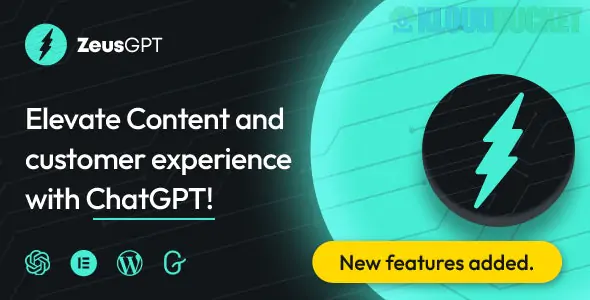
ZeusGPT is a versatile WordPress plugin designed to integrate OpenAI's ChatGPT directly into your website. It serves two primary roles: enhancing visitor engagement through an AI-powered chatbot and streamlining admin workflows with automated content generation.
As of late 2025, it is recognized for its "plug-and-play" simplicity, allowing site owners to deploy advanced AI features without writing a single line of code.
Intelligent Chatbot: Adds a customizable chat window to your site that can answer visitor questions in real-time, providing 24/7 support.
SEO Content Generator: Directly within the WordPress dashboard, you can use the plugin to draft high-quality articles, product descriptions, and blog outlines that are optimized for search engines.
Persona Customization: You can give your chatbot a specific "identity" (e.g., a "Friendly Support Agent" or a "Professional Financial Consultant") to match your brand's tone.
Multilingual Support: Leverages ChatGPT’s natural language abilities to communicate with visitors in dozens of different languages automatically.
Visual Builder Support: Fully compatible with Elementor, Gutenberg, and WPBakery, allowing you to place chat triggers or content blocks anywhere on your site.
Customizable Interface: You can change the chatbox position, colors, fonts, and icons to ensure the AI interface feels like a native part of your theme.
Shortcode Ready: Use simple shortcodes to embed the chat functionality into specific pages or posts rather than showing it sitewide.
Feature
Benefit
Rate Limiting
Prevents individual users from spamming the AI, protecting your OpenAI API credits.
Conversation History
Stores logs of visitor chats so you can review common questions and improve your site's info.
Third-Party Tracking
Integrates with Google Analytics and Facebook Pixel to track how often users interact with the AI.
GDPR Compliant
Includes settings to ensure visitor data is handled according to privacy laws.
To use ZeusGPT, you need an active OpenAI API Key. The plugin acts as the "bridge" between your website and OpenAI's servers.
WordPress Version: Works best on WordPress 5.0 or higher.
PHP Version: Requires PHP 7.4 or newer (8.x recommended for speed).
Setup: Once installed, you simply paste your API key into the settings panel and choose which GPT model (e.g., GPT-4o or GPT-3.5) you wish to use.
API Setup: Would you like a guide on how to generate and secure your OpenAI API Key for use with the plugin?
Prompt Engineering: Do you need help writing the "System Instructions" to make your chatbot behave like a specific expert?
Troubleshooting: Are you having trouble getting the chat bubble to appear on your mobile version?
How to Add ChatGPT to WordPress
This video explains the general process of integrating AI into WordPress, which is the same core logic used by plugins like ZeusGPT.
Subscribe to access unlimited downloads of themes, videos, graphics, plugins, and more premium assets for your creative needs.
.jpg) Help Us to Buy More New Theme/Plugin
Help Us to Buy More New Theme/Plugin
Published:
Dec 22, 2025 16:22 PM
Version:
v1.3.2
Category:
Author:
OtherLicense:
GPL v2 or LaterTags: