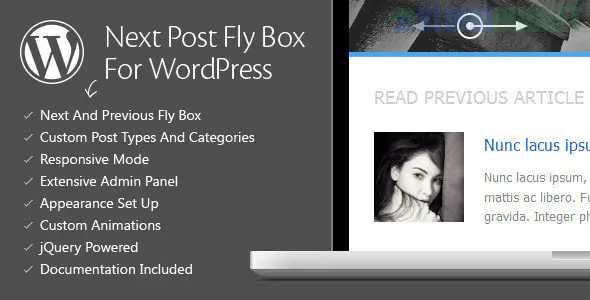
Next Post Fly Box For WordPress (developed by QuanticaLabs) is a lightweight navigation plugin that improves user retention by showing a floating "pop-up" box for the next and previous posts as users scroll down your page.
Rather than making users scroll to the very bottom to find the next article, this "fly box" appears at the side of the screen, subtly encouraging them to keep reading.
Dynamic Triggers: The box can be set to appear only after a user has scrolled a certain percentage of the page or reached the end of the post content.
Customization Options:
Positioning: Place it on the left or right side of the screen.
Content Control: Choose to show the Featured Image thumbnail, the post title, and a short excerpt.
Animations: Includes various "easing" and transition effects for how the box slides into view.
Smart Sorting: You can configure the "Next" post to follow chronological order or be filtered by specific categories/tags.
Custom Post Type Support: Works not just for blog posts, but also for portfolios, products (WooCommerce), or any other custom content types.
Responsive Design: It is mobile-friendly and can be disabled for specific devices if it feels too intrusive on smaller screens.
This is a premium plugin typically sold on CodeCanyon (Envato Market):
Regular License: ~$19–$25 (One-time payment).
Updates: Includes lifetime updates and 6 months of developer support.
Note: It is also often included in Envato Elements subscriptions (~$16.50/month), allowing you to download it along with millions of other assets.
While Next Post Fly Box is excellent for a specialized sidebar navigation, here is how it compares to other methods:
Feature
Next Post Fly Box
Default Theme Nav
PostX / Divi Builders
Visibility
Floating/Sticky
Static (Bottom of page)
Custom (Static or Sticky)
Engagement
High (Visual call to action)
Low
Moderate
Visuals
Thumbnails & Excerpts
Text Links only
Full Design Freedom
Weight
Very Lightweight
Built-in (Zero weight)
Heavy (Requires Builder)
If you are using a page builder like Elementor or Divi, you may already have "Sticky" settings for columns. However, Next Post Fly Box is still preferred for high-traffic blogs because it is much lighter on code and specifically coded to "find" the next post automatically without you having to build a new template for every category.
Would you like me to help you configure the "Trigger" settings so the box only appears when your readers are 70% finished with an article?
Subscribe to access unlimited downloads of themes, videos, graphics, plugins, and more premium assets for your creative needs.
.jpg) Help Us to Buy More New Theme/Plugin
Help Us to Buy More New Theme/Plugin
Published:
Jan 24, 2026 16:56 PM
Category:
Author:
OtherLicense:
GPL v2 or LaterTags: