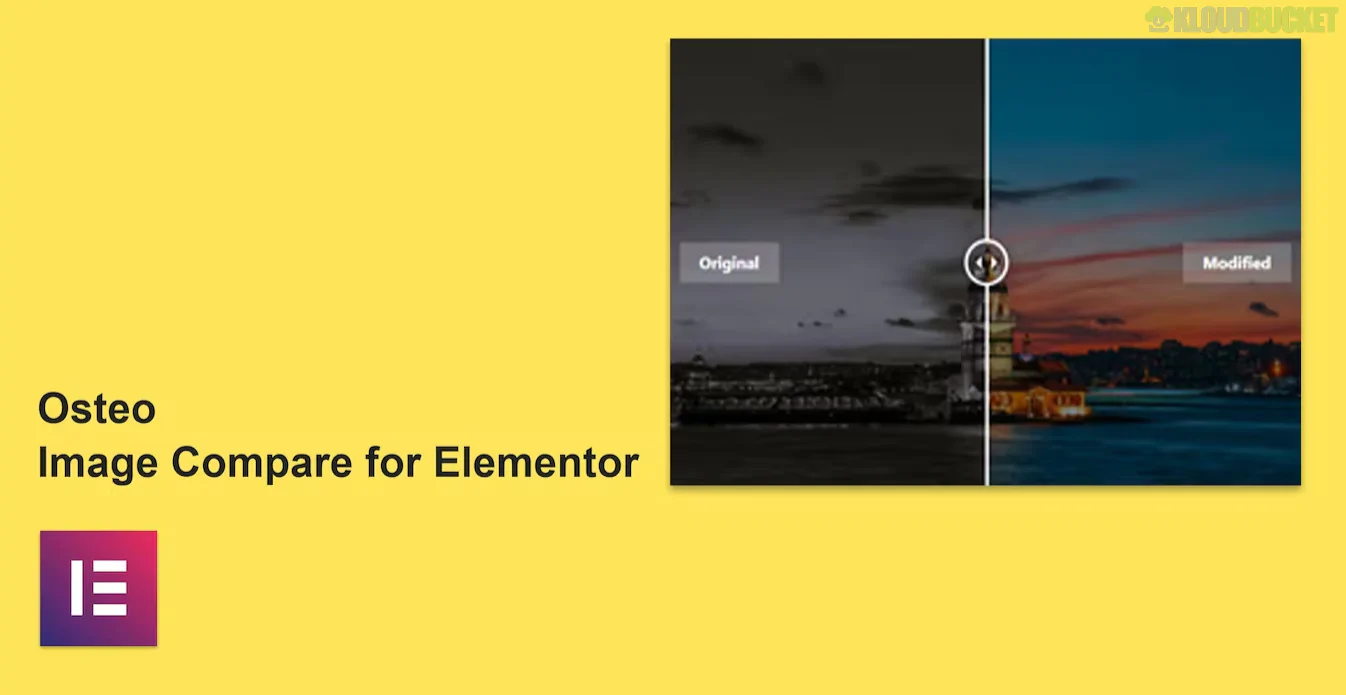
Osteo Image Compare for Elementor is a dedicated, lightweight addon created by TwinkleTheme that allows you to create interactive "Before and After" image sliders.1 It is specifically designed to showcase transformations—such as photo editing, interior design makeovers, or dental work—in a way that is engaging and responsive.
Dual Orientation: You can choose between a Horizontal (left-to-right) or Vertical (top-to-bottom) slider depending on your content.
Interaction Modes: Supports multiple trigger types, including Click, Drag, or simple Mouse Hover to move the slider handle.
Custom Labels: Easily edit the "Before" and "After" text labels to fit your specific niche (e.g., "Old" vs. "New" or "Then" vs. "Now").
Handle Styling: Deep customization for the slider handle, including rectangle or circle shapes, custom icons, and color options.2
Performance Focused: It is coded to be lightweight, ensuring it doesn't negatively impact your Core Web Vitals or page load speed.3
Category
Options Available
Content
Image upload (Before/After), custom labels, and start position percentage (e.g., starting at $50\%$ or $30\%$).
Slider Orientation
Toggle between Horizontal and Vertical layouts.
Overlay
Enable or disable a color overlay that appears when the user hovers over the comparison.
Style Tab
Control typography for labels, handle colors, divider thickness, and border-radius for the images.
While many large "Addon Packs" (like Happy Addons or Essential Addons) include a comparison widget, Osteo is often preferred by users who:
Want a Standalone Solution: If you don't want to install a massive pack with $50+$ widgets you won't use, Osteo provides just the specific functionality you need.
Focus on Clean UI: The design of the Osteo handle and label system is noted for being particularly modern and "Apple-esque" compared to older, bulkier plugins.
Dynamic Data Support: It is compatible with Elementor’s dynamic tags, allowing you to pull before/after images from custom fields (ACF/MetaBox).
Install & Activate: Once installed, search for "Osteo" or "Image Compare" in the Elementor widget panel.
Add Images: Drag the widget into a section and upload your two images (ensure they are the same dimensions for the best effect).
Adjust Handle: Go to the Style tab to choose between a circle or bar handle and set its color to match your brand.
Tip: For the best visual experience, ensure both the "Before" and "After" images are cropped to the exact same aspect ratio before uploading them.
Would you like me to find a specific CSS snippet to add a "glow" effect to the Osteo slider handle, or do you need help troubleshooting an image alignment issue?
Subscribe to access unlimited downloads of themes, videos, graphics, plugins, and more premium assets for your creative needs.
.jpg) Help Us to Buy More New Theme/Plugin
Help Us to Buy More New Theme/Plugin
Published:
Jan 19, 2026 16:02 PM
Category:
Author:
OtherLicense:
GPL v2 or LaterTags: