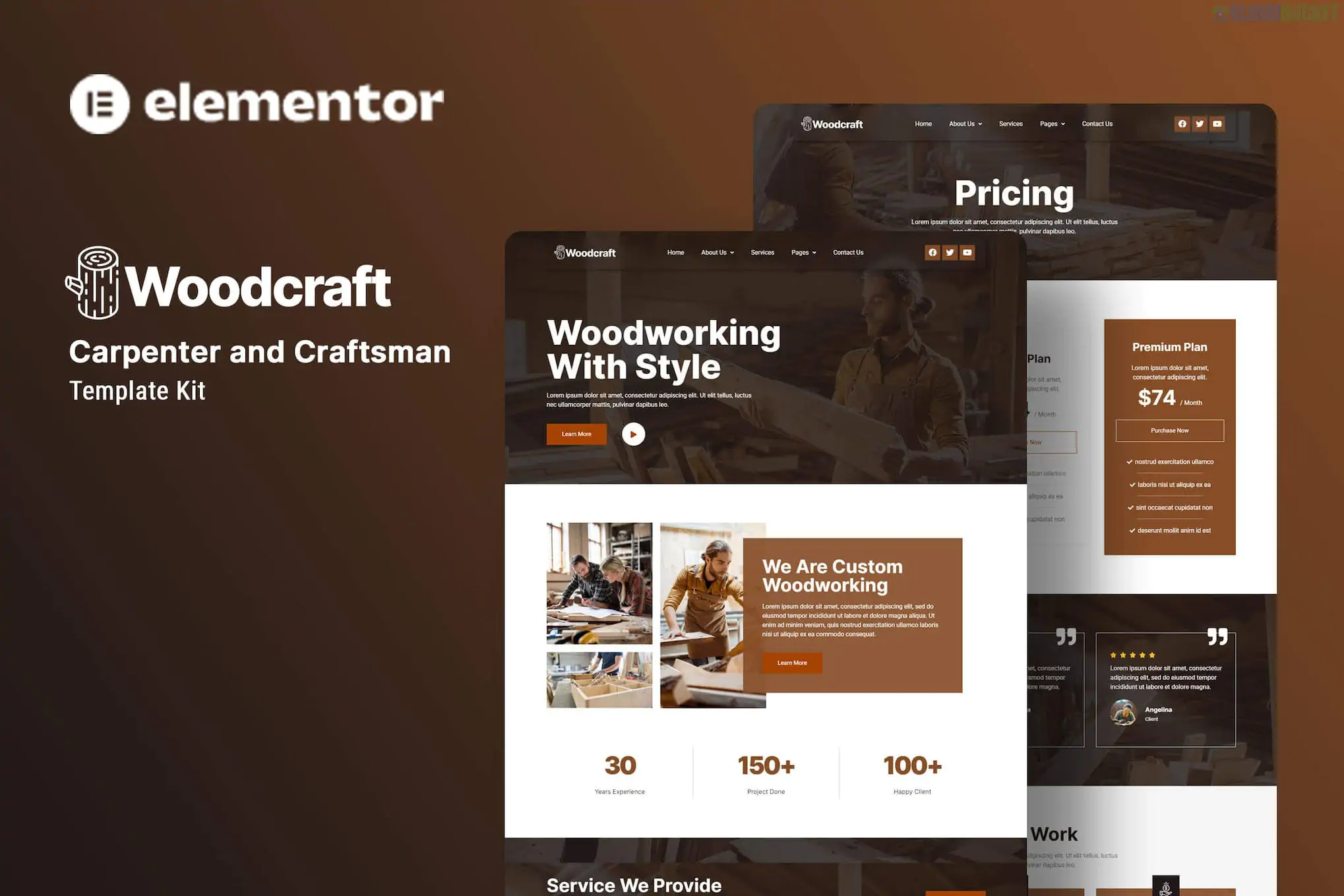
**Woodcraft** is a professional Elementor Template Kit designed for carpenters, woodworking artisans, and custom furniture makers. Developed by **Kitpro**, it utilizes a rugged yet clean aesthetic with earthy tones and bold textures to highlight craftsmanship and manual expertise.
Like other kits, **Woodcraft** is a collection of pre-designed layouts and does not include a standalone WordPress theme or a back-end project management system.
---
### ## Key Features
* **Niche-Specific Design:** Built with high-quality layouts for showcasing woodworking portfolios, timber services, and custom builds.
* **10+ Essential Templates:** Includes a full suite of pages from a specialized "Projects" gallery to "Team" bios.
* **No Code Customization:** Fully visual drag-and-drop interface via Elementor.
* **Mobile Optimized:** Ensures your carpentry portfolio looks professional on everything from large monitors to job-site smartphones.
* **Retina Ready:** High-resolution icons and sharp typography (using Inter and Roboto fonts) for a modern feel.
### ### Technical Requirements
To set up Woodcraft, you will need the following active on your WordPress site:
* **Elementor (Free):** The primary page builder.
* **Hello Elementor Theme:** The recommended lightweight "starter" theme.
* **ElementsKit Lite:** Used for building the header, footer, and advanced navigation menus.
* **MetForm:** For the contact and inquiry forms.
* **Header & Footer Builder:** A free addon often included to manage site-wide elements without Elementor Pro.
* **Envato Elements Plugin:** For importing the kit files.
---
### ### Included Page Templates
| Category | Page Layouts |
| --- | --- |
| **Main Pages** | Home, About Us, Team, FAQ |
| **Services** | Services List (Overview of carpentry/repair offerings) |
| **Portfolio** | Project Gallery (Showcase of completed work) |
| **Blog** | News Archive, Single Blog Post |
| **Utility** | 404 Error, Contact Us, Global Kit Styles |
---
### ### Installation & Form Setup
1. **Importing:** Use the **Envato Elements** plugin to upload the `.zip` file. Always click **"Install Requirements"** in the orange banner first, then import the **Global Kit Styles** before any specific pages.
2. **Setting up MetForm:** * Import the "MetForm" block templates from the kit.
* On the Contact page, select the MetForm widget and click "Edit Form."
* Choose "New" and then insert the imported MetForm template from your "My Templates" library.
3. **Header & Footer:** Go to `Appearance > Header Footer Builder`, create a new header/footer, and insert the corresponding imported Woodcraft templates.
> **Pro Tip:** For a local craftsman, the **"Projects"** gallery is your most powerful tool. Use high-quality, high-contrast photos of wood grains and finished installations. This kit’s layout is designed to let the "textures" of your work speak for themselves.
Would you like me to help you draft some "Service" descriptions for specific carpentry tasks like cabinetry or deck building, or do you need help setting up the Project Gallery?
Subscribe to access unlimited downloads of themes, videos, graphics, plugins, and more premium assets for your creative needs.
.jpg) Help Us to Buy More New Theme/Plugin
Help Us to Buy More New Theme/Plugin
Published:
Feb 01, 2026 11:36 AM
Category:
Author:
OtherLicense:
GPL v2 or Later